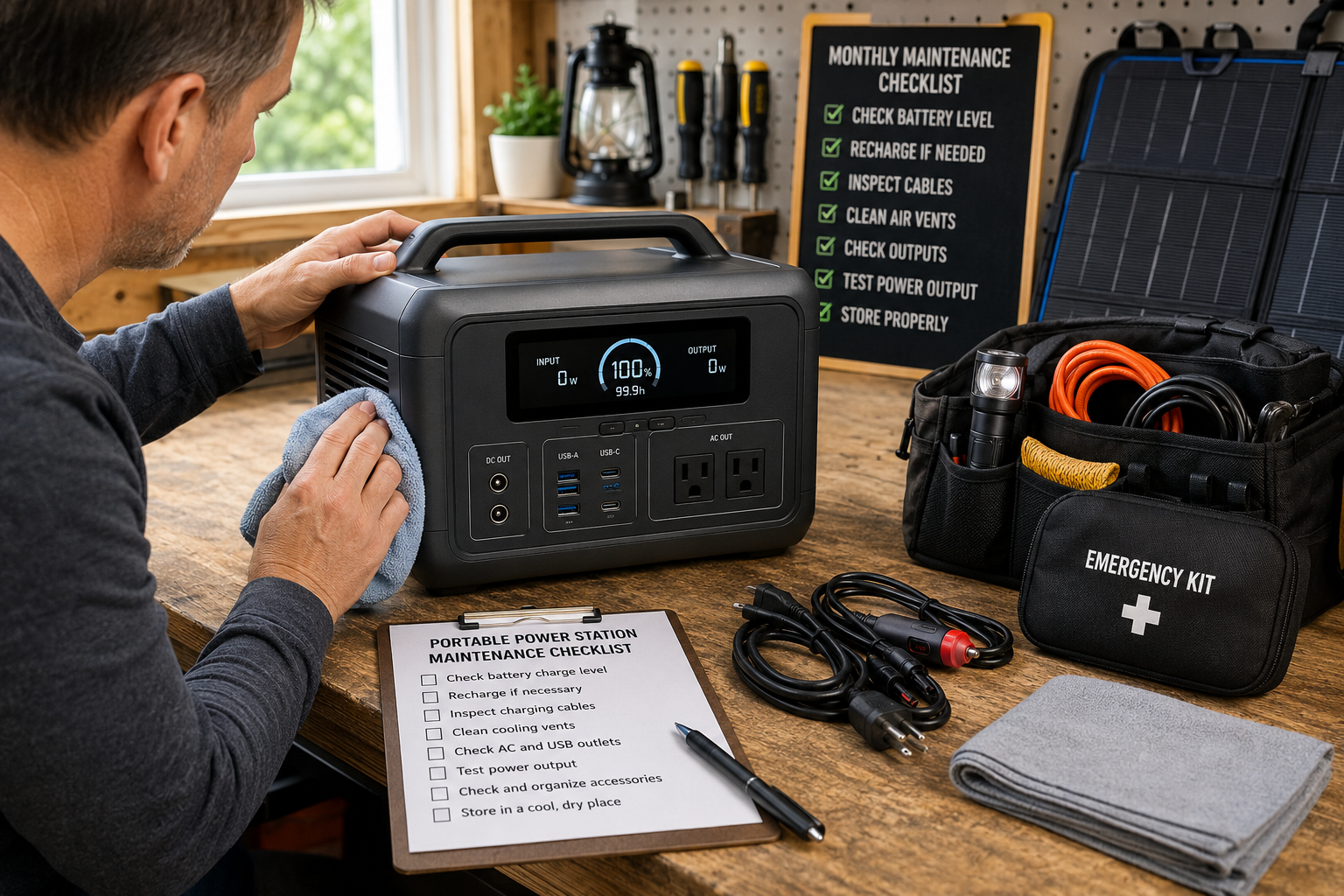
Power outages are unpredictable, but your portable power station shouldn’t be. Following a portable power station maintenance checklist helps ensure your backup power system is fully charged, operating safely, and ready when your family needs it most.
Unlike gasoline generators, portable power stations require relatively little maintenance. However, batteries, charging systems, cables, and electronic components still benefit from routine inspection. Spending just a few minutes each month can extend battery life, improve reliability, and reduce the risk of discovering a problem during an emergency.
Why Regular Maintenance Matters
Portable power stations represent a significant investment. Proper maintenance helps protect that investment while ensuring dependable performance during power outages, severe storms, camping trips, and other situations where reliable electricity is essential.
Routine maintenance can help:
- Extend battery lifespan
- Maintain maximum battery capacity
- Identify damaged cables before they fail
- Verify charging systems are operating correctly
- Ensure emergency equipment is always ready
- Reduce unexpected performance issues
Most maintenance tasks require no technical expertise and can be completed in less than 15 minutes.
Portable Power Station Maintenance Checklist
Follow this portable power station maintenance checklist every month to keep your backup power system reliable and ready for the next emergency.
Portable Power Station Maintenance Checklist: Monthly Inspection
Set a recurring reminder on your calendar to complete the following inspection once each month.
1. Check the Battery Charge Level
Never assume your power station is still fully charged after months of storage.
Verify:
- Current battery percentage
- Display operation
- Charging status indicators
- Battery health information (if available)
Many manufacturers recommend storing lithium batteries between approximately 50% and 80% if the unit will not be used for an extended period. Always follow your manufacturer’s recommendations for your specific model.
For additional recommendations on safely charging, storing, and maintaining rechargeable batteries, review the U.S. Consumer Product Safety Commission’s battery safety guidance before storing your portable power station for an extended period.
2. Recharge When Necessary
If the battery level has dropped below the manufacturer’s recommended storage level:
- Recharge using the supplied charger.
- Allow the charging cycle to finish completely.
- Confirm the display reports a successful charge.
- Disconnect the charger if recommended by the manufacturer.
Avoid using damaged charging cables or third-party accessories that are not approved for your unit.
3. Inspect All Charging Cables
Damaged cables are one of the easiest maintenance problems to overlook.
Examine:
- AC charging cable
- Vehicle charging cable
- Solar charging cable (if applicable)
- Extension cords used during outages
Replace any cable that shows:
- Cracked insulation
- Bent connectors
- Loose fittings
- Burn marks
- Corrosion
4. Clean Air Vents
Dust can gradually accumulate around cooling vents and fans.
Using a soft cloth or compressed air:
- Remove dust from ventilation openings.
- Inspect cooling fans for obstructions.
- Wipe exterior surfaces.
- Avoid spraying liquids directly onto the unit.
Proper airflow helps prevent overheating during heavy use.
5. Inspect AC and USB Outlets
Carefully examine every outlet for:
- Dirt
- Dust buildup
- Loose connectors
- Physical damage
- Foreign objects
If necessary, gently clean around the ports using a dry, soft brush.
Store Your Portable Power Station Correctly
Storage conditions have a major impact on long-term battery health.
Choose a location that is:
- Cool
- Dry
- Well ventilated
- Protected from direct sunlight
- Away from excessive humidity
Avoid storing the unit:
- In a hot vehicle
- Near furnaces
- In damp basements
- In freezing outdoor environments
- Next to water heaters or boilers
Stable temperatures generally help maximize battery performance over time.
Create an Emergency Power Kit
Your portable power station should be part of a complete emergency preparedness system rather than stored by itself.
Consider keeping these items together:
- Charging cables
- Solar panel connectors
- Extension cords
- LED lanterns
- Flashlights
- Spare batteries
- Weather radio
- Device charging cables
- Printed emergency contact list
Keeping everything in one location allows you to respond quickly when an outage occurs.
Portable Power Station Maintenance Checklist: Firmware Updates
Many modern portable power stations include firmware that controls battery management, charging efficiency, and overall performance. Manufacturers occasionally release updates that improve reliability or add new features.
Every few months:
- Visit the manufacturer’s website or mobile app.
- Check for available firmware updates.
- Read the release notes before installing.
- Follow the manufacturer’s update instructions carefully.
Keeping firmware current helps ensure your power station performs as intended during an emergency.
Test the Battery Periodically
Even if your power station sits unused most of the year, it’s a good idea to verify that it still operates correctly.
Every three to six months:
- Connect several common household devices.
- Allow the unit to power them for 15–30 minutes.
- Confirm all AC, USB, and DC outputs work properly.
- Watch for unexpected shutdowns or warning messages.
A short functional test provides confidence that the unit is ready when it’s needed most.
Maintain Your Solar Panels
If you use portable solar panels to recharge your power station, include them in your maintenance routine.
Inspect for:
- Dirt or pollen buildup
- Cracked glass
- Damaged frames
- Worn connectors
- Frayed cables
Clean the panels with water and a soft cloth as recommended by the manufacturer. Avoid abrasive cleaners that could reduce solar performance.
Inspect Battery Performance Over Time
All rechargeable batteries gradually lose capacity as they age.
Watch for signs such as:
- Shorter runtimes than expected
- Slower charging speeds
- Frequent overheating
- Unexpected shutdowns
- Error messages on the display
If you notice a significant decline in performance, review the manufacturer’s troubleshooting guide or contact customer support.
Seasonal Maintenance Schedule
In addition to your monthly checklist, perform a more thorough inspection before seasons that commonly bring severe weather.
Spring
- Recharge the battery.
- Clean the unit.
- Test all outputs.
- Inspect solar charging equipment.
Summer
- Confirm the unit is ready for hurricane or thunderstorm season.
- Check storage temperatures if the unit is kept in a garage.
Fall
- Prepare for winter power outages.
- Test extension cords and emergency lighting.
Winter
- Verify battery charge after prolonged storage.
- Inspect equipment before major snow or ice storms.
- Ensure charging cables remain flexible and undamaged.
Portable Power Station Maintenance Checklist: Common Maintenance Mistakes
Avoid these common errors that can reduce battery life or leave you unprepared during an emergency.
Forgetting Monthly Checks
A battery that slowly self-discharges may not be ready when the power goes out.
Storing the Unit in Extreme Temperatures
Excessive heat and prolonged freezing temperatures can reduce battery performance and lifespan.
Ignoring Dirty Cooling Vents
Dust buildup can restrict airflow and cause the power station to run hotter than intended.
Using Damaged Charging Accessories
Frayed or damaged cables should be replaced immediately to reduce the risk of charging problems.
Waiting Until an Emergency to Test the Unit
The best time to discover a problem is before severe weather arrives—not during a blackout.
Portable Power Station Maintenance Checklist
Use this portable power station maintenance checklist once each month to help ensure your backup power system is fully charged, operating safely, and ready for the next emergency.
✓ Check battery charge level
✓ Recharge if necessary
✓ Inspect AC charging cable
✓ Inspect vehicle charging cable
✓ Inspect solar charging cable
✓ Clean cooling vents
✓ Check AC outlets
✓ Check USB ports
✓ Verify display operation
✓ Test power output
✓ Inspect extension cords
✓ Confirm emergency kit is complete
✓ Review firmware updates
✓ Store in a cool, dry location
Frequently Asked Questions
How often should I check my portable power station?
A quick inspection once each month is sufficient for most homeowners. If you live in an area prone to hurricanes, winter storms, or frequent outages, consider checking it more often during severe weather seasons.
Should I keep my portable power station fully charged?
Follow your manufacturer’s recommendations. Many lithium battery systems are designed for long-term storage at a partial charge rather than remaining at 100% continuously.
How long will a portable power station battery last?
Battery lifespan depends on battery chemistry, usage, charging habits, and storage conditions. Many modern LiFePO₄ power stations are rated for several thousand charge cycles before noticeable capacity loss.
Do portable power stations require professional maintenance?
No. Most routine maintenance involves simple visual inspections, cleaning, charging, and periodic testing that homeowners can perform themselves.
Can I store my portable power station in the garage?
Yes, provided the garage remains within the manufacturer’s recommended temperature range and is protected from excessive moisture.
Final Thoughts
Following a portable power station maintenance checklist is one of the easiest ways to protect your investment and ensure reliable backup power when you need it most.
A few minutes of preventive maintenance each month can help extend battery life, improve performance, and reduce the likelihood of unexpected problems during a power outage. By combining routine inspections, proper storage, and regular testing, you’ll be better prepared for severe weather and other emergencies.
Related Articles
- How Long Do Portable Power Station Batteries Last?
- How to Safely Use a Portable Power Station During a Power Outage
- Can a Portable Power Station Run a Refrigerator?
- Can a Portable Power Station Run a Chest Freezer?
- Prepare Your Home for a Multi-Day Power Outage
- Best Backup Power Options for Apartments: Simple Solutions That Work