Category: Portable Power Stations

  • Portable Power Station With a Transfer Switch: What Size System Do You Need?

    Portable Power Station With a Transfer Switch: What Size System Do You Need?

    Connecting a portable power station to a transfer switch can make home backup dramatically more convenient. Instead of running extension cords through your house, a properly designed system can supply backup electricity directly to selected household circuits.

    But the transfer switch does not determine how much backup power you have.

    Your portable power station does.

    To size the system correctly, you need to answer four questions:

    1. Which circuits do you want to keep running?
    2. How many watts could those circuits require at the same time?
    3. Do any essential loads require 240V power?
    4. How many kilowatt-hours of battery capacity do you need between recharges?

    That distinction is critical.

    Watts determine what you can run. Watt-hours determine how long you can run it. And 120V/240V capability determines which types of household circuits your system can support.

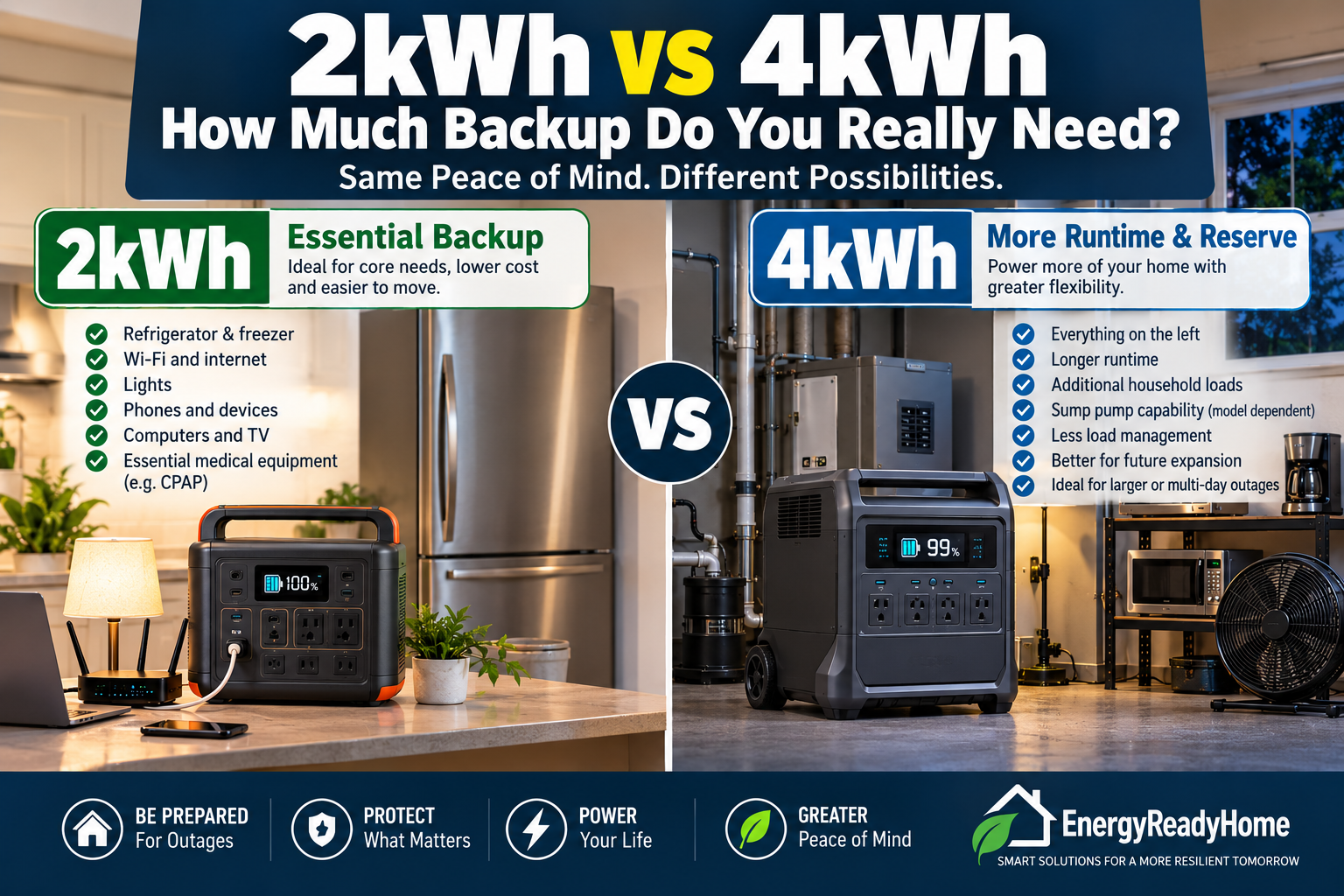
    For many homeowners who only want refrigeration, internet, lights, electronics and several essential outlets, a properly configured 2–4kWh expandable system may be a reasonable starting point.

    If you want broader selected-circuit coverage, substantial 240V capability or longer outage runtime, 5kWh or more of starting battery capacity with a high-output 120V/240V platform can make considerably more sense.

    The goal isn’t to buy the biggest portable power station you can afford.

    It’s to build the smallest system that can reliably support the circuits you actually need.

    Quick Answer: What Size Portable Power Station Do You Need With a Transfer Switch?

    Backup GoalStarting Battery CapacitySuggested Output ClassTypical Use
    Light essential circuits2kWh+2,500–3,000W+Refrigerator, internet, lights, outlets
    Moderate selected-circuit backup3–5kWh+3,500–5,000W+Essentials plus sump pump and additional circuits
    Larger home-backup configuration5kWh+5,000–7,000W+Broader circuit coverage and larger loads
    240V selected loadsDepends on runtimeMust support appropriate 120V/240V outputCompatible well pumps, HVAC or other 240V loads

    These are planning ranges, not electrical-system specifications. Actual requirements depend on your appliances, simultaneous loads, starting surges, transfer equipment and electrical configuration.

    Electrical-panel and transfer-switch installation should be performed using compatible equipment and a qualified electrician.

    What Does a Transfer Switch Actually Do?

    A transfer switch creates a controlled way to supply backup electricity to designated circuits in your electrical panel.

    Without one, portable-power-station owners typically connect individual appliances directly to the power station.

    For example:

    Power station → extension cord → refrigerator

    With an appropriate transfer-switch configuration, the arrangement can instead become:

    Power station → transfer equipment → electrical panel → selected household circuits

    That can allow you to operate things such as:

    • Refrigerator
    • Freezer
    • Internet equipment
    • Lighting circuits
    • Selected wall outlets
    • Sump pump
    • Furnace controls or other compatible equipment

    depending on the system’s design and available power.

    The convenience difference can be enormous.

    But there’s an important misconception to avoid:

    A transfer switch distributes available backup power. It does not create additional power.

    If your power station can continuously provide 3,000W, installing a transfer switch doesn’t suddenly give you 5,000W.

    And if your battery contains approximately 2kWh of usable stored energy, connecting it to six household circuits doesn’t magically increase its runtime.

    That’s why you need to size the power station and battery system before worrying about how many circuits are available on the transfer switch.

    The EnergyReadyHome Transfer-Switch Sizing Method

    We recommend sizing a transfer-switch backup system in four steps.

    Step 1 — Choose the Circuits That Actually Matter

    Don’t start by asking:

    How much of my house can I power?

    Start with:

    What absolutely needs to keep running during an outage?

    A typical essential-load list might include:

    • Refrigerator
    • Freezer
    • Internet/router
    • Several lighting circuits
    • Selected outlets
    • Sump pump
    • Furnace controls
    • Medical equipment, where appropriate

    Then separate those from convenience loads.

    Electric ranges, clothes dryers, central air conditioning, electric water heaters and other high-demand equipment can dramatically increase the size of the required system.

    This is where transfer-switch backup differs from simply buying a large portable power station.

    You’re designing an essential-circuit strategy.

    Step 2 — Calculate Maximum Simultaneous Power

    Now determine how much power those selected circuits could demand at the same time.

    Suppose your outage plan includes:

    LoadExample Running Power
    Refrigerator150W
    Freezer150W
    Internet equipment30W
    Lights100W
    Television100W
    Laptop/charging100W
    Sump pump800W
    Example running total1,430W

    That doesn’t automatically mean a 1,500W power station is adequate.

    Motors and compressors can require substantially more power when starting than while running.

    You therefore need enough inverter headroom for:

    continuous loads + temporary startup demand + reasonable operating margin

    The exact requirements should come from the equipment you actually intend to power—not generic estimates like the examples above.

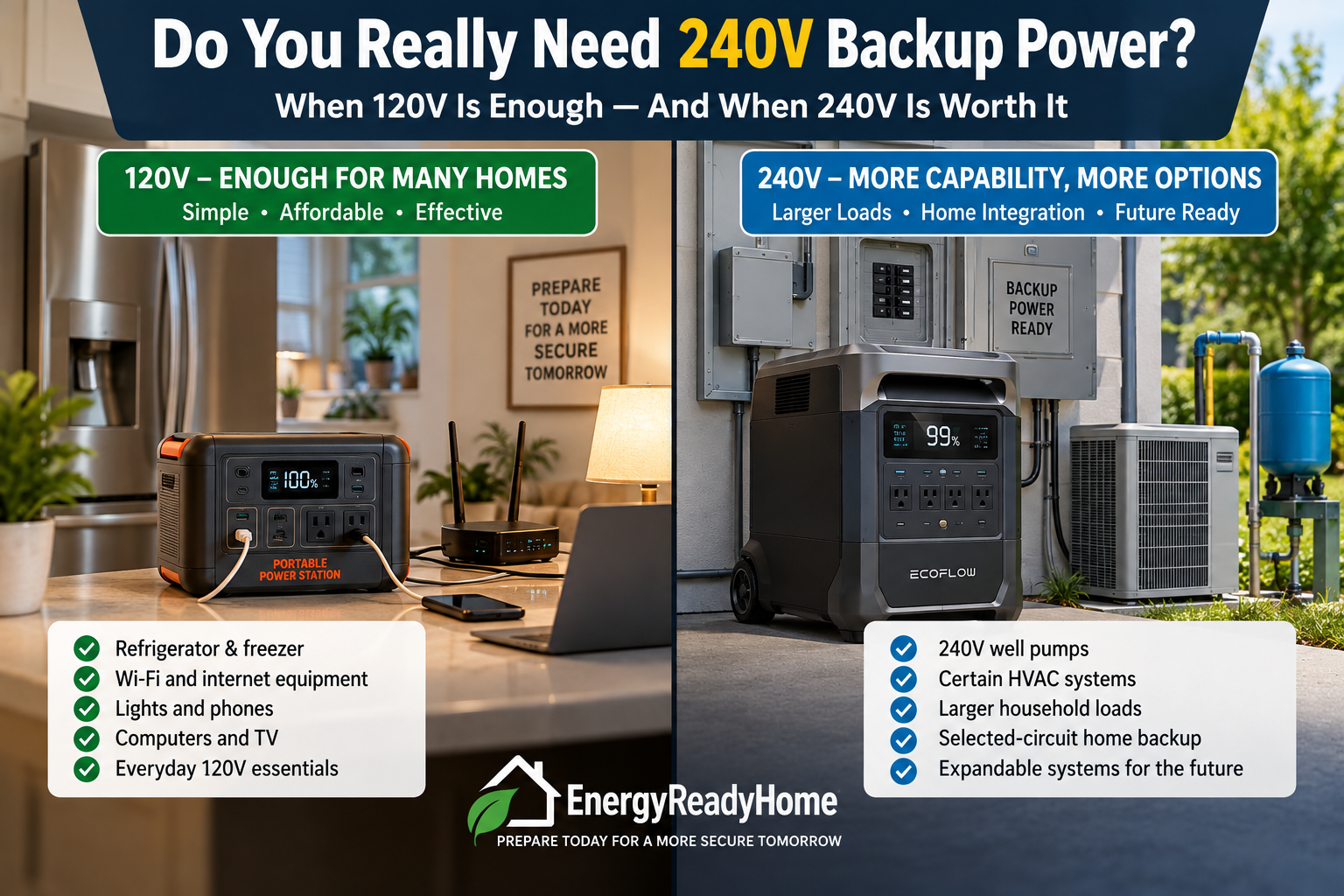
    Step 3 — Determine Whether You Need 240V

    This is one of the most important decisions in transfer-switch sizing.

    Many ordinary household essentials operate on 120V.

    But homes may also contain 240V equipment such as certain:

    • Well pumps
    • HVAC systems
    • Electric water heaters
    • Electric ranges
    • Clothes dryers
    • Larger pumps
    • Other major appliances

    That doesn’t mean you should automatically include those loads in an outage plan.

    In fact, leaving large 240V loads out of the backup strategy can dramatically reduce the battery capacity and inverter output you need.

    But if a 240V circuit is genuinely essential, your portable power system and transfer equipment must be designed to support it.

    This is where larger systems such as the Jackery Explorer 5000 Plus become particularly relevant.

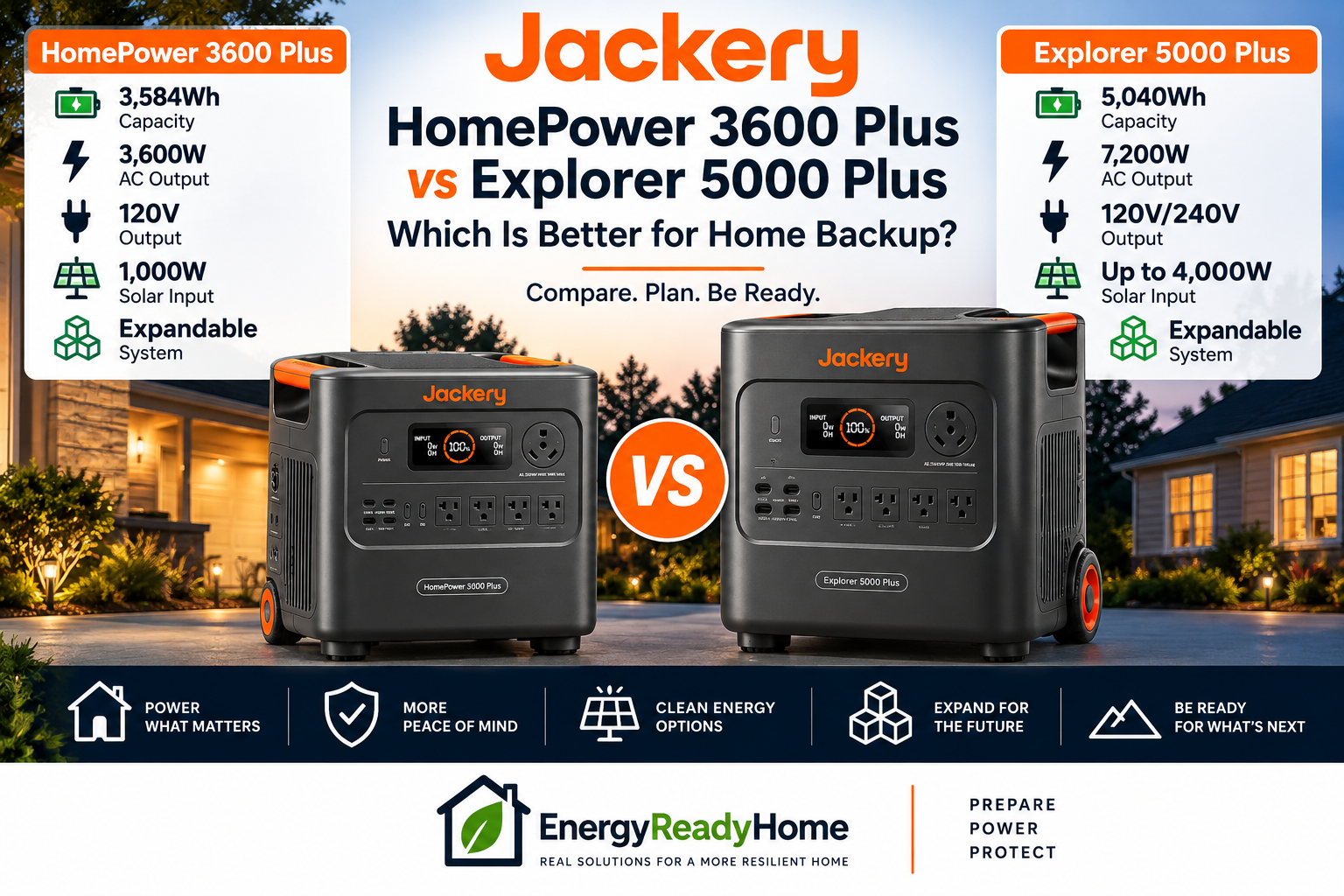
    Jackery currently specifies the Explorer 5000 Plus at 5,040Wh of battery capacity, 7,200W maximum AC output, 14,400W surge capability and 120V/240V operation. The platform can be paired with Jackery’s transfer equipment for selected-circuit home backup.

    According to Jackery’s official Smart Transfer Switch specifications, its 60A system supports 120V/240V split-phase operation and up to 12 load branches when used in an appropriate compatible configuration.

    That is the article’s single authoritative outbound source.

    Step 4 — Calculate How Much Battery Capacity You Need

    Once you’ve established what the power station must be capable of running, you need to answer a completely different question:

    How long do you want it to run?

    This is where watt-hours matter.

    Imagine your essential circuits consume an average of:

    250 watts over 24 hours

    The theoretical energy requirement would be:

    250W × 24 hours = 6,000Wh

    That’s 6kWh per day.

    But suppose careful load management reduces average consumption to:

    100 watts

    Now:

    100W × 24 hours = 2,400Wh

    That’s only 2.4kWh per day.

    Same house.

    Same transfer switch.

    Very different battery requirement.

    This is why we don’t recommend sizing a portable power station based simply on the number of circuits connected to the transfer switch.

    The ERH Two-Dimension Rule: Output + Runtime

    Here’s the easiest way to think about transfer-switch sizing.

    Dimension 1: Power

    Ask:

    Can the power station safely support the largest combination of loads I expect to operate simultaneously?

    Measured primarily in watts.

    Dimension 2: Energy

    Ask:

    Does the battery contain enough stored energy to run those loads for the desired amount of time?

    Measured primarily in watt-hours or kilowatt-hours.

    You need to satisfy both requirements.

    A 7,200W inverter with only a small battery could run substantial loads—but potentially not for very long.

    A massive battery connected to an undersized inverter could provide excellent theoretical runtime—but still be unable to start or operate the equipment you need.

    The right system balances both.

    What Does a 2kWh Transfer-Switch System Make Sense For?

    A roughly 2kWh-class system can make sense when your objective is limited essential-load backup.

    Think:

    • Refrigerator
    • Freezer
    • Internet
    • LED lighting
    • Phones
    • Laptops
    • Selected outlets
    • Intermittent operation of compatible pumps or other loads

    A good example is the Jackery Explorer 2000 Plus.

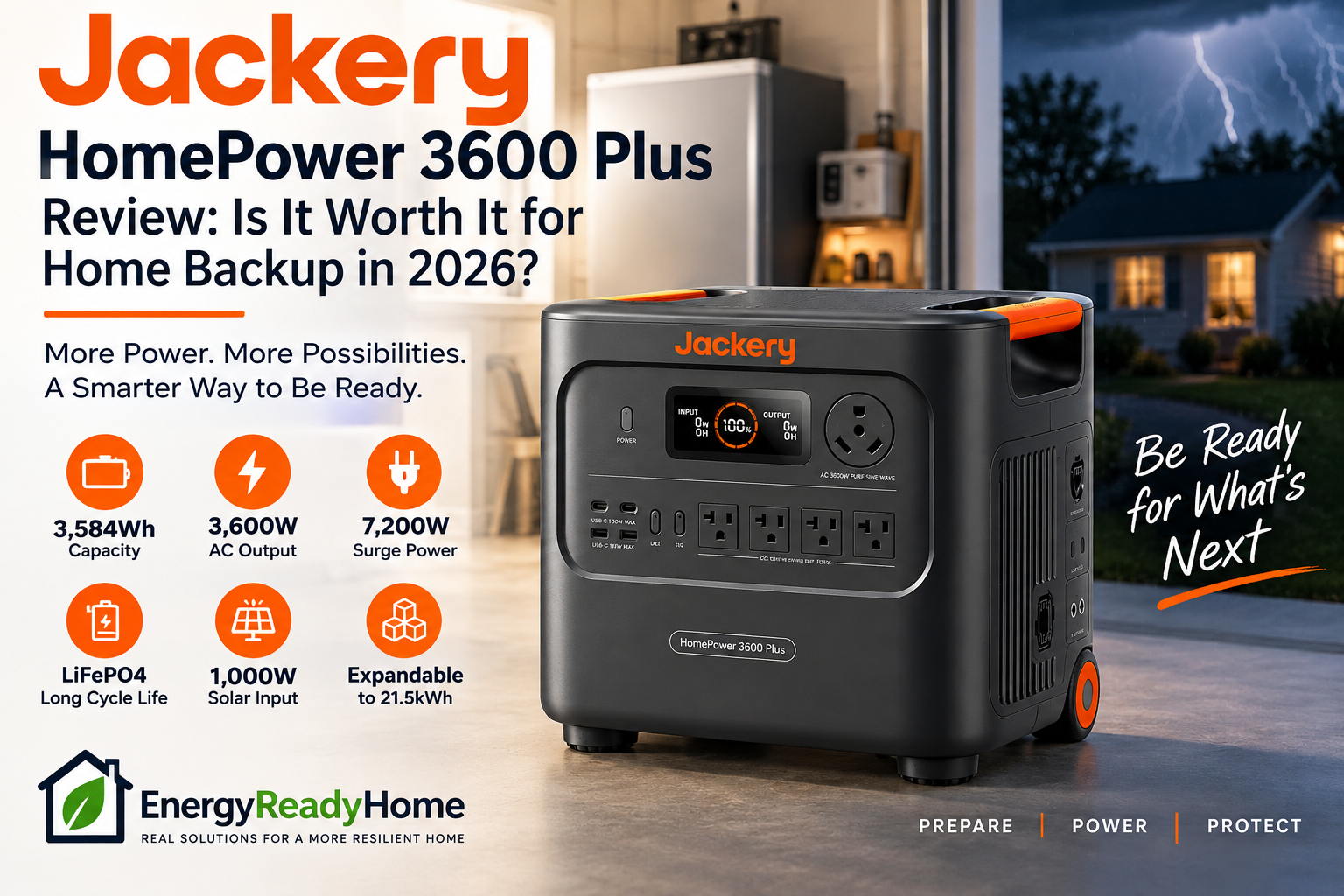
    It provides approximately 2,042.8Wh of starting capacity and 3,000W of continuous AC output, with expansion capability. Jackery also supports transfer-switch applications for appropriate Explorer 2000 Plus configurations.

    Why We Like the 2kWh Starting Point

    You don’t necessarily need to purchase your eventual maximum battery capacity on day one.

    A homeowner with relatively modest essential loads could start around 2kWh, monitor actual outage consumption and expand later if necessary.

    That’s a much better buying strategy than paying immediately for a huge battery system you may never need.

    Best for: Homeowners prioritizing relatively modest 120V essential-load backup and future expansion.

    Jackery Explorer 2000 Plus

    Affiliate disclosure: EnergyReadyHome may earn a commission if you purchase through this link, at no additional cost to you.

    When Does a 4kWh-Class System Make More Sense?

    Moving toward 4kWh gives you considerably more flexibility.

    This is where the EcoFlow DELTA Pro 3 becomes especially interesting.

    Its larger starting battery and stronger home-backup architecture make it more appropriate when you expect:

    • More simultaneous essential loads
    • Longer runtime
    • 240V requirements
    • Battery expansion
    • Solar-supported backup
    • Greater home integration

    The important difference isn’t simply that you’re buying a larger battery.

    You’re moving from a conventional portable-power strategy toward an expandable home-backup platform.

    EcoFlow DELTA Pro 3

    Affiliate disclosure: EnergyReadyHome may earn a commission if you purchase through this link, at no additional cost to you.

    When Does 5kWh+ Become the Better Starting Point?

    If you already know that your objective is substantial selected-circuit backup, starting around 5kWh may be more rational than building upward from a much smaller system.

    The Jackery Explorer 5000 Plus is a strong example.

    Its 5,040Wh starting capacity, high AC output, 120V/240V operation and direct Smart Transfer Switch architecture make it much closer to an integrated home-backup system than a conventional portable battery.

    Jackery also allows substantial battery expansion, which is important because a transfer-switch system makes it very easy to consume energy.

    That’s an underappreciated issue.

    When refrigerators, lights, pumps and outlets work normally from the electrical panel, homeowners may pay less attention to consumption than when every appliance is visibly plugged into a power station.

    More convenience can lead to more energy use.

    Jackery Explorer 5000 Plus

    Affiliate disclosure: EnergyReadyHome may earn a commission if you purchase through this link, at no additional cost to you.

    Don’t Size the Battery for Your Entire Electrical Panel

    This may be the most important buying lesson in this guide.

    Your home’s main electrical service might be 100A, 150A, 200A or more.

    That does not mean your portable power station needs to replicate the maximum capacity of the entire electrical service.

    During an outage, the objective is usually different:

    Protect the circuits that matter most while deliberately managing the loads you allow to operate.

    That can turn an impossibly large whole-house battery calculation into a manageable essential-load backup system.

    And that is where a transfer switch can make a portable power station significantly more useful.

    Instead of trying to make your house operate exactly as it does when the grid is available, you’re creating a controlled emergency electrical system inside your normal home electrical system.

    How Much Portable Power Station Capacity Do You Need With a Transfer Switch?

    There isn’t one correct battery size for every transfer-switch installation.

    A better approach is to match the system to the circuits you intend to protect and the length of time you expect them to operate.

    Here’s a practical starting framework:

    Backup PlanApproximate Starting CapacityOutput Class240V CapabilityERH Starting Point
    Basic essential circuits2kWh+2,500–3,000W+Usually not necessaryJackery Explorer 2000 Plus
    Moderate selected-circuit backup4kWh+4,000W+Useful depending on loadsEcoFlow DELTA Pro 3
    Serious selected-circuit home backup5kWh+5,000–7,000W+Often desirableJackery Explorer 5000 Plus
    Extended/larger home backup5kWh+ expandableHigh-output platformOften desirableExpandable 240V system

    These are planning categories—not substitutes for an electrician’s load calculation or manufacturer compatibility requirements.

    The important point is that battery capacity, inverter output and voltage capability solve different problems.

    Scenario 1 — Refrigerator, Freezer, Internet and Lights

    This is one of the most realistic transfer-switch configurations.

    Suppose you want to keep several circuits available for:

    • Refrigerator
    • Freezer
    • Internet equipment
    • LED lighting
    • Phone charging
    • A few outlets

    These loads generally don’t justify starting with an enormous home-backup system.

    A 2kWh-class expandable power station can be a reasonable starting point if your actual energy consumption supports it.

    The Jackery Explorer 2000 Plus fits this type of strategy particularly well because it starts with approximately 2kWh of battery capacity while providing substantially more inverter output than the average loads above require.

    That extra output headroom matters when refrigerator and freezer compressors cycle.

    But capacity remains the limiting factor.

    If those loads consume 2kWh during the period you’re trying to cover, a 2kWh battery doesn’t provide an enormous runtime reserve. Real-world AC energy available to loads will also be less than the battery’s nominal capacity because of conversion losses and operating conditions.

    This is why expansion capability can be valuable.

    You can start relatively small without locking yourself permanently into that battery size.

    Scenario 2 — Essentials Plus a Sump Pump

    Now the sizing problem becomes more interesting.

    Imagine the same basic circuits plus a sump pump.

    The pump may not operate continuously, but when it starts it can create a much larger temporary load.

    That changes output requirements even if it doesn’t dramatically change average daily energy consumption.

    This illustrates why simply adding up watt-hours isn’t enough.

    You must ask two separate questions:

    Can my inverter start the pump?

    and

    How frequently will the pump operate, and how much battery energy will it consume?

    During a severe storm—the exact situation when a sump pump may be most important—the pump could also operate much more frequently than normal.

    For this type of household, moving toward a 3–4kWh expandable system with greater output headroom may provide a more comfortable resilience margin.

    Scenario 3 — Well Pump or Other Essential 240V Load

    This is where system architecture changes significantly.

    Suppose your home depends on a 240V well pump.

    Now buying a power station with plenty of watt-hours isn’t enough.

    The system must also provide the appropriate 240V output and sufficient starting capability for the pump, and the transfer equipment must be compatible with the intended configuration.

    That pushes the buying decision toward platforms designed for 120V/240V home backup.

    A homeowner with a well pump therefore might rationally choose a larger system even if their total daily energy consumption isn’t particularly high.

    Why?

    Because voltage and startup requirements—not just runtime—can dictate the equipment class.

    This is exactly why ERH recommends identifying critical circuits before choosing the portable power station.

    Scenario 4 — Broader Selected-Circuit Backup

    Now imagine you want:

    • Refrigerator
    • Freezer
    • Internet
    • Multiple lighting circuits
    • Several outlets
    • Sump pump
    • Television
    • Furnace controls
    • Kitchen convenience loads
    • Potential 240V equipment

    At this point, a small portable power station begins to work against the objective.

    A 5kWh-class high-output platform such as the Jackery Explorer 5000 Plus provides considerably more breathing room.

    But even here, load management remains important.

    A transfer switch makes electricity convenient.

    It doesn’t make stored energy unlimited.

    You still shouldn’t assume that because ten or twelve circuits are available, all of them can operate at full demand simultaneously.

    EnergyReadyHome Transfer-Switch Sizing Worksheet

    Before shopping, make a simple worksheet.

    CircuitVoltageRunning WattsStarting/Surge WattsEstimated Hours/DayEssential?
    Refrigerator120V_________Yes
    Freezer120V_________Yes
    Internet120V_________Yes
    Lighting120V_________Yes
    Sump pump120V_________Maybe
    Well pump120V/240V_________Maybe
    FurnaceVerify_________Maybe
    Other_______________

    Use the specifications from your actual equipment labels or manuals whenever possible.

    Then determine:

    Required inverter output = expected simultaneous running loads + adequate startup/surge capability

    and:

    Daily energy requirement = sum of each load’s watts × estimated operating hours

    That gives you two numbers that are far more useful than simply saying:

    “I want to back up six circuits.”

    Six lightly loaded circuits might require relatively little power.

    Two large circuits could require substantially more.

    How Long Will a 2kWh, 4kWh or 5kWh Battery Last?

    A simplified calculation is:

    Battery capacity ÷ average load = theoretical runtime

    For example:

    2kWh battery at a 200W average load

    2,000Wh ÷ 200W = 10 theoretical hours

    4kWh battery at a 200W average load

    4,000Wh ÷ 200W = 20 theoretical hours

    5kWh battery at a 200W average load

    5,000Wh ÷ 200W = 25 theoretical hours

    Real-world runtime will generally be lower because nominal battery capacity isn’t the same as energy ultimately delivered to AC loads.

    More importantly, household loads don’t usually remain constant.

    A refrigerator cycles.

    A sump pump turns on and off.

    Lights are switched off overnight.

    A furnace may operate intermittently.

    That’s why actual daily energy consumption is more useful than assuming every appliance runs continuously.

    A Transfer Switch Makes Load Management More Important, Not Less

    This sounds counterintuitive.

    One advantage of a transfer switch is convenience.

    Instead of walking around the house connecting extension cords, you can energize selected circuits from the electrical panel.

    But that convenience creates a temptation:

    Use the house normally.

    That’s precisely what you don’t want to do during an extended outage.

    Think of the transfer switch as a way to prioritize electricity, not restore normal grid service.

    During an outage:

    • Turn unnecessary lights off.
    • Avoid high-energy convenience appliances.
    • Don’t operate multiple large loads simultaneously unless the system is designed for them.
    • Monitor battery state of charge.
    • Schedule discretionary loads.
    • Preserve energy for refrigeration, communications, pumps and other genuine priorities.

    The objective is resilience.

    What About Central Air Conditioning?

    This deserves special attention because air conditioning can radically change system requirements.

    A central air-conditioning system may require substantial continuous power and significant compressor-starting capability.

    If central air is part of your backup requirement, don’t assume that a power station capable of providing 240V is automatically capable of operating your specific HVAC system.

    Voltage is only one requirement.

    You also need to evaluate:

    • Running power
    • Compressor startup demand
    • System configuration
    • Transfer equipment
    • Battery consumption
    • Manufacturer compatibility

    Air conditioning can also consume battery energy rapidly.

    A system that could support essential household loads for many hours might provide dramatically less runtime once a large HVAC load is introduced.

    For many homeowners, excluding central air from the emergency-load plan—or using a smaller alternative cooling strategy—can substantially reduce the size and cost of the required backup system.

    What About an Electric Range, Dryer or Water Heater?

    These loads illustrate another important distinction:

    Can run does not necessarily mean should run.

    A high-output 240V power station may technically support certain large appliances within its specifications.

    But every kilowatt consumed by a discretionary appliance is energy no longer available for your refrigerator, freezer, pumps, communications or other priorities.

    During an extended outage, energy management often matters more than maximum inverter capability.

    Should You Buy More Battery Capacity or More Output?

    It depends on which limitation you’re experiencing.

    If the power station can’t start or simultaneously operate your required equipment, you need more output capability or a different system architecture.

    If it operates everything successfully but runs out of energy too quickly, you need more battery capacity or more replenishment capability.

    That’s a fundamental distinction.

    Output problem

    “My power station can’t run these loads together.”

    Solution direction: Higher inverter output, appropriate surge capability, correct voltage architecture or better load management.

    Capacity problem

    “Everything runs, but my battery is empty by evening.”

    Solution direction: More battery capacity, reduced consumption, additional batteries or a realistic recharging strategy.

    Don’t solve an output problem by blindly buying battery capacity.

    And don’t solve a runtime problem by buying a larger inverter attached to essentially the same amount of stored energy.

    Expansion Can Be More Valuable Than Buying Huge on Day One

    An expandable portable power station gives you another option.

    Start with enough battery capacity for your expected essential loads.

    Then measure what happens during actual use.

    Suppose you discover that your household consumes 2.5kWh per day during disciplined emergency operation.

    Now you have useful information.

    You can decide whether you want:

    • One day of stored backup
    • Two days
    • Three days
    • Solar replenishment
    • Generator-supported recharging
    • Additional battery modules

    That’s far more rational than estimating your maximum possible household consumption and purchasing an enormous battery system before you know whether you need it.

    This is one reason ERH generally favors expandable platforms for serious transfer-switch applications.

    What About Solar Charging?

    Solar can materially improve an extended-outage strategy.

    But don’t subtract a solar panel’s rated wattage directly from your battery requirement.

    A 1,000W solar array doesn’t guarantee 1,000W of continuous charging.

    Actual production depends on factors including:

    • Weather
    • Season
    • Sun angle
    • Shading
    • Panel orientation
    • Available daylight
    • System efficiency
    • Battery state of charge

    Think of solar as replenishment potential, not guaranteed stored energy.

    The strategic question is:

    How much of yesterday’s battery consumption can I realistically replace today?

    That becomes increasingly important during multi-day outages.

    Should You Use a Generator With a Portable Power Station?

    For longer outages, a generator and battery system can potentially complement each other.

    The battery can quietly support selected loads for extended periods, while a compatible generator or other supported charging source can replenish the power station when necessary.

    That can reduce the need to operate an engine-driven generator continuously.

    However, generator operation introduces important safety requirements.

    Never operate a fuel-burning generator inside a home, garage, basement, shed or other enclosed or partially enclosed area. Follow the generator manufacturer’s placement and carbon-monoxide safety requirements.

    Any generator, transfer-switch and home-electrical configuration should use equipment designed for the intended application.

    Portable Power Station vs Traditional Generator With a Transfer Switch

    A portable power station offers several advantages:

    • No engine exhaust during normal battery operation
    • Quiet operation
    • Indoor operation when used according to manufacturer requirements
    • Solar-charging potential
    • Minimal routine engine maintenance
    • Immediate battery power
    • Expandable storage on many systems

    A traditional generator has a different major advantage:

    Runtime can be extended by supplying additional fuel.

    For very long outages with large household loads, that can be extremely valuable.

    The best choice depends on whether your priority is:

    quiet stored electricity

    or

    long-duration fuel-supported generation

    or a hybrid strategy using both.

    Which Size Would EnergyReadyHome Choose?

    For basic essential-circuit backup, we’d look seriously at an expandable 2kWh-class system if the household’s measured loads support it.

    For broader selected-circuit backup, we’d generally prefer the additional flexibility of a 4kWh-class platform.

    Homeowners who already know they want substantial selected-circuit coverage, native 120V/240V capability and room for major expansion, we’d lean toward a 5kWh+ high-output platform.

    But we would not choose based on battery size alone.

    The correct sequence is:

    Circuits → voltage → simultaneous watts → surge → daily energy → desired runtime → recharge strategy → power station

    Not:

    Power station → figure out what it can run later.

    Frequently Asked Questions

    Can any portable power station connect to a transfer switch?

    No. The power station, connection equipment and transfer system must be compatible with the intended configuration. Do not assume that having a high-capacity battery or high-wattage inverter automatically makes a power station suitable for connection to a home’s electrical system.

    How many watts do I need for a transfer switch?

    There is no universal number. Add the loads you expect to operate simultaneously, account for startup requirements and provide appropriate operating margin. The transfer switch itself doesn’t determine the required inverter size.

    How many kWh do I need?

    That depends primarily on your energy consumption and desired runtime. A household averaging 200W of essential consumption uses approximately 4.8kWh over 24 hours before accounting for real-world system losses.

    Is 2kWh enough for a transfer-switch system?

    It can be enough for relatively modest essential-load backup, especially when loads are carefully managed and the system can be expanded or recharged. It is unlikely to provide long runtime for a large collection of household loads.

    Is 5kWh enough for home backup?

    For many selected-circuit strategies, 5kWh is a substantial starting point. It is not equivalent to unlimited whole-home backup. Runtime still depends on consumption.

    Do I need 240V?

    Only if the loads you consider essential require it or your chosen integration architecture requires it. Eliminating unnecessary 240V loads from an outage plan can significantly reduce system requirements.

    Can I install the transfer switch myself?

    Electrical-panel and transfer-switch work should follow applicable electrical codes, manufacturer instructions and local requirements. ERH recommends using a qualified electrician for home-electrical integration.

    Does a transfer switch increase battery runtime?

    No. It changes how backup electricity is distributed. Battery runtime is determined by available stored energy, connected loads, operating conditions and replenishment.

    Final Verdict

    A transfer switch can transform a portable power station from an appliance-by-appliance backup device into a much more convenient selected-circuit home-backup system.

    But the transfer switch isn’t what determines the size of the battery system.

    Your loads do.

    For most homeowners, the smartest approach is to identify the essential circuits first, determine their voltage and maximum simultaneous power requirements, estimate daily energy consumption, and then choose an expandable system that provides appropriate headroom.

    EnergyReadyHome Recommendation: Don’t size your portable power station to the number of circuits on the transfer switch. Size it to the actual electrical loads and runtime those circuits require.

    Related Articles

  • Best Portable Power Stations for a 3-Day Power Outage

    Best Portable Power Stations for a 3-Day Power Outage

    A three-day power outage changes the backup-power equation.

    For 24 hours, a household may be able to rely mainly on stored battery capacity and careful conservation. Over 72 hours, however, battery size is only part of the problem.

    You also need to think about:

    • How much electricity your essential loads use each day
    • How much stored energy you have when the outage begins
    • Whether your system can expand with additional batteries
    • How quickly you can recharge it
    • Whether solar can realistically replace some of the energy you consume
    • How aggressively you are willing to manage household loads

    For most households planning for a three-day outage, the best portable power station is therefore not simply the biggest battery you can afford.

    It is the system that can keep your essential loads operating while giving you enough capacity, expansion and replenishment options to remain resilient for the full 72 hours.

    EnergyReadyHome Quick Picks

    72-Hour Backup NeedOur PickBase CapacityAC OutputBest Fit
    Best overall 72-hour platformJackery Explorer 5000 Plus5,040WhUp to 7,200WLarger households and serious outage backup
    Best premium 4kWh alternativeEcoFlow DELTA Pro 34,096Wh4,000WFlexible 120V/240V home backup
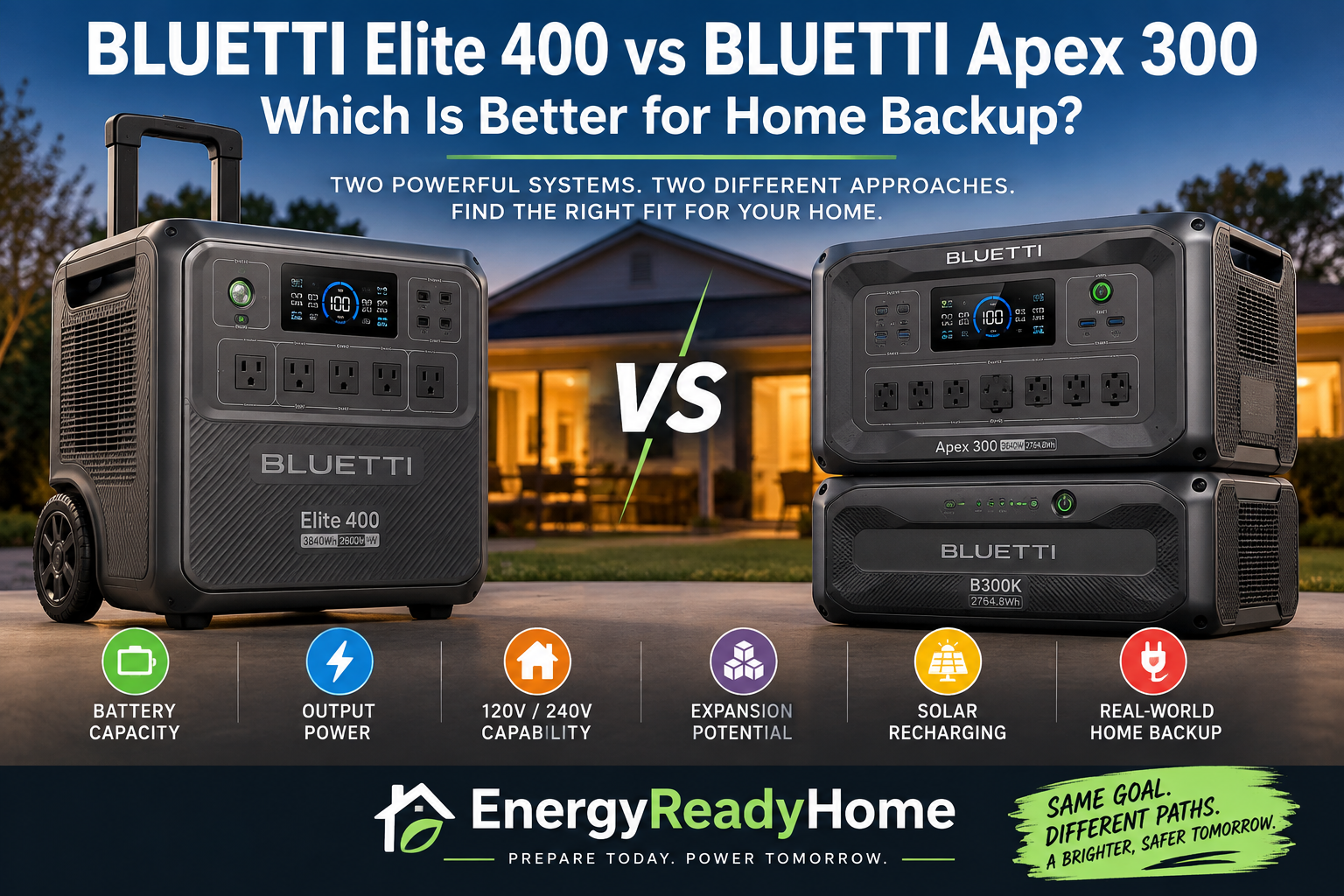
    Best modular 240V optionBLUETTI Apex 3002,764.8Wh3,840WExpandable backup with modular growth
    Best value expandable starting pointJackery Explorer 2000 Plus2,042.8Wh3,000WConservative essential-load backup

    For many households, a 4–5kWh starting capacity provides a much more realistic foundation for a three-day outage than a small 1kWh-class power station.

    But even 5kWh may not provide 72 hours of unrestricted electricity.

    That is why long-duration backup requires a different planning method.

    The EnergyReadyHome 72-Hour Resilience Plan

    For a three-day outage, we recommend thinking in terms of an energy balance.

    The basic planning formula is:

    72-hour requirement = daily essential-load energy × 3 − realistic replenishment

    That introduces three critical variables.

    1. Starting Battery Capacity

    This is the electricity already stored in the power station when the outage begins.

    A 5,040Wh battery starts with substantially more energy than a 2,000Wh system, but nameplate battery capacity alone does not tell you how many days it will last.

    2. Daily Essential-Load Consumption

    This is how much electricity your household actually uses each day during the outage.

    The difference between consuming 1.5kWh and 4kWh per day is enormous over 72 hours.

    For example:

    1.5kWh per day × 3 days = 4.5kWh

    But:

    4kWh per day × 3 days = 12kWh

    That is why the same power station can be adequate for one household and completely undersized for another.

    3. Replenishment Capability

    Over three days, the ability to replace consumed energy becomes much more important.

    That may include:

    • Solar charging
    • Expansion batteries
    • Generator-assisted charging
    • Temporary grid restoration
    • Vehicle or alternate charging options where supported
    • Aggressive load reduction

    Solar can be extremely valuable, but it should never be treated as guaranteed energy.

    Weather, season, shading, panel orientation and charging limits all affect how much electricity you can actually recover.

    For planning purposes, stored capacity should cover your core needs, while solar and other charging methods provide resilience rather than becoming the only reason the system works.

    How Much Battery Capacity Do You Need for 72 Hours?

    There is no universal answer.

    The right number depends on your household’s emergency energy budget.

    A three-day outage plan often makes more sense when divided into three practical levels.

    Level 1: Conservative Essential Loads — About 1.5kWh Per Day

    This type of household is willing to conserve aggressively.

    Typical priorities might include:

    • Refrigerator
    • Internet modem and router
    • Phones
    • LED lighting
    • Laptop
    • Limited television
    • Selected medical or accessibility equipment

    At approximately 1.5kWh per day:

    1.5kWh × 3 days = 4.5kWh

    A 4–5kWh-class system could potentially cover a large portion of this requirement even without significant replenishment, although real-world usable energy will be lower than nameplate capacity.

    This is where a larger standalone system can become very practical.

    Level 2: Moderate Household Essentials — About 2.5kWh Per Day

    Now the household may be running:

    • Refrigerator
    • Separate freezer
    • Internet equipment
    • Phones and computers
    • Lighting
    • Television
    • CPAP or other compatible equipment
    • Occasional kitchen appliances
    • Additional electronics

    At approximately 2.5kWh per day:

    2.5kWh × 3 days = 7.5kWh

    At this level, expansion batteries or reliable replenishment become much more important.

    A 4–5kWh base system alone may not cover the entire three-day period comfortably.

    Level 3: Heavy Essential Loads — 4kWh+ Per Day

    This category may include:

    • Multiple refrigerators or freezers
    • Pumps
    • More household circuits
    • Higher-demand appliances
    • Larger families
    • More extensive electronics
    • 240V equipment
    • Less aggressive conservation

    At 4kWh per day:

    4kWh × 3 days = 12kWh

    Now you are no longer shopping for a single portable battery.

    You are effectively designing an expandable home-backup system.

    That is where products such as the Jackery Explorer 5000 Plus, EcoFlow DELTA Pro 3 and BLUETTI Apex 300 become much more attractive.

    1. Jackery Explorer 5000 Plus — Best Overall for a 3-Day Outage

    The Jackery Explorer 5000 Plus is our strongest overall choice for homeowners who want a serious foundation for multi-day backup.

    It starts with:

    • 5,040Wh battery capacity
    • Up to 7,200W AC output
    • 120V/240V capability
    • Expandable battery capacity
    • Home-circuit integration options
    • High-capacity solar-charging support

    That starting capacity matters.

    A 5kWh-class battery gives you much more breathing room on Day 1 than a smaller system, especially if refrigeration, communications and several household essentials must remain operational.

    According to Jackery’s official Explorer 5000 Plus specifications, the platform is designed around a 5,040Wh base battery, high-output 120V/240V capability and significant expansion potential.

    Why We Like It for 72 Hours

    The Explorer 5000 Plus is not attractive merely because it has a large battery.

    Its real advantage is that it can become part of a larger system.

    That matters because a three-day outage can easily exceed 5kWh of total energy consumption.

    Instead of forcing a homeowner to stay within a fixed battery size, the platform provides a path toward more stored energy and more sophisticated home backup.

    Best For

    • Larger households
    • 240V requirements
    • Higher daily energy budgets
    • Home-circuit backup
    • Buyers expecting frequent or extended outages
    • Homeowners who want room to expand

    Jackery Explorer 5000 Plus

    Affiliate disclosure: EnergyReadyHome may earn a commission from qualifying purchases at no additional cost to you.

    2. EcoFlow DELTA Pro 3 — Best Premium 4kWh Alternative

    The EcoFlow DELTA Pro 3 is another strong platform for multi-day resilience.

    It provides:

    • 4,096Wh battery capacity
    • 4,000W continuous AC output
    • 120V/240V capability
    • Expandable battery architecture
    • High solar input capability
    • Home-backup integration potential

    Its 4kWh starting point makes it substantially more suitable for long-duration backup than smaller 1–2kWh systems.

    Why We Like It for 72 Hours

    The DELTA Pro 3 gives homeowners a strong balance between starting capacity, output and expansion.

    For households with a moderate daily emergency-energy budget, 4kWh provides meaningful reserve capacity on Day 1.

    Then expansion batteries and solar replenishment can help support Days 2 and 3.

    This makes it especially attractive for homeowners who want a premium system without necessarily starting with the 5kWh-class Jackery platform.

    Best For

    • Moderate-to-heavy essential-load backup
    • 120V/240V requirements
    • Expandable home backup
    • Buyers planning to add more battery capacity later
    • Homes where solar replenishment is part of the long-term strategy

    EcoFlow DELTA Pro 3

    Affiliate disclosure: EnergyReadyHome may earn a commission from qualifying purchases at no additional cost to you.

    3. BLUETTI Apex 300 — Best Modular 240V Option

    The BLUETTI Apex 300 takes a modular approach to long-duration backup.

    The base unit provides approximately:

    • 2,764.8Wh capacity
    • 3,840W AC output
    • 120V/240V capability
    • Expandable battery support
    • Home-backup integration options

    Its base battery is smaller than the Jackery Explorer 5000 Plus or EcoFlow DELTA Pro 3.

    But that does not make it a weak three-day option.

    The Apex 300 is compelling because it is designed to grow.

    Why We Like It for 72 Hours

    A multi-day outage exposes the limitations of fixed-capacity systems.

    The Apex 300 addresses that problem by allowing homeowners to build a larger battery configuration around their actual needs.

    That makes it particularly attractive for someone thinking:

    I want meaningful backup now, but I want the ability to add substantially more stored energy later.

    This modular approach can be more practical than replacing an entire system when your energy requirements increase.

    Best For

    • Buyers who prioritize modular expansion
    • 240V home loads
    • Home-backup system planning
    • Households that expect to add batteries over time
    • Solar-supported multi-day resilience

    BLUETTI Apex 300

    Affiliate disclosure: EnergyReadyHome may earn a commission from qualifying purchases at no additional cost to you.

    4. Jackery Explorer 2000 Plus — Best Value Expandable Starting Point

    Not every household needs to begin with 4–5kWh of battery capacity.

    The Jackery Explorer 2000 Plus starts at approximately:

    • 2,042.8Wh capacity
    • 3,000W AC output
    • Expandable battery capacity
    • High-output appliance support
    • Solar charging capability

    For a three-day outage, however, the base 2kWh system requires much more disciplined energy management.

    That makes it fundamentally different from the larger systems above.

    Why We Like It for 72 Hours

    The Explorer 2000 Plus makes sense when you want to enter an expandable platform at a lower initial cost.

    If your daily emergency consumption is very conservative and you expect to use expansion batteries or solar replenishment, the system can become a practical multi-day solution.

    But we would not recommend relying on the 2kWh base configuration alone for broad household backup over 72 hours.

    Best For

    • Conservative essential-load plans
    • Buyers who expect to expand later
    • Households willing to actively manage electricity use
    • Homeowners who want a lower-cost entry into expandable backup

    Jackery Explorer 2000 Plus

    Affiliate disclosure: EnergyReadyHome may earn a commission from qualifying purchases at no additional cost to you.

    Why a 1kWh Power Station Is Usually Too Small for Three Days

    A 1kWh portable power station can be extremely useful.

    It may operate:

    • Communications equipment
    • Phones
    • Lights
    • Laptop computers
    • Selected medical equipment
    • Limited refrigeration

    But three days changes the math.

    Even a household consuming just 1kWh per day would require approximately:

    1kWh × 3 days = 3kWh

    And that is before accounting for conversion losses or reserve capacity.

    This does not mean a 1kWh power station is useless during a long outage.

    It means it should usually be viewed as:

    • A light-duty backup source
    • A secondary power station
    • A communications/electronics battery
    • Part of a larger backup system

    rather than the primary solution for three days of household resilience.

    Battery Capacity Matters More Over Time

    During a short outage, power output often receives most of the attention.

    Can the power station start the refrigerator?

    Will it operate the microwave?

    Can it run the pump?

    Those questions still matter.

    But as the outage gets longer, energy consumption becomes increasingly important.

    A power station may have enough output to operate a 1,500W appliance without difficulty.

    But if that appliance runs long enough, it can consume several kilowatt-hours of stored electricity.

    That is why the best three-day system is not necessarily the product with the highest inverter rating.

    You need:

    Enough output to run the load + enough energy to sustain it.

    How the Four Power Stations Compare

    For a three-day outage, the most important differences are not just battery capacity and inverter output.

    You also need to consider expansion capability, 240V support and how easily the system can replace energy consumed on Days 2 and 3.

    Power StationBase CapacityAC Output240V CapabilityExpandableBest 72-Hour Role
    Jackery Explorer 5000 Plus5,040WhUp to 7,200WYesYesBest overall 72-hour platform
    EcoFlow DELTA Pro 34,096Wh4,000WYesYesPremium expandable home backup
    BLUETTI Apex 3002,764.8Wh3,840WYesYesModular 240V backup
    Jackery Explorer 2000 Plus2,042.8Wh3,000WSystem-dependentYesLower-cost expandable starting point

    A household expecting to use only 1–1.5kWh per day has a very different problem from one expecting to consume 4kWh or more.

    That is why daily energy consumption should drive the system decision.

    EnergyReadyHome 72-Hour Outage Scenarios

    Let’s put the numbers into realistic planning scenarios.

    Scenario 1: Refrigerator + Internet + Phones + Lights

    This household is willing to conserve aggressively.

    The goal is not normal living. It is maintaining refrigeration, communications and basic lighting while using other electronics sparingly.

    Suppose the household averages approximately 1.5kWh per day.

    Over three days:

    1.5kWh × 3 = 4.5kWh

    Best Fit: Jackery Explorer 5000 Plus

    Its 5,040Wh starting capacity puts it in the right general range for this type of conservative 72-hour energy budget before considering real-world losses.

    That does not mean a 5,040Wh battery guarantees exactly 4.5kWh of usable household electricity.

    But it illustrates why a 5kWh-class system is substantially better positioned for three days than a 1–2kWh power station.

    Scenario 2: Refrigerator + Freezer + Communications + Electronics

    Now add a separate freezer, more electronics and occasional convenience loads.

    Suppose your emergency-energy budget reaches approximately:

    2.5kWh per day

    Over 72 hours:

    2.5kWh × 3 = 7.5kWh

    A 4–5kWh base battery is no longer enough by itself to cover the entire theoretical requirement.

    Best Fit: Expandable 4–5kWh Platform

    The Jackery Explorer 5000 Plus or EcoFlow DELTA Pro 3 becomes attractive because you can combine substantial starting capacity with expansion and replenishment.

    The important change is that you’re no longer asking:

    How big is the battery?

    You’re asking:

    How do I keep replacing the energy my household consumes?

    That is the central difference between one-day and three-day backup planning.

    Scenario 3: Well Pump or Other 240V Essential Equipment

    A household with a critical 240V load has another constraint.

    Even if a smaller 120V power station stores enough energy, it cannot directly operate equipment requiring a power configuration it doesn’t support.

    Best Fit: 120V/240V-Capable Platform

    This pushes the decision toward systems such as:

    • Jackery Explorer 5000 Plus
    • EcoFlow DELTA Pro 3
    • BLUETTI Apex 300

    But don’t assume that having a 240V-capable power station means it can operate every 240V appliance.

    You still need to verify the appliance’s running wattage, startup requirements and connection method.

    Scenario 4: Heavy Household Backup

    Suppose your essential-load plan consumes approximately:

    4kWh per day

    Over three days:

    4kWh × 3 = 12kWh

    At that point, buying a 4kWh battery and expecting it to last three days isn’t realistic.

    Best Fit: Expandable Home-Backup System

    Your strategy now needs some combination of:

    • Larger starting battery capacity
    • Expansion batteries
    • Solar replenishment
    • Generator-assisted charging where appropriate
    • Aggressive load management

    This is why a three-day outage can move a homeowner from shopping for a portable power station to designing an energy system.

    The 72-Hour Energy Balance

    Here’s a simplified example of the EnergyReadyHome approach.

    Assume your household consumes:

    2.5kWh per day

    Your three-day requirement is therefore:

    2.5kWh × 3 = 7.5kWh

    Now suppose you begin the outage with approximately 5kWh of nominal battery capacity.

    Without replenishment, you’re already facing an energy deficit before accounting for real-world losses.

    But suppose you can realistically replace some consumed energy during the outage.

    Your planning equation becomes:

    Starting stored energy + replenished energy − household consumption = remaining reserve

    This is the number that matters.

    A large battery gives you time.

    Replenishment gives you endurance.

    Why Expansion Batteries Matter More During Multi-Day Outages

    Expansion batteries are useful during any outage, but their value increases substantially as the outage gets longer.

    Consider a household requiring 7–8kWh across three days.

    You could attempt to generate that energy continuously with solar.

    Or you could begin with substantially more stored electricity and use solar to replenish part of what you consume.

    The second approach provides greater resilience when weather doesn’t cooperate.

    Expansion batteries can also let you build the system gradually.

    You may begin with enough capacity for short outages and add storage later after learning how much electricity your household actually consumes during an emergency.

    That is one reason we favor expandable platforms for serious multi-day preparedness.

    How Much Can Solar Help During a 3-Day Outage?

    Potentially, a lot.

    But solar is not a guaranteed daily energy allowance.

    A solar array’s actual production depends on:

    • Panel wattage
    • Hours of usable sunlight
    • Cloud cover
    • Season
    • Shading
    • Panel angle and orientation
    • Power-station solar-input limits
    • Conversion losses

    Imagine that your household consumes 2.5kWh per day.

    If solar replaces a meaningful portion of that consumption on Days 2 and 3, your stored battery energy can last much longer.

    But if storms caused the outage and cloudy weather continues afterward, solar production may be dramatically lower than expected.

    That leads to an important EnergyReadyHome rule:

    Size stored capacity around essential needs. Use solar to extend resilience—not to justify a dangerously undersized battery.

    Should You Use a Generator With a Portable Power Station?

    For longer outages, a generator and battery power station can serve different purposes.

    A power station can provide quiet, indoor-compatible electricity at the point of use without continuously operating an engine.

    A compatible generator can potentially recharge the battery when solar production is inadequate.

    That can allow the generator to operate intermittently for charging rather than running continuously solely to support small household loads.

    However, fuel-burning generators introduce serious safety considerations.

    Never operate a gasoline, propane or other combustion generator inside a home, garage or other enclosed space. Follow the generator manufacturer’s operating and clearance requirements.

    What About Refrigerators and Freezers for Three Days?

    Refrigeration is one of the most common reasons homeowners buy backup power.

    But don’t calculate refrigerator runtime by simply taking the appliance’s maximum wattage and multiplying it by 72 hours.

    Refrigerators and freezers cycle.

    Their actual energy consumption depends on factors including:

    • Appliance size
    • Efficiency
    • Age
    • Ambient temperature
    • Thermostat settings
    • Door openings
    • How full the appliance is
    • Compressor duty cycle

    The best approach is to measure or estimate daily energy consumption, not simply instantaneous wattage.

    Once you know approximately how many watt-hours your refrigeration equipment consumes per day, you can incorporate that number into your 72-hour energy budget.

    What About Medical Equipment?

    Medical and accessibility equipment should receive priority in any emergency-energy plan.

    If your household relies on equipment such as a CPAP machine, oxygen-related equipment or another powered medical device, determine its actual electrical requirements from the manufacturer.

    Accessories can matter.

    For example, heaters, humidifiers or other features may increase energy consumption substantially compared with the core device alone.

    For medically necessary equipment, build additional reserve into your plan and don’t rely on a single optimistic runtime estimate.

    A three-day outage is exactly the type of situation where redundancy can matter.

    Should You Buy Enough Battery Capacity for All Three Days?

    Not necessarily.

    There are two basic approaches.

    Strategy A — Store Most of the Energy Up Front

    This means purchasing enough battery capacity to cover most or all of your expected 72-hour consumption.

    Advantages:

    • Less dependence on weather
    • Less dependence on external charging
    • Greater predictability

    Disadvantages:

    • Higher initial cost
    • More battery weight
    • More storage space

    Strategy B — Store Less and Replenish During the Outage

    This means starting with less capacity and depending more heavily on solar or another charging source.

    Advantages:

    • Lower initial battery investment
    • Less equipment
    • Potentially excellent endurance in favorable conditions

    Disadvantages:

    • Greater dependence on weather or fuel
    • More active energy management
    • Less margin when charging opportunities disappear

    For serious emergency preparedness, a hybrid approach is often the most resilient: substantial stored capacity plus more than one practical way to replenish it.

    Is a 2kWh Power Station Enough for Three Days?

    By itself, usually not for broad household backup.

    A 2kWh system becomes much more viable when:

    • Your essential-load consumption is extremely low
    • You aggressively conserve electricity
    • You add expansion batteries
    • You have effective solar replenishment
    • You use it as part of a larger backup strategy

    That is why the Jackery Explorer 2000 Plus appears in this guide as our expandable value starting point, not as our strongest standalone 72-hour solution.

    Is 5kWh Enough for a 3-Day Power Outage?

    It can be for a household with a very conservative essential-load plan.

    For example, a household averaging 1.5kWh per day would theoretically consume about 4.5kWh over three days.

    But real-world battery losses, changing appliance use and unexpected demands mean you should not treat nominal capacity as perfectly usable energy.

    At higher daily consumption levels, 5kWh becomes a starting point rather than a complete three-day solution.

    Which Portable Power Station Is Best for a 3-Day Outage?

    For serious 72-hour preparedness, our overall pick is the Jackery Explorer 5000 Plus because its 5,040Wh starting capacity, high output, 120V/240V capability and expansion architecture provide a strong foundation for multi-day backup.

    Choose the EcoFlow DELTA Pro 3 if you want a premium 4kWh expandable platform with 120V/240V capability.

    Select the BLUETTI Apex 300 if modular expansion and 240V capability are priorities and you want to build your system progressively.

    Choose the Jackery Explorer 2000 Plus if you want a lower-capacity entry point and understand that expansion or replenishment will likely be necessary for a three-day outage.

    Final Verdict

    Three-day backup isn’t primarily a product-comparison problem.

    It’s an energy-management problem.

    Start by determining how much electricity your essential loads consume each day.

    Then multiply that requirement across 72 hours.

    After that, decide how much energy you want stored before the outage begins and how much you can realistically replace while the grid is down.

    That leads to the EnergyReadyHome 72-Hour Resilience Plan:

    Starting capacity + realistic replenishment must cover 72-hour essential-load consumption plus reserve.

    For many households, that favors a 4–5kWh expandable platform over a small standalone power station.

    For higher-demand households, even 5kWh may be only the beginning.

    The objective isn’t to recreate normal grid-powered life for three days.

    It is to keep the loads that matter operating safely and reliably until the grid returns.

    Frequently Asked Questions

    How much battery capacity do I need for a 3-day power outage?

    Calculate your essential daily energy consumption in kilowatt-hours and multiply it by three. Then account for real-world losses, reserve capacity and any realistic energy you expect to replenish during the outage.

    Can a portable power station run a refrigerator for three days?

    Potentially, but the answer depends on the refrigerator’s actual daily energy consumption and the power station’s usable capacity. Expansion batteries or recharging may be necessary.

    Is 2,000Wh enough for a three-day outage?

    For broad household backup, usually not without replenishment or expansion. It can work for a highly conservative load plan or as part of a larger backup system.

    Is 5,000Wh enough for three days?

    It may be enough for carefully managed essential loads with low daily consumption. Households using several kilowatt-hours per day will require additional storage, replenishment or both.

    Do I need solar panels for a three-day outage?

    No, but solar can greatly extend battery endurance. Because solar production depends on weather and other conditions, it should not be your only resilience strategy.

    Should I buy expansion batteries?

    They can be especially valuable for multi-day outages because they increase stored energy without requiring you to replace the main power station. Whether they are worthwhile depends on your daily energy requirement and outage risk.

    Is 240V necessary for a three-day outage?

    Only if equipment included in your emergency plan requires 240V or your planned home-backup configuration calls for it. Many basic essential loads operate on 120V.

    What is more important for a long outage: watts or watt-hours?

    Both matter, but watt-hours become increasingly important as the outage gets longer. Watts determine whether the system can operate a load at a given moment; watt-hours determine how long your stored energy can sustain your loads.

    Related Articles

  • Best Portable Power Stations for a 24-Hour Power Outage

    Best Portable Power Stations for a 24-Hour Power Outage

    A 24-hour power outage creates a different backup-power problem than a brief interruption.

    You probably don’t need to run your entire home normally for 24 hours. But you may need to protect refrigerated food, maintain internet and communications, operate lights and electronics, charge phones, run medical or accessibility equipment, and occasionally use higher-wattage appliances.

    For most households, the best portable power station for a 24-hour outage is therefore not automatically the model with the biggest battery.

    It is the system with enough usable energy and output to cover the loads you consider essential for an entire day.

    EnergyReadyHome Quick Picks

    24-Hour Backup NeedOur PickBattery CapacityAC Output
    Light essential-load backupEcoFlow DELTA 3 Plus1,024Wh1,800W
    Best balanced 2kWh-class backupBLUETTI Elite 200 V22,073.6Wh2,600W
    Best expandable 2kWh-class backupJackery Explorer 2000 Plus2,042.8Wh3,000W
    Best premium 4kWh home backupEcoFlow DELTA Pro 34,096Wh4,000W
    Best for heavy-duty/240V backupJackery Explorer 5000 Plus5,040WhUp to 7,200W

    Our overall recommendation for many households is to start in the 2kWh class and carefully calculate what must run for 24 hours.

    Move toward 4–5kWh systems when your outage plan includes substantially more equipment, higher daily energy consumption, 240V requirements or a desire for greater reserve capacity.

    How Much Battery Capacity Do You Need for a 24-Hour Outage?

    This is the question to answer before choosing a power station.

    A portable power station’s watt-hour rating tells you approximately how much energy its battery stores. It does not tell you exactly how long your particular appliances will run.

    A simple planning formula is:

    Device watts × hours of operation = watt-hours required

    For example, a device averaging 50 watts for 10 hours would theoretically require:

    50W × 10 hours = 500Wh

    Real-world battery runtime will be lower than a simple nameplate-capacity calculation because of inverter losses, conversion losses, standby consumption, temperature and other operating conditions.

    Refrigerators and freezers complicate the calculation further because their compressors cycle on and off instead of drawing their rated power continuously.

    That’s why EnergyReadyHome recommends building a 24-hour energy budget rather than adding up appliance wattages and assuming they all operate continuously.

    The EnergyReadyHome 24-Hour Outage Load Plan

    We divide a one-day outage into three practical backup levels.

    Level 1: Light Essential Loads — Around 1kWh

    This approach is for households willing to conserve aggressively.

    Your priorities might include:

    • Internet modem and router
    • Phones and tablets
    • LED lighting
    • Laptop
    • Limited television use
    • Selected low-power medical or accessibility equipment
    • Carefully managed refrigeration

    A 1kWh-class power station can provide useful emergency capability, but 24 hours requires disciplined energy management.

    This is not the category for operating everything normally.

    Level 2: Moderate Household Essentials — Around 2kWh

    For many homeowners, this is where 24-hour backup becomes substantially more practical.

    A roughly 2kWh system gives you more flexibility to combine:

    • Refrigerator
    • Freezer
    • Internet equipment
    • Phones
    • LED lighting
    • Computers
    • Television
    • CPAP or other compatible equipment
    • Short-duration use of selected kitchen appliances

    You still need to manage consumption, but you’re no longer working with such a tight energy budget.

    This is our starting point for many households planning specifically for a one-day outage.

    Level 3: Heavy Essential Loads — 4kWh to 5kWh+

    This category is for households that want considerably more flexibility.

    It may make sense if your 24-hour plan includes:

    • Multiple refrigerators or freezers
    • More extensive electronics
    • Pumps or other higher-demand equipment
    • Longer operation of household appliances
    • More people consuming electricity
    • Less aggressive load management
    • 240V requirements
    • Additional reserve capacity

    At this level, you’re moving from basic emergency power toward a more comprehensive home-backup strategy.

    1. BLUETTI Elite 200 V2 — Best Balanced Choice for Many 24-Hour Outages

    The BLUETTI Elite 200 V2 is our balanced choice for households that want meaningful one-day backup without moving into a very large power station.

    It provides:

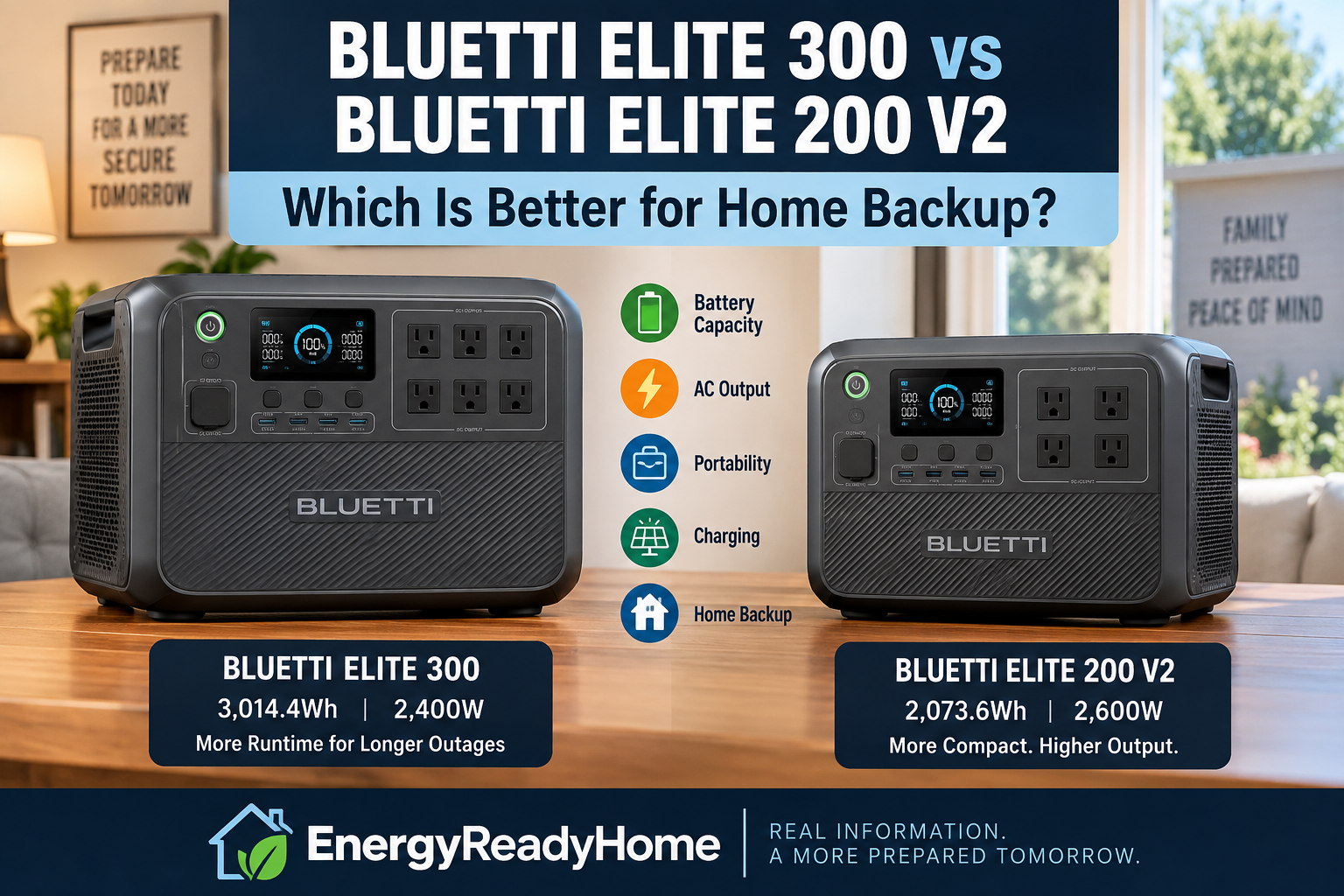
    • 2,073.6Wh capacity
    • 2,600W continuous AC output
    • LiFePO₄ battery chemistry
    • Up to 1,000W solar input
    • 53.4-pound weight
    • 120V AC power

    That combination puts the Elite 200 V2 in an attractive middle ground.

    It has enough output for many common household appliances while providing roughly twice the stored energy of a 1kWh-class system.

    The key is still energy management.

    Running a high-wattage appliance for a few minutes can be practical. Running high-wattage equipment continuously can consume a 2kWh battery surprisingly quickly.

    Best For

    Households primarily trying to protect refrigeration, communications, lighting and electronics through a one-day outage.

    Why We Like It for 24 Hours

    The Elite 200 V2 gives you enough battery capacity to create a realistic essential-load plan without jumping immediately to a much heavier 4–5kWh system.

    EnergyReadyHome rating for 24-hour essential backup: Excellent

    BLUETTI Elite 200 V2

    Affiliate disclosure: EnergyReadyHome may earn a commission from qualifying purchases at no additional cost to you.

    2. Jackery Explorer 2000 Plus — Best Expandable 2kWh Choice

    The Jackery Explorer 2000 Plus starts with approximately 2,042.8Wh of capacity and provides 3,000W of AC output.

    Its biggest advantage for outage planning is not simply the base battery.

    It’s the ability to grow.

    That makes it particularly useful for homeowners who think a roughly 2kWh system is enough today but want a path toward greater backup capacity later.

    Best For

    Homeowners who want a strong 2kWh starting point but don’t want that initial purchase to define the maximum size of their future backup system.

    Why We Like It for 24 Hours

    You can start with a capacity class appropriate for carefully managed essential loads while retaining an expansion path if real-world outage experience shows you need more energy.

    EnergyReadyHome rating for expandable 24-hour backup: Excellent

    Jackery Explorer 2000 Plus

    Affiliate disclosure: EnergyReadyHome may earn a commission from qualifying purchases at no additional cost to you.

    3. EcoFlow DELTA 3 Plus — Best for Light 24-Hour Backup

    The EcoFlow DELTA 3 Plus takes a different approach.

    It provides 1,024Wh of capacity and 1,800W of AC output in a much smaller package.

    EcoFlow also supports battery expansion, giving the DELTA 3 Plus more flexibility than its base 1kWh capacity might suggest.

    For a 24-hour outage, however, the base system works best when you deliberately minimize consumption.

    This is the system for someone thinking:

    Keep the important things working—not the whole house.

    Best For

    Internet equipment, phones, lighting, electronics and carefully managed refrigeration or other selected essentials.

    Why We Like It for 24 Hours

    It’s compact, capable and doesn’t require buying several kilowatt-hours of battery capacity if your actual emergency-energy needs are modest.

    But a 1,024Wh battery leaves less margin for error during a full-day outage.

    EcoFlow’s current specifications confirm the DELTA 3 Plus combines a 1,024Wh battery with 1,800W AC output and supports expansion beyond its base capacity.

    EnergyReadyHome rating for light 24-hour backup: Very Good

    EcoFlow DELTA 3 Plus

    Affiliate disclosure: EnergyReadyHome may earn a commission from qualifying purchases at no additional cost to you.

    4. EcoFlow DELTA Pro 3 — Best Premium 4kWh Choice

    Once your expected 24-hour energy requirement moves substantially beyond 2kWh, the EcoFlow DELTA Pro 3 becomes much more compelling.

    It provides:

    • 4,096Wh battery capacity
    • 4,000W continuous AC output
    • 120V/240V output
    • Expandable battery capacity
    • Up to 2,600W solar input

    This is a different level of outage preparedness.

    The additional battery capacity reduces the need to ration every watt-hour as aggressively, while 120V/240V capability opens the door to more sophisticated home-backup configurations.

    According to EcoFlow’s official DELTA Pro 3 specifications, the system provides 4,096Wh of capacity, 4,000W continuous output and 120V/240V capability.

    Best For

    Households with a larger 24-hour energy budget, more demanding equipment or plans to develop a more substantial home-backup system.

    Why We Like It for 24 Hours

    Four kilowatt-hours provides considerably more breathing room than a 1–2kWh system, while expansion gives you a path toward much longer backup.

    EnergyReadyHome rating for premium 24-hour backup: Excellent

    EcoFlow DELTA Pro 3

    Affiliate disclosure: EnergyReadyHome may earn a commission from qualifying purchases at no additional cost to you.

    5. Jackery Explorer 5000 Plus — Best for Heavy-Duty 24-Hour Home Backup

    The Jackery Explorer 5000 Plus is the heavyweight option in our 24-hour shortlist.

    It starts with:

    • 5,040Wh battery capacity
    • Up to 7,200W AC output
    • 120V/240V capability
    • Expandable battery capacity
    • High-capacity solar-charging options

    For a household only trying to keep a refrigerator, router and a few lights running, this can be far more system than necessary.

    But that’s not the buyer it’s designed for.

    The Explorer 5000 Plus makes sense when you want to maintain substantially more household functionality during an outage or want your portable power station to become the foundation of a larger backup system.

    Best For

    Larger energy budgets, demanding loads, 240V requirements and homeowners who want considerable reserve capacity during a 24-hour outage.

    Why We Like It for 24 Hours

    Its 5,040Wh starting capacity gives you far more stored energy than a conventional 1–2kWh portable power station, while its output and expansion architecture provide room to grow.

    EnergyReadyHome rating for heavy-duty 24-hour backup: Excellent

    Jackery Explorer 5000 Plus

    Affiliate disclosure: EnergyReadyHome may earn a commission from qualifying purchases at no additional cost to you.

    Which Capacity Class Is Right for You?

    The easiest way to narrow the choices is to stop thinking about products for a moment.

    Think about your outage.

    If you can aggressively conserve electricity and primarily need communications, lighting, electronics and limited appliance backup, 1kWh may be workable.

    For refrigeration plus a broader group of ordinary household essentials, roughly 2kWh is a more practical starting point for many households.

    If your estimated energy consumption approaches several kilowatt-hours per day—or you want significantly more reserve capacity—4–5kWh becomes much easier to justify.

    And if you need 240V equipment, that requirement can eliminate smaller 120V-only systems regardless of their battery capacity.

    Don’t Confuse Watts With Watt-Hours

    This distinction is critical when planning for 24 hours.

    Watts (W) tell you how much power a device requires at a particular moment.

    Watt-hours (Wh) measure energy consumption over time.

    A power station might have enough output to start and operate an appliance but not enough battery capacity to operate it for as long as you need.

    For a 24-hour outage, both numbers matter.

    But after confirming that a power station can safely handle your appliances’ running and startup requirements, energy capacity becomes the central planning problem.

    That is why our 24-hour recommendations span from 1,024Wh to more than 5,000Wh rather than naming a single universal winner.

    How the Five Power Stations Compare

    The best choice depends less on which power station has the highest specifications and more on how much electricity your household intends to use during those 24 hours.

    Power StationCapacityAC Output240VExpansionBest 24-Hour Use
    EcoFlow DELTA 3 Plus1,024Wh1,800WNoYesLight essentials
    BLUETTI Elite 200 V22,073.6Wh2,600WNoLimitedBalanced essential-load backup
    Jackery Explorer 2000 Plus2,042.8Wh3,000WExpandable system capabilityYesExpandable essential-load backup
    EcoFlow DELTA Pro 34,096Wh4,000WYesYesPremium home backup
    Jackery Explorer 5000 Plus5,040WhUp to 7,200WYesYesHeavy-duty home backup

    The important point is that battery capacity and power output solve different problems.

    A 3,000W inverter does not mean you have 3,000Wh of stored electricity. Likewise, a large battery doesn’t automatically mean a system can operate every high-wattage appliance in your home.

    For a 24-hour outage, you need enough of both.

    EnergyReadyHome 24-Hour Outage Scenarios

    Here is a more useful way to think about the decision.

    Scenario 1: Refrigerator + Internet + Phones + Lights

    This is the classic essential-load outage plan.

    You’re primarily trying to protect food, maintain communications and provide enough lighting and electronics to get through the outage comfortably.

    Best starting class: approximately 2kWh

    Our pick: BLUETTI Elite 200 V2

    A 1kWh system can work with aggressive conservation, but moving to roughly 2kWh gives you considerably more margin for refrigeration cycling and unexpected consumption.

    Scenario 2: Essentials + Freezer + Electronics + Occasional Kitchen Appliances

    Now the energy budget becomes more demanding.

    You might be operating:

    • Refrigerator
    • Separate freezer
    • Router and modem
    • Phones and computers
    • Lighting
    • Television
    • Short bursts from a microwave, coffee maker or similar appliance

    Best starting class: 2kWh expandable

    Our pick: Jackery Explorer 2000 Plus

    The base capacity remains manageable, while expansion provides a way to increase stored energy if your actual household consumption proves higher than expected.

    Scenario 3: Larger Household With More Equipment

    If several people are home during an outage, electricity consumption can increase quickly.

    Multiple electronics, refrigeration, lighting, computers, pumps and convenience loads all compete for the same stored energy.

    Best starting class: approximately 4kWh

    Our pick: EcoFlow DELTA Pro 3

    The larger battery gives you more flexibility without immediately moving into the largest system in this guide.

    Scenario 4: Heavy Loads or 240V Requirements

    This is no longer simply a question of keeping a refrigerator and Wi-Fi operating.

    You may be planning for:

    • Higher-demand pumps
    • More extensive household circuits
    • Large electrical loads
    • 240V equipment
    • Greater reserve capacity
    • Future home integration

    Best starting class: 4–5kWh+ with 120V/240V capability

    Our pick: Jackery Explorer 5000 Plus

    At this point, system architecture becomes just as important as battery size.

    A Simple 24-Hour Energy Budget Example

    Suppose your emergency plan estimates the following energy consumption over one day:

    Essential LoadExample 24-Hour Energy Use
    Refrigerator1,000Wh
    Router/modem240Wh
    LED lighting200Wh
    Phones/tablets100Wh
    Laptop200Wh
    Television200Wh
    Estimated total1,940Wh

    This is an illustrative planning example, not a prediction of what your appliances will consume.

    Actual refrigerator consumption can vary significantly. So can televisions, computers, networking equipment and lighting.

    But the example demonstrates why a household can quickly move beyond a 1kWh battery even though none of its individual loads seems especially demanding.

    It also demonstrates why buying exactly 1,940Wh of nominal battery capacity would be poor planning.

    Real systems experience conversion losses and other overhead, and your actual outage rarely follows a spreadsheet perfectly.

    Build in reserve capacity.

    Should You Buy More Capacity Than You Think You Need?

    Usually, some reserve is sensible.

    But that doesn’t mean everyone should buy a 5kWh power station.

    Extra capacity generally means:

    • Higher purchase cost
    • Greater weight
    • More space required for storage
    • More equipment than some households actually need

    The goal isn’t maximum battery capacity.

    The goal is enough battery capacity with a reasonable safety margin.

    For someone with a carefully managed 1,200Wh daily emergency load, a well-selected 2kWh-class system may make more sense than a massive home-backup platform.

    For a household expecting 3,500Wh or more of daily consumption, the opposite may be true.

    What About Solar Charging During the Outage?

    Solar can materially extend backup duration, but it should not be treated as guaranteed energy.

    Solar production depends on factors including:

    • Panel capacity
    • Available sunlight
    • Weather
    • Season
    • Shading
    • Panel orientation
    • Charging limits of the power station

    A sunny day with a properly sized solar array can replenish meaningful battery capacity.

    A cloudy day may produce much less.

    For a planned 24-hour outage strategy, we prefer to size the battery around the essential energy requirement first and treat solar as replenishment capability, not as permission to undersize the battery dramatically.

    That becomes even more important when planning for the 3-day outage scenario we’ll address separately.

    Do You Need 240V for a 24-Hour Outage?

    Many households do not.

    If your emergency plan is limited to ordinary 120V loads such as refrigeration, electronics, lights and countertop appliances, a 120V portable power station may be entirely appropriate.

    But some household equipment requires 240V.

    Examples can include certain:

    • Well pumps
    • HVAC equipment
    • Electric water heaters
    • Dryers
    • Ranges
    • Other high-demand household circuits

    If a critical appliance requires 240V, a 120V-only power station cannot solve that problem simply because it has a large battery.

    Check the electrical requirements of the actual equipment you intend to operate.

    What About CPAP and Other Medical Equipment?

    Portable power stations can be valuable for maintaining compatible medical or accessibility equipment during outages, but medical-device backup deserves more conservative planning than entertainment or convenience loads.

    Determine the actual power consumption and operating requirements of your specific equipment, including any heated humidifier or accessory that may increase energy consumption.

    Then provide sufficient reserve capacity.

    If uninterrupted operation is medically necessary, don’t rely on a single runtime estimate or a single backup method. Follow the device manufacturer’s guidance and discuss emergency-power requirements with the appropriate medical or equipment provider.

    What Is the Best Portable Power Station for a 24-Hour Outage?

    For many households, our overall starting point is the BLUETTI Elite 200 V2 because its roughly 2kWh battery and 2,600W output provide a useful balance between capacity, capability and portability.

    But it isn’t our universal winner.

    The EcoFlow DELTA 3 Plus is a great choice if your emergency energy budget is small and portability matters.

    Choose the BLUETTI Elite 200 V2 if you want balanced essential-load backup around the 2kWh level.

    Choose the Jackery Explorer 2000 Plus if you want roughly 2kWh initially but value an expansion path.

    Choose the EcoFlow DELTA Pro 3 if your expected consumption pushes you toward 4kWh or you want a more substantial home-backup platform.

    Choose the Jackery Explorer 5000 Plus if you need significantly greater starting capacity, high output, 240V capability or the foundation for a larger home-backup system.

    Final Verdict

    The biggest mistake when shopping for 24-hour backup power is choosing a power station first and figuring out what it can run afterward.

    Reverse the process.

    1. Identify the equipment you absolutely need during an outage.

    2. Estimate how many watt-hours those loads will consume over 24 hours.

    3. Confirm the power station can handle both continuous and startup loads.

    4. Add reserve capacity for real-world inefficiency and uncertainty.

    5. Then choose the smallest system that comfortably meets that requirement.

    For many households, that calculation will lead toward the 2kWh class.

    Others will discover that 1kWh is sufficient because their needs are modest.

    And households trying to maintain significantly more normal home functionality may find that 4–5kWh or an expandable 240V-capable system is the more appropriate investment.

    That’s the real answer to the question:

    The best portable power station for a 24-hour outage is the one sized to your essential 24-hour energy budget—not simply the biggest battery you can buy.

    Frequently Asked Questions

    How many watt-hours do I need for a 24-hour power outage?

    There is no universal number. Add the estimated energy consumption of the appliances and devices you intend to operate over 24 hours, then include additional capacity for conversion losses, operating overhead and uncertainty.

    Is a 1,000Wh power station enough for 24 hours?

    It can be if your electricity use is very limited. A 1kWh system is better suited to carefully managed essential loads than broad household backup.

    Is a 2,000Wh power station enough for a 24-hour outage?

    For many households using a carefully prioritized group of essential loads, roughly 2kWh can be a practical starting point. Actual requirements depend on the appliances and their energy consumption.

    Can a portable power station run a refrigerator for 24 hours?

    Potentially, but refrigerator energy use varies significantly. Compressor cycling, refrigerator size, efficiency, age, ambient temperature and how often the doors are opened all affect consumption.

    Should I turn my refrigerator off periodically to save battery power?

    Don’t compromise food safety simply to extend battery runtime. Refrigerators already cycle automatically. Follow appropriate food-safety guidance and manage less-critical electrical loads first.

    Do I need a 240V power station for an outage?

    Not necessarily. Many essential household loads operate on 120V. You need 240V capability only if equipment included in your backup plan requires it or your planned home-integration configuration calls for it.

    Is solar necessary for a 24-hour outage?

    No. A properly sized battery may cover your planned 24-hour load without solar. Solar can provide valuable replenishment capability, particularly if the outage lasts longer than expected.

    Is a bigger portable power station always better?

    No. Larger systems typically cost more, weigh more and may provide capacity you never use. Size the system to your actual emergency-energy requirements plus an appropriate reserve.

    Related Articles

  • Jackery Explorer 5000 Plus vs BLUETTI Elite 200 V2: Which Is Better for Home Backup?

    Jackery Explorer 5000 Plus vs BLUETTI Elite 200 V2: Which Is Better for Home Backup?

    The Jackery Explorer 5000 Plus and BLUETTI Elite 200 V2 can both provide battery backup during a power outage, but they are designed for very different levels of home backup.

    The Jackery Explorer 5000 Plus is the clear choice if you want a large, expandable home-backup platform with 120V/240V capability. It starts with 5,040Wh of battery capacity and can deliver up to 7,200W of AC output, giving it substantially more capability for larger household loads.

    The BLUETTI Elite 200 V2 takes the opposite approach. It provides 2,073.6Wh of battery capacity and 2,600W of 120V AC output in a much smaller 53.4-pound package. It is better suited to homeowners who primarily want to keep essential loads running without buying a much larger home-backup system.

    Quick Pick

    Best for larger-scale home backup: Jackery Explorer 5000 Plus

    Best for portable essential-load backup: BLUETTI Elite 200 V2

    The most important question isn’t which power station has the bigger specifications.

    It’s this:

    How much backup system do you actually need?

    Jackery Explorer 5000 Plus vs BLUETTI Elite 200 V2: Key Specifications

    SpecificationJackery Explorer 5000 PlusBLUETTI Elite 200 V2
    Battery Capacity5,040Wh2,073.6Wh
    Battery ChemistryLiFePO₄LiFePO₄
    AC OutputUp to 7,200W2,600W
    AC Voltage120V/240V120V
    Solar InputUp to 4,000W high-voltage PV input*Up to 1,000W
    WeightAbout 134.5 lb53.4 lb
    Battery Cycle Rating4,000 cycles to 70%+6,000+ cycles to 80%
    UPS Capability<20ms backup / 0ms online UPSYes
    ExpandableYesNot designed as a major modular expansion platform
    Warranty5 years5 years

    *Jackery also provides separate low-voltage PV inputs; the maximum input depends on the charging configuration.

    The numbers reveal the fundamental difference immediately.

    The Explorer 5000 Plus isn’t simply a more powerful alternative to the Elite 200 V2. It moves into a different class of backup system.

    Battery Capacity: Jackery Starts With More Than Twice the Energy

    Battery capacity determines how much energy a power station can store.

    The Jackery Explorer 5000 Plus starts with 5,040Wh, while the BLUETTI Elite 200 V2 provides 2,073.6Wh.

    That means the Jackery starts with approximately 2.4 times as much stored energy.

    This difference can become significant during an extended outage.

    If you’re powering a refrigerator, freezer, internet equipment, lights and electronics, either system may provide useful emergency backup. But all else being equal, the Jackery’s much larger battery gives you considerably more stored energy before recharging becomes necessary.

    The BLUETTI’s smaller battery isn’t necessarily a disadvantage, however.

    If your goal is protecting only selected essential loads for shorter outages, approximately 2kWh may be enough—and carrying around an additional 3kWh of battery capacity may provide little practical benefit.

    Capacity winner: Jackery Explorer 5000 Plus

    Power Output: These Systems Are in Different Classes

    The difference becomes even larger when we look at AC output.

    The BLUETTI Elite 200 V2 provides 2,600W of total 120V AC output.

    That’s substantial for a portable power station. It can support many common household appliances and combinations of essential loads, provided their actual running and startup requirements remain within the system’s limits.

    The Jackery Explorer 5000 Plus can deliver up to 7,200W of total AC output, with 120V and 240V capability.

    According to Jackery’s official Explorer 5000 Plus specifications, the system provides 120V outlets along with a 120V/240V connection rated for up to 7,200W.

    That moves the Jackery well beyond conventional portable essential-load backup.

    Output winner: Jackery Explorer 5000 Plus

    120V vs 240V: One of the Most Important Differences

    This may be the deciding factor for some homeowners.

    The BLUETTI Elite 200 V2 is fundamentally a 120V portable power station.

    That’s appropriate for many outage essentials, including compatible:

    • Refrigerators
    • Freezers
    • Internet equipment
    • Televisions
    • Computers
    • Lights
    • CPAP equipment
    • Small kitchen appliances
    • Other 120V devices

    The Jackery Explorer 5000 Plus supports 120V and 240V output.

    That creates the possibility of supporting larger household equipment and integrating the system more deeply into a home’s backup-power strategy.

    However, 240V capability does not mean every 240V appliance can automatically be powered. Actual appliance wattage, startup requirements, connection equipment and installation configuration must all be considered.

    For homeowners who only want emergency power for ordinary 120V essentials, the Jackery’s 240V capability may be unnecessary.

    For homeowners specifically planning around larger household loads, it can be one of the biggest reasons to choose it.

    240V capability winner: Jackery Explorer 5000 Plus

    Portability: BLUETTI Wins Easily

    Here’s where the comparison reverses.

    The Jackery Explorer 5000 Plus weighs approximately 134.5 pounds.

    The BLUETTI Elite 200 V2 weighs 53.4 pounds.

    That’s a difference of more than 80 pounds.

    Neither unit is something most people will casually carry around the house, but the BLUETTI is far more manageable if you expect to move your power station between rooms, take it outside for charging, load it into a vehicle or use it away from home.

    The Jackery is better thought of as a movable home-backup system than a conventional portable power station.

    That distinction matters.

    If your backup strategy requires frequent movement, the Elite 200 V2’s smaller size and dramatically lower weight may be more valuable than the Jackery’s additional capacity.

    Portability winner: BLUETTI Elite 200 V2

    Solar Charging: Jackery Has Much Greater Potential

    Solar charging can become particularly important during multi-day outages when grid power isn’t available to recharge the battery.

    The BLUETTI Elite 200 V2 supports up to 1,000W of solar input.

    That’s a strong specification for a roughly 2kWh portable system.

    The Explorer 5000 Plus supports a much larger solar configuration. Jackery currently specifies a high-voltage PV input of up to 4,000W, along with separate low-voltage PV inputs.

    The practical solar advantage will depend heavily on the panels, weather, installation and charging configuration.

    But for someone building a larger emergency-energy system designed to operate through extended outages, Jackery provides considerably more solar-charging headroom.

    Solar charging winner: Jackery Explorer 5000 Plus

    Expandability: Jackery Is Designed to Grow

    The Elite 200 V2 makes the most sense as a powerful self-contained portable power station.

    Its 2,073.6Wh battery provides meaningful emergency capacity without requiring a large system around it.

    The Explorer 5000 Plus is designed differently.

    Compatible Jackery Battery Pack 5000 Plus units can substantially increase stored energy, allowing the system to move beyond its initial 5,040Wh configuration.

    That matters if you’re thinking:

    I want useful home backup today, but I may eventually want significantly more battery storage.

    With the Jackery, the initial power station can become the foundation of a larger backup system.

    With the BLUETTI Elite 200 V2, the better assumption is that you’re buying approximately 2kWh of highly portable standalone backup capability.

    Expandability winner: Jackery Explorer 5000 Plus

    The EnergyReadyHome “How Much System Do You Need?” Test

    This is the decision framework we think matters more than simply comparing specification sheets.

    Choose the BLUETTI Approach If You Want:

    • Approximately 2kWh of emergency battery capacity
    • Strong 120V output
    • Refrigerator and freezer backup
    • Internet and communications backup
    • Lights and electronics
    • CPAP or other compatible essential equipment
    • A system that’s reasonably manageable to move
    • A simpler standalone emergency-power solution

    For this buyer, purchasing a 134.5-pound 5kWh-class system may be unnecessary.

    Choose the Jackery Approach If You Want:

    • More than 5kWh of starting battery capacity
    • 120V and 240V capability
    • Much higher available AC output
    • Greater solar-charging capability
    • Expansion beyond the base battery
    • Longer-duration outage capability
    • Potential home electrical integration
    • A backup system that can grow substantially over time

    For this buyer, the Elite 200 V2 may simply be too small for the intended job.

    Which Is Better for Refrigerator and Freezer Backup?

    Both systems can be strong candidates for compatible refrigerators and freezers.

    The Elite 200 V2 has enough capacity and output to make refrigeration one of its most logical emergency uses. Its smaller size also makes it easier to position where needed.

    The Explorer 5000 Plus provides a major runtime advantage from stored energy because its battery is more than twice as large.

    That becomes increasingly valuable when an outage extends from several hours into a day or longer.

    For basic refrigeration backup, however, don’t automatically assume that bigger is better.

    If refrigeration and a handful of essential devices represent most of your emergency load, the BLUETTI may provide the better balance of capacity, power and portability.

    If refrigeration is only one part of a much larger backup plan, the Jackery becomes considerably more attractive.

    Who Should Buy the BLUETTI Elite 200 V2?

    Choose the BLUETTI Elite 200 V2 if you want a powerful but still relatively portable battery system primarily for essential 120V loads.

    It’s particularly attractive if:

    • You don’t need 240V backup
    • Approximately 2kWh meets your expected needs
    • Portability matters
    • You primarily want to protect critical appliances and electronics
    • You don’t anticipate building a large expandable battery system

    For many homeowners, this may be all the backup power they realistically need.

    BLUETTI Elite 200 V2

    Affiliate disclosure: EnergyReadyHome may earn a commission from qualifying purchases at no additional cost to you.

    Who Should Buy the Jackery Explorer 5000 Plus?

    Choose the Jackery Explorer 5000 Plus if you’re moving beyond portable essential-load backup and toward a more substantial home-backup system.

    It’s particularly attractive if:

    • You want more than 5kWh of starting capacity
    • You need 240V capability
    • You want considerably higher output
    • You expect to add battery capacity later
    • You want greater solar-recharging capability
    • You’re considering home electrical integration
    • You want to support more household loads simultaneously
    • Portability is secondary to backup capability

    The Explorer 5000 Plus isn’t merely a bigger portable power station.

    For the right homeowner, it’s the starting point for a much more capable battery-backup system.

    Jackery Explorer 5000 Plus

    Affiliate disclosure: EnergyReadyHome may earn a commission from qualifying purchases at no additional cost to you.

    Jackery Explorer 5000 Plus Pros and Cons

    Advantages of the Jackery Explorer 5000 Plus

    The Explorer 5000 Plus is the stronger choice when home-backup capability matters more than portability.

    Pros

    • 5,040Wh starting battery capacity
    • Up to 7,200W AC output
    • 120V and 240V capability
    • Expandable battery architecture
    • Much greater solar-charging potential
    • Better suited to longer outages
    • Can support a broader combination of household loads
    • Better foundation for a larger home-backup system
    • Five-year warranty

    Jackery Explorer 5000 Plus Cons

    • Approximately 134.5 pounds
    • Considerably larger and heavier than the Elite 200 V2
    • More system than many households need for basic emergency loads
    • Higher-capability architecture can add cost and complexity
    • Portability is limited despite the unit’s wheels and handle
    • 240V and home-integration features provide little value if you only need basic 120V backup

    The Jackery’s biggest advantage can therefore also become its biggest disadvantage.

    If you actually need a 5kWh-class expandable home-backup system, its additional capability is valuable.

    If you don’t, you may be paying for capacity, output and features that spend most of their lives unused.

    BLUETTI Elite 200 V2 Pros and Cons

    Advantages of the BLUETTI Elite 200 V2

    The Elite 200 V2 is better suited to homeowners who want meaningful emergency power without moving into a much larger home-backup platform.

    Pros

    • 2,073.6Wh battery capacity
    • 2,600W total AC output
    • LiFePO₄ battery chemistry
    • 6,000+ cycle rating to 80% capacity
    • Up to 1,000W solar input
    • Approximately 53.4-pound weight
    • Easier to move than the Jackery
    • Strong standalone refrigerator and freezer backup potential
    • Good fit for essential 120V household loads
    • Five-year warranty

    BLUETTI Elite 200 V2 Cons

    • No 240V AC output
    • Less than half the Jackery’s starting battery capacity
    • Significantly lower AC output
    • Less suitable for larger combinations of household loads
    • Not designed around extensive modular expansion
    • Shorter potential runtime under equivalent loads because of its smaller battery

    The Elite 200 V2 is not trying to compete with the Explorer 5000 Plus as a large-scale home-backup platform.

    Its appeal is that many homeowners don’t need one.

    Head-to-Head Winner by Category

    CategoryWinner
    Starting Battery CapacityJackery Explorer 5000 Plus
    AC OutputJackery Explorer 5000 Plus
    240V CapabilityJackery Explorer 5000 Plus
    PortabilityBLUETTI Elite 200 V2
    Solar-Charging PotentialJackery Explorer 5000 Plus
    ExpandabilityJackery Explorer 5000 Plus
    Battery Cycle Rating*BLUETTI Elite 200 V2
    Essential 120V BackupBLUETTI Elite 200 V2
    Larger Household LoadsJackery Explorer 5000 Plus
    Longer-Outage PotentialJackery Explorer 5000 Plus
    SimplicityBLUETTI Elite 200 V2
    Larger Home-Backup PlatformJackery Explorer 5000 Plus

    *Manufacturer cycle-life specifications use different remaining-capacity thresholds and test conditions, so cycle ratings should not be treated as perfectly equivalent measurements.

    EnergyReadyHome Outage-Load Test

    Specification tables don’t tell you whether buying the larger system makes sense for your home.

    A better way to decide is to start with what you actually want operating during an outage.

    Scenario 1: Essential-Load Backup

    Suppose your priority list includes:

    • Refrigerator
    • Freezer
    • Internet modem and router
    • Several LED lights
    • Phones and tablets
    • Laptop
    • Television
    • CPAP or similar compatible equipment

    This is where the BLUETTI Elite 200 V2 becomes particularly compelling.

    Its roughly 2kWh battery and 2,600W output provide a practical starting point for selected essential loads without requiring a 134-pound system.

    You will still need to manage energy consumption during a long outage, but that can be a reasonable tradeoff for substantially better portability.

    ERH choice for essential-load backup: BLUETTI Elite 200 V2

    Scenario 2: Extended Home Backup

    Now suppose you want to support a broader group of loads, potentially including:

    • Refrigeration
    • Communications
    • Lighting
    • Electronics
    • Kitchen appliances
    • Selected pumps or other compatible equipment
    • Higher-demand appliances
    • Some 240V loads
    • More simultaneous devices

    The equation changes.

    The Jackery’s 5,040Wh starting capacity, much higher output and 120V/240V capability provide significantly more flexibility.

    Its expansion capability also matters because an extended outage eventually becomes an energy-capacity problem, not simply a power-output problem.

    ERH choice for larger-scale backup: Jackery Explorer 5000 Plus

    Scenario 3: You Want Backup Power but Aren’t Sure How Much

    This may describe more homeowners than either of the first two scenarios.

    In that case, don’t buy based on the largest specification.

    Start by identifying your must-run loads.

    Estimate their wattage and how many hours per day you realistically need them operating. Then determine whether you need 240V equipment during an outage.

    If approximately 2kWh and 120V cover the important loads, the Elite 200 V2 may be the more rational purchase.

    If your calculations quickly move beyond that—or you already know you want 240V capability and substantial expansion—the Explorer 5000 Plus is the more appropriate platform.

    That’s the distinction that matters most in this comparison.

    Final Verdict: Jackery Explorer 5000 Plus vs BLUETTI Elite 200 V2

    There is a clear winner in most specification categories.

    It’s the Jackery Explorer 5000 Plus.

    It has substantially more battery capacity, dramatically higher available output, 120V/240V capability, much greater solar-charging potential and a far stronger expansion path.

    But that doesn’t automatically make it the better purchase.

    The BLUETTI Elite 200 V2 is our preferred choice for homeowners whose backup plan is centered on selected 120V essentials. At 53.4 pounds and roughly 2kWh, it provides meaningful emergency capability without requiring a much larger system.

    The Jackery Explorer 5000 Plus is our preferred choice when the objective is broader home backup. Its 5,040Wh starting battery and higher-power architecture give homeowners substantially more room to support larger loads and longer outages.

    So we can simplify the decision:

    Want a powerful, relatively portable system for essential 120V loads? → BLUETTI Elite 200 V2

    Want a larger 120V/240V home-backup platform that can grow? → Jackery Explorer 5000 Plus

    EnergyReadyHome Overall Recommendation

    Best for Essential-Load Home Backup: BLUETTI Elite 200 V2

    Best for Larger-Scale Home Backup: Jackery Explorer 5000 Plus

    For many households that simply want dependable emergency power for refrigeration, communications, lighting and electronics, we’d choose the BLUETTI Elite 200 V2.

    For homeowners deliberately building a more substantial backup-power system, we’d choose the Jackery Explorer 5000 Plus.

    The important point is not to buy the largest battery system you can afford.

    Buy the smallest system that reliably meets the outage plan you actually intend to use.

    Frequently Asked Questions

    Which has more battery capacity?

    The Jackery Explorer 5000 Plus. It starts with 5,040Wh compared with 2,073.6Wh for the BLUETTI Elite 200 V2.

    Which has more AC output?

    The Jackery Explorer 5000 Plus. It can provide up to 7,200W of AC output, while the BLUETTI Elite 200 V2 provides 2,600W of standard AC output.

    Can both systems provide 240V power?

    No. The Jackery Explorer 5000 Plus supports 120V/240V applications. The BLUETTI Elite 200 V2 is a 120V-class system.

    Which is easier to move?

    The BLUETTI Elite 200 V2. At approximately 53.4 pounds, it weighs more than 80 pounds less than the approximately 134.5-pound Jackery.

    Which is better for a refrigerator and freezer?

    Either may be appropriate for compatible refrigeration equipment. We’d favor the Elite 200 V2 when refrigeration is part of a relatively small group of essential 120V loads. We’d favor the Explorer 5000 Plus when refrigeration is part of a larger home-backup plan or longer potential runtime is important.

    Which is better for a long power outage?

    The Jackery Explorer 5000 Plus has the advantage. It starts with substantially more stored energy and supports additional battery capacity, giving it a stronger foundation for extended outages.

    Do I need the Jackery Explorer 5000 Plus just because it has better specifications?

    No. That’s one of the most important conclusions of this comparison.

    If approximately 2kWh of capacity, 2,600W of output and 120V power meet your emergency requirements, the Elite 200 V2 may be the better-sized system.

    The Jackery’s additional capability becomes valuable when your actual backup requirements justify it.

    Which one should I buy?

    Choose the BLUETTI Elite 200 V2 if portability, essential-load backup and a simpler 2kWh-class system are your priorities.

    Choose the Jackery Explorer 5000 Plus if you want 240V capability, substantially greater starting capacity, higher output and a system designed to grow into a larger home-backup solution.

    Related Articles

  • EcoFlow DELTA Pro 3 vs EcoFlow DELTA 3 Plus: Which Is Better for Home Backup?

    EcoFlow DELTA Pro 3 vs EcoFlow DELTA 3 Plus: Which Is Better for Home Backup?

    If you are choosing between the EcoFlow DELTA Pro 3 and EcoFlow DELTA 3 Plus for home backup, the biggest difference is not simply battery size.

    These products belong to two very different classes of backup power.

    The DELTA 3 Plus is a compact 1,024Wh portable power station designed for essential 120V loads, fast charging and easy movement around the home.

    The DELTA Pro 3 is a much larger 4,096Wh expandable system with 4,000W of continuous output, native 120V/240V capability and significantly greater potential for home integration.

    EnergyReadyHome Quick Pick

    Best for Portable Essential-Load Backup: EcoFlow DELTA 3 Plus

    Best for Serious Expandable Home Backup: EcoFlow DELTA Pro 3

    For homeowners who primarily want to keep a refrigerator, freezer, internet equipment, lights, electronics and selected appliances operating during an outage, we prefer the DELTA 3 Plus.

    For homeowners who want longer runtime, larger household loads, 240V capability or a backup system that can eventually integrate more deeply with the home, we prefer the DELTA Pro 3.

    The key question is:

    Are you buying a portable backup battery—or beginning to build a home-backup system?

    That distinction makes this comparison much easier.

    EcoFlow DELTA Pro 3 vs DELTA 3 Plus: Key Specifications

    SpecificationEcoFlow DELTA 3 PlusEcoFlow DELTA Pro 3
    Battery Capacity1,024Wh4,096Wh
    Continuous AC Output1,800W4,000W
    Surge Output3,600W8,000W
    AC Voltage120V120V/240V
    Battery ChemistryLFPLFP
    Cycle Life4,000 cycles to 80%4,000 cycles to 80%
    Solar InputUp to 1,000WUp to 2,600W
    ExpandableYes, up to approximately 5kWhYes, substantially beyond base capacity
    UPS<10ms10ms
    WeightApprox. 27.6 lbApprox. 113.54 lb
    Warranty5 years5 years
    Best ForPortable essential-load backupLarger expandable home backup

    The specifications make the difference immediately visible.

    The DELTA Pro 3 provides four times the nominal battery capacity of the DELTA 3 Plus:

    4,096Wh vs 1,024Wh

    It also provides more than twice the continuous AC output:

    4,000W vs 1,800W

    But capability comes with a significant portability penalty.

    The DELTA 3 Plus weighs approximately 27.6 pounds.

    The DELTA Pro 3 weighs approximately 113.54 pounds.

    That means the Pro 3 weighs more than four times as much.

    Neither approach is automatically better.

    The right choice depends on what you expect your backup system to do.

    Battery Capacity: DELTA Pro 3 Has Four Times the Energy

    Battery capacity is the largest numerical difference between these two systems.

    The DELTA 3 Plus provides:

    1,024Wh

    The DELTA Pro 3 provides:

    4,096Wh

    That is exactly four times as much nominal stored energy in the DELTA Pro 3.

    For outage planning, that difference can be substantial.

    Consider a simplified scenario where your essential household equipment averages 400 watts.

    ERH Theoretical Runtime Model

    EcoFlow DELTA 3 Plus

    1,024Wh ÷ 400W = approximately 2.6 theoretical hours

    EcoFlow DELTA Pro 3

    4,096Wh ÷ 400W = approximately 10.2 theoretical hours

    These are mathematical illustrations—not promised operating times.

    Real-world runtime will be lower because of inverter losses, battery-management overhead, temperature, appliance cycling, changing loads and other conditions.

    But the comparison demonstrates the fundamental difference.

    If both systems power identical loads, the DELTA Pro 3 begins with roughly four times the available battery energy.

    Capacity Winner: EcoFlow DELTA Pro 3

    Power Output: DELTA Pro 3 Supports Much Larger Loads

    Capacity determines how much energy you have.

    Output determines how much equipment you can potentially operate at one time.

    The DELTA 3 Plus provides:

    1,800W continuous AC output

    with up to:

    3,600W surge output

    That is substantial capability for a compact portable power station.

    It can potentially support many common outage loads, including compatible:

    • Refrigerators
    • Freezers
    • Internet equipment
    • Televisions
    • Computers
    • Lights
    • CPAP machines
    • Small kitchen appliances
    • Selected power tools

    The DELTA Pro 3 moves into another category.

    It provides:

    4,000W continuous AC output

    with:

    8,000W surge output

    That additional inverter capacity becomes important when several appliances are operating simultaneously or when larger household equipment enters the backup plan.

    But more output is not automatically useful.

    If your outage load averages only a few hundred watts, you may never use most of the DELTA Pro 3’s available inverter capacity.

    That is why we do not recommend buying solely according to the largest wattage number.

    Output Winner: EcoFlow DELTA Pro 3

    120V vs 240V: The Biggest Architectural Difference

    This is one of the most important differences in the entire comparison.

    The DELTA 3 Plus is fundamentally a 120V portable power station.

    The DELTA Pro 3 is designed for 120V and 240V applications.

    According to EcoFlow’s official DELTA Pro 3 specifications, the DELTA Pro 3 provides 120V/240V AC output from a single unit, including dedicated connections for larger backup applications.

    That matters because some household equipment requires 240V power.

    Depending on the home, examples can include:

    • Well pumps
    • Certain heat pumps
    • Electric dryers
    • Electric ranges
    • Central air-conditioning equipment
    • Other larger household loads

    The fact that a system provides 240V does not automatically mean it can operate every 240V appliance.

    You still need to verify:

    • Running wattage
    • Startup surge
    • Voltage
    • Connection requirements
    • Circuit requirements
    • Overall system configuration

    But if 240V equipment is part of your backup plan, the DELTA Pro 3 is clearly the more appropriate platform of these two.

    240V Winner: EcoFlow DELTA Pro 3

    Portability: DELTA 3 Plus Wins by a Huge Margin

    This category is not close.

    The DELTA 3 Plus weighs approximately:

    27.6 pounds

    The DELTA Pro 3 weighs approximately:

    113.54 pounds

    That creates two very different ownership experiences.

    The DELTA 3 Plus can reasonably be:

    • Carried between rooms
    • Moved upstairs or downstairs
    • Loaded into a vehicle
    • Taken on trips
    • Stored on a shelf
    • Brought directly to whatever appliance needs power

    The DELTA Pro 3 is movable, but it is not something most homeowners will casually carry around.

    Its wheels and handle help, but you should think of it more as a mobile home-backup platform than a conventional portable battery.

    For homeowners who value portability, this may outweigh every specification advantage the DELTA Pro 3 has.

    Portability Winner: EcoFlow DELTA 3 Plus

    Solar Charging: DELTA Pro 3 Provides Much More Headroom

    Solar charging becomes increasingly valuable as outages become longer.

    The DELTA 3 Plus supports up to approximately:

    1,000W of solar input

    That is impressive for a 1kWh-class portable power station.

    The DELTA Pro 3 supports up to:

    2,600W of solar input

    That is appropriate for its much larger battery capacity and more ambitious home-backup role.

    The practical question is not simply which system accepts more solar.

    It is:

    How much energy do you expect to consume each day during an outage?

    If you are running only a refrigerator, router, lights and electronics, a smaller solar configuration paired with the DELTA 3 Plus may be sufficient.

    If you are operating several large loads and trying to replenish multiple kilowatt-hours each day, the DELTA Pro 3’s higher charging ceiling becomes much more important.

    Solar Charging Winner: EcoFlow DELTA Pro 3

    Expandability: Both Grow, but They Grow Toward Different Goals

    Both systems support additional battery capacity.

    But their expansion strategies serve different buyers.

    The DELTA 3 Plus begins at 1,024Wh and can expand to approximately 5kWh with compatible EcoFlow battery options.

    That means a buyer can start small and add capacity if outage requirements increase.

    This is a major strength.

    You are not permanently locked into a 1kWh system.

    The DELTA Pro 3 starts where the DELTA 3 Plus expansion strategy is already heading:

    4,096Wh

    From there, the Pro 3 platform can grow substantially beyond the capacity of the base unit through compatible extra batteries and larger system configurations.

    That makes the distinction straightforward.

    DELTA 3 Plus

    Start small and expand if needed.

    DELTA Pro 3

    Start large and build toward deeper home backup.

    For buyers who want the most expansion potential, the Pro 3 wins.

    For buyers who specifically want a small initial investment and the ability to add capacity later, the DELTA 3 Plus has an important strategic advantage.

    The ERH “Carry It or Build Around It?” Test

    Here is the fastest way to decide between these systems.

    Ask yourself:

    Do I expect to move my power station to wherever electricity is needed—or do I expect my backup system to stay primarily in one location and power increasingly more of my home?

    If you expect to carry it, choose the DELTA 3 Plus.

    If you expect to build around it, choose the DELTA Pro 3.

    This distinction captures the biggest practical difference between these products better than simply comparing watt-hours.

    DELTA 3 Plus Ownership Model

    Battery follows the load.

    You move the power station to:

    • Refrigerator
    • Freezer
    • Home office
    • Bedroom
    • Garage
    • Vehicle
    • Campsite

    DELTA Pro 3 Ownership Model

    Loads connect to the backup system.

    The system increasingly becomes part of a broader outage strategy that can include:

    • Larger household equipment
    • 240V loads
    • Additional batteries
    • Higher solar input
    • Transfer equipment
    • Home electrical integration

    That is why comparing these products solely according to price or capacity misses the real buying decision.

    UPS Capability: Both Can Protect Sensitive Equipment

    Both systems offer fast transfer capability for compatible backup applications.

    The DELTA 3 Plus is rated for less than 10 milliseconds in its supported UPS mode.

    The DELTA Pro 3 is rated at approximately 10 milliseconds.

    That can make either product useful for equipment where brief power interruptions are undesirable, including compatible:

    • Computers
    • Networking equipment
    • NAS systems
    • Home-office electronics
    • Communication equipment

    UPS compatibility and behavior should always be verified for the specific equipment being protected.

    For most homeowners choosing between these two systems, UPS performance is not the category that should determine the purchase.

    UPS Result: Effectively a Tie for Typical Home-Backup Decision-Making

    Which Is Better for Refrigerator Backup?

    For a conventional refrigerator and a handful of essential loads, we favor the:

    EcoFlow DELTA 3 Plus

    Why?

    Because the Pro 3 may simply be far more system than the job requires.

    The DELTA 3 Plus provides enough inverter capacity for many compatible refrigerators while remaining easy to move and fast to recharge.

    But if your goal is to support:

    • Refrigerator
    • Freezer
    • Internet
    • Lights
    • Electronics
    • Additional appliances

    for substantially longer periods before recharging, the DELTA Pro 3’s four-times-larger battery becomes extremely valuable.

    So the answer depends on what you mean by refrigerator backup.

    Basic refrigerator backup → DELTA 3 Plus

    Extended multi-load outage backup → DELTA Pro 3

    Who Should Buy the EcoFlow DELTA 3 Plus?

    Choose the DELTA 3 Plus if you want:

    • A compact 1,024Wh system
    • 1,800W of continuous output
    • Excellent portability
    • A unit weighing only about 27.6 pounds
    • Fast AC charging
    • Up to 1,000W of solar input
    • Expandable battery capacity
    • Essential 120V outage backup
    • A system that can serve home, vehicle and recreational uses

    For many homeowners, this is the more practical purchase.

    You may not need a 4kWh, 113-pound backup platform simply to keep your critical equipment operating.

    Affiliate Disclosure: EnergyReadyHome may earn a commission from qualifying purchases at no additional cost to you.

    Who Should Buy the EcoFlow DELTA Pro 3?

    Choose the DELTA Pro 3 if you want:

    • 4,096Wh of starting battery capacity
    • 4,000W continuous AC output
    • 8,000W surge capability
    • Native 120V/240V power
    • Greater capability for large household loads
    • Up to 2,600W of solar input
    • Major battery expansion potential
    • Home-integration options
    • A system designed to become part of a more comprehensive backup strategy

    The DELTA Pro 3 costs you portability.

    In return, you receive a dramatically more capable home-backup platform.

    For homeowners preparing for longer outages or planning to support more than basic emergency loads, that tradeoff can make sense.

    Affiliate Disclosure: EnergyReadyHome may earn a commission from qualifying purchases at no additional cost to you.

    Which Is Better for a Short Power Outage?

    For a short outage, the EcoFlow DELTA 3 Plus is often the better-sized solution.

    A short outage usually means prioritizing a relatively small group of essential loads:

    • Refrigerator
    • Freezer
    • Router and modem
    • Phones
    • Lights
    • Laptop
    • Television
    • CPAP equipment
    • Other small electronics

    With 1,024Wh of battery capacity and 1,800W of continuous AC output, the DELTA 3 Plus provides substantial capability for this type of outage without requiring you to move or store a 113-pound power station.

    Its portability is especially valuable during shorter outages because you can move the unit to whichever equipment needs power.

    The DELTA Pro 3 will provide much more runtime, but many households simply may not need 4,096Wh of battery capacity for a brief interruption.

    Short-Outage Winner: EcoFlow DELTA 3 Plus

    Which Is Better for Overnight Backup?

    This is where the decision becomes closer.

    If your overnight requirements are modest—for example, a refrigerator, internet equipment, several lights and a CPAP machine—the DELTA 3 Plus may still provide the better balance of capability and portability.

    But as overnight energy consumption increases, the DELTA Pro 3’s much larger battery becomes increasingly valuable.

    Remember the fundamental capacity difference:

    DELTA 3 Plus: 1,024Wh

    DELTA Pro 3: 4,096Wh

    If you want to run multiple loads throughout the night without closely managing every watt-hour, the DELTA Pro 3 provides considerably more breathing room.

    Light Overnight Loads: DELTA 3 Plus

    Multiple or Higher-Consumption Overnight Loads: DELTA Pro 3

    Which Is Better for a Multi-Day Power Outage?

    For a multi-day outage, we favor the EcoFlow DELTA Pro 3.

    Long outages change the backup-power problem.

    You are no longer asking only:

    How much battery capacity do I have?

    You also need to consider:

    Battery capacity + daily consumption + expansion capacity + solar production + other charging options

    The DELTA Pro 3 begins with four times the battery capacity of the DELTA 3 Plus and supports substantially greater solar input.

    That gives homeowners more flexibility when trying to create a repeatable daily energy strategy during an extended outage.

    The DELTA 3 Plus can also be expanded and solar charged, which makes it much more capable than its 1,024Wh base battery might suggest.

    But when extended outage resilience is the primary objective, the DELTA Pro 3 provides the stronger foundation.

    Multi-Day Outage Winner: EcoFlow DELTA Pro 3

    Which Is Better for a Refrigerator and Freezer?

    Both systems can potentially support compatible refrigerators and freezers.

    The important difference is runtime.

    A refrigerator and freezer cycle on and off rather than consuming their rated wattage continuously, so actual energy consumption varies considerably by appliance, temperature, age, usage and environmental conditions.

    For basic refrigeration backup, we prefer the DELTA 3 Plus because it provides substantial output in a much smaller package.

    For extended refrigeration backup—particularly when you also want to operate internet equipment, lights, electronics and other appliances—we prefer the DELTA Pro 3.

    The larger battery provides much more flexibility before recharging becomes necessary.

    Basic Refrigeration Backup: DELTA 3 Plus

    Extended Refrigeration + Multiple Loads: DELTA Pro 3

    Which Is Better for a Well Pump?

    This depends heavily on the specific pump.

    Well pumps can have substantial startup requirements, and many residential well systems operate at 240V.

    That makes the DELTA Pro 3 the stronger candidate of these two systems because it provides native 120V/240V capability and substantially higher continuous and surge output.

    However, never assume that a power station can run a particular well pump simply because it provides 240V.

    Before purchasing, verify:

    • Pump voltage
    • Running wattage
    • Startup or locked-rotor requirement
    • Connection type
    • Circuit requirements
    • Required home-integration equipment

    For a compatible 240V well-pump application, the DELTA 3 Plus is not the equivalent alternative.

    Well-Pump Winner: EcoFlow DELTA Pro 3

    Which Is Better for Central Air Conditioning?

    Again, the DELTA Pro 3 is the only one of these two that belongs in a serious discussion about larger 240V household loads.

    Central air-conditioning systems can have very high running and startup requirements.

    The DELTA Pro 3’s 4,000W continuous output, 8,000W surge capability and 120V/240V architecture make it considerably more appropriate for evaluating compatible larger loads.

    But this requires an important qualification:

    240V capability does not guarantee central-air compatibility.

    HVAC systems vary dramatically.

    A homeowner considering air-conditioning backup should verify the exact equipment requirements and the complete backup configuration rather than relying on a generic wattage comparison.

    Large-Load Flexibility Winner: EcoFlow DELTA Pro 3

    Home Integration: DELTA Pro 3 Is in Another Class

    The DELTA 3 Plus works extremely well when appliances and devices are connected directly to the power station.

    That is conventional portable-power-station backup.

    The DELTA Pro 3 can go further.

    Its larger capacity, higher output, 240V capability and compatible EcoFlow home-integration ecosystem allow it to become part of a more comprehensive backup strategy.

    This creates an important distinction.

    DELTA 3 Plus

    Think:

    Portable appliance backup

    DELTA Pro 3

    Think:

    Expandable household backup platform

    If your long-term objective includes powering selected home circuits rather than plugging individual appliances directly into the battery, the DELTA Pro 3 is the stronger starting point.

    Home-Integration Winner: EcoFlow DELTA Pro 3

    Which Is Easier to Live With Every Day?

    Specifications do not tell the entire story.

    A backup system also needs to be stored, moved, charged and positioned somewhere in your home.

    This is where the DELTA 3 Plus has an enormous advantage.

    At approximately 27.6 pounds, it is a genuinely portable device.

    The DELTA Pro 3 weighs more than 113 pounds.

    Its wheels make movement easier, but stairs, vehicles and tight storage spaces are entirely different considerations with a unit this large.

    If you live in:

    • An apartment
    • A condominium
    • A smaller home
    • A multistory house
    • A property with limited storage

    the DELTA 3 Plus may be much easier to own.

    Everyday Convenience Winner: EcoFlow DELTA 3 Plus

    Battery Longevity: Essentially a Tie

    Both systems use LFP battery chemistry and are designed for long service life.

    For normal backup-power ownership, the more important issue is unlikely to be which battery wears out first.

    The bigger question is whether you purchased the appropriate amount of battery capacity in the first place.

    A long-lived 4kWh system is poor value if you only needed 1kWh.

    Likewise, a long-lived 1kWh system can become frustrating if your actual outage plan consistently requires several kilowatt-hours.

    Battery-Longevity Result: Tie

    EcoFlow DELTA 3 Plus: Pros and Limitations

    Pros

    • Compact 1,024Wh starting capacity
    • 1,800W continuous output
    • 3,600W surge capability
    • Approximately 27.6 pounds
    • Excellent portability
    • Fast AC charging
    • Up to 1,000W solar input
    • Expandable battery capacity
    • Fast UPS transfer capability
    • Strong fit for essential 120V loads
    • Useful beyond emergency backup

    Limitations

    • Much less starting capacity than DELTA Pro 3
    • Lower continuous and surge output
    • 120V-class system
    • Less appropriate for large household loads
    • Less capable as the foundation for deep home integration
    • Base battery may require more careful energy management during extended outages

    EcoFlow DELTA Pro 3: Pros and Limitations

    Pros

    • 4,096Wh starting capacity
    • 4,000W continuous output
    • 8,000W surge capability
    • Native 120V/240V power
    • Much greater runtime potential
    • Up to 2,600W solar input
    • Significant expansion potential
    • Strong home-integration capabilities
    • Better suited to larger household loads
    • Excellent foundation for extended-outage planning

    Limitations

    • Approximately 113.54 pounds
    • Far less portable than DELTA 3 Plus
    • Larger physical footprint
    • More capability than many households actually need
    • Higher-capability configurations require additional equipment and investment
    • Not the most practical choice for simple refrigerator-and-router backup

    Head-to-Head Winners

    CategoryWinner
    Battery CapacityDELTA Pro 3
    AC OutputDELTA Pro 3
    240V CapabilityDELTA Pro 3
    PortabilityDELTA 3 Plus
    Short-Outage BackupDELTA 3 Plus
    Multi-Day BackupDELTA Pro 3
    Solar InputDELTA Pro 3
    Home IntegrationDELTA Pro 3
    Everyday ConvenienceDELTA 3 Plus
    Battery LongevityTie
    Basic Essential-Load BackupDELTA 3 Plus
    Larger Home-Backup SystemDELTA Pro 3

    The scorecard appears heavily tilted toward the DELTA Pro 3.

    But that can be misleading.

    The DELTA Pro 3 wins many categories because it is a much larger power station.

    That does not automatically make it the better purchase.

    The ERH “How Much Backup Are You Actually Buying?” Test

    Before choosing the larger system, write down the equipment you genuinely expect to operate during an outage.

    Scenario A — Essential Backup

    Your list looks like:

    • Refrigerator
    • Router and modem
    • Several lights
    • Phones
    • Laptop
    • CPAP machine
    • Television

    You primarily need 120V power.

    You want something you can easily move.

    Start with the DELTA 3 Plus.

    Scenario B — Deeper Home Backup

    Your list starts expanding:

    • Refrigerator
    • Freezer
    • Communications
    • Home office
    • Multiple appliances
    • Larger household equipment
    • Possible 240V loads
    • Selected home circuits

    You also want longer runtime and substantial expansion potential.

    Move toward the DELTA Pro 3.

    This prevents one of the easiest mistakes in backup-power shopping:

    Buying the largest system you can afford instead of the system your outage plan actually requires.

    EnergyReadyHome Final Verdict

    The EcoFlow DELTA 3 Plus and DELTA Pro 3 share a brand and battery ecosystem, but they should not be treated as interchangeable products.

    Best for Portable Essential-Load Backup: EcoFlow DELTA 3 Plus

    Choose the DELTA 3 Plus if your priorities are:

    • Portability
    • Essential 120V backup
    • Shorter outages
    • Smaller physical size
    • Lower starting system requirements
    • Flexible use around the home and away from it

    For many households preparing primarily for refrigeration, communications, lights and electronics, it may be all the power station they actually need.

    Best for Serious Expandable Home Backup: EcoFlow DELTA Pro 3

    Choose the DELTA Pro 3 if your priorities are:

    • Much longer base runtime
    • Larger household loads
    • 120V/240V capability
    • Higher solar input
    • Major expansion
    • Home integration
    • Extended-outage resilience

    Its 4,096Wh battery and 4,000W continuous output make it fundamentally more capable than the DELTA 3 Plus.

    Our Overall Recommendation

    We do not have a universal winner.

    For portable essential-load backup, we choose:

    EcoFlow DELTA 3 Plus

    For serious expandable home backup, we choose:

    EcoFlow DELTA Pro 3

    The best purchase depends on whether you want your backup power to remain portable or eventually become part of a larger home-energy system.

    Frequently Asked Questions

    Which has more battery capacity?

    The EcoFlow DELTA Pro 3. Its 4,096Wh base battery is four times the 1,024Wh capacity of the DELTA 3 Plus.

    Which has more power output?

    The DELTA Pro 3 provides 4,000W of continuous AC output compared with 1,800W for the DELTA 3 Plus.

    Which is easier to move?

    The DELTA 3 Plus, by a substantial margin. It weighs approximately 27.6 pounds compared with approximately 113.54 pounds for the DELTA Pro 3.

    Can both provide 240V power?

    No. The DELTA Pro 3 provides native 120V/240V capability. The DELTA 3 Plus is a 120V-class portable power station.

    Which is better for a refrigerator?

    For basic refrigerator backup, we favor the DELTA 3 Plus because of its portability and smaller size. For longer-duration refrigeration plus additional household loads, we favor the DELTA Pro 3.

    Which is better for a multi-day outage?

    The DELTA Pro 3. Its much larger starting battery, higher solar-input capability and broader expansion potential make it the stronger foundation for extended-outage planning.

    Which is better for an apartment?

    For most apartment backup applications, we favor the DELTA 3 Plus because it is dramatically smaller and easier to move while still providing substantial essential-load capability.

    Is the DELTA Pro 3 worth buying instead of the DELTA 3 Plus?

    It can be if you will actually use its larger battery, higher output, 240V capability, expansion or home-integration options.

    If your outage plan consists mainly of a refrigerator, internet equipment, lights and electronics, the DELTA 3 Plus may provide better practical value.

    Can I expand both systems later?

    Yes. Both support compatible expansion options, although the DELTA Pro 3 is designed to grow into a substantially larger home-backup platform.

    Which one should I buy?

    Choose the DELTA 3 Plus if you want portable essential-load backup.

    Choose the DELTA Pro 3 if you want a larger system capable of supporting a much more ambitious home-backup strategy.

  • BLUETTI Apex 300 vs BLUETTI Elite 200 V2: Which Is Better for Home Backup?

    BLUETTI Apex 300 vs BLUETTI Elite 200 V2: Which Is Better for Home Backup?

    The BLUETTI Apex 300 and BLUETTI Elite 200 V2 may come from the same manufacturer, but they are built for very different home-backup strategies.

    The Elite 200 V2 is a compact 120V-class portable power station with 2,073.6Wh of battery capacity, 2,600W of total AC output and a 53.4-pound weight. BLUETTI also specifies up to 1,000W of solar input and up to 1,800W of AC charging input.

    The Apex 300 moves into a much larger system class. It starts with 2,764.8Wh of capacity and 3,840W of output, supports 120V and 240V power, offers 0ms UPS switchover, and can expand dramatically as part of a larger BLUETTI system.

    That creates a very practical buying decision:

    Do you want a simpler, lighter 2kWh-class portable backup system—or a more powerful 240V-capable platform designed to grow into something much larger?

    That is the real difference between these two products.

    Quick Verdict: BLUETTI Apex 300 vs BLUETTI Elite 200 V2

    Choose the BLUETTI Elite 200 V2 if you want:

    • A more portable backup system
    • Approximately 2kWh of starting battery capacity
    • 2,600W of 120V AC output
    • Strong refrigerator, freezer and electronics backup
    • Up to 1,000W of solar input
    • Faster and easier movement around the home
    • A self-contained system rather than a large modular platform
    • Lower complexity

    Choose the BLUETTI Apex 300 if you want:

    • 2,764.8Wh of starting capacity
    • 3,840W of output
    • 120V and 240V capability
    • More headroom for larger household loads
    • 0ms UPS functionality
    • Deep battery expansion
    • Home-integration potential
    • A platform that can eventually scale far beyond the base unit

    EnergyReadyHome Quick Pick

    Best for Portable Standalone Backup: BLUETTI Elite 200 V2

    Best for Larger, Expandable Home Backup: BLUETTI Apex 300

    The Elite 200 V2 is easier to own.

    The Apex 300 is far more capable.

    BLUETTI Apex 300 vs BLUETTI Elite 200 V2: Key Specifications

    SpecificationBLUETTI Apex 300BLUETTI Elite 200 V2
    Battery Capacity2,764.8Wh2,073.6Wh
    AC Output3,840W2,600W
    AC Voltage120V/240V120V
    Battery ChemistryLiFePO₄LiFePO₄
    Solar InputUp to 4,000W with compatible SolarX 4K configurationUp to 1,000W
    AC Charging InputHigher-system charging configurations availableUp to 1,800W
    UPS0msUPS support
    ExpandableYesLimited compared with Apex 300
    Maximum System CapacityUp to 58kWh in expanded configurationsPrimarily a standalone 2,073.6Wh system
    Base WeightLarger/heavier system53.4 lb
    Best ForExpandable 120V/240V home backupPortable 120V essential-load backup

    BLUETTI states that the Apex 300 can scale from roughly 2.7kWh to as much as 58kWh, with configurations reaching up to 11.52kW of output.

    The Elite 200 V2 is designed much more like a conventional portable power station. Its 53.4-pound weight and 2,073.6Wh battery make it considerably easier to move and deploy as a standalone unit.

    That distinction matters more than the raw numbers.

    Battery Capacity: Apex 300 Starts About One-Third Larger

    Winner: BLUETTI Apex 300

    The Apex 300 provides:

    2,764.8Wh

    The Elite 200 V2 provides:

    2,073.6Wh

    That gives the Apex 300 about 33% more nominal battery capacity in the base unit.

    To see what that means, consider an EnergyReadyHome theoretical example using a constant 400W average critical load.

    ERH Runtime Model — 400W Essential Load

    BLUETTI Apex 300

    2,764.8Wh ÷ 400W = approximately 6.9 theoretical hours

    BLUETTI Elite 200 V2

    2,073.6Wh ÷ 400W = approximately 5.2 theoretical hours

    These are mathematical examples, not promised runtimes.

    Real-world operating time will be lower because of inverter losses, battery-management overhead, temperature, appliance cycling and changing loads.

    But the comparison illustrates the advantage:

    The Apex 300 gives you materially more stored energy before expansion even begins.

    AC Output: Apex 300 Has Significantly More Headroom

    Winner: BLUETTI Apex 300

    The Elite 200 V2 provides 2,600W of total 120V AC output.

    The Apex 300 provides 3,840W of output.

    That difference becomes important when several appliances operate at once.

    Imagine an outage where you are running:

    • Refrigerator
    • Freezer
    • Internet equipment
    • Lights
    • Microwave
    • Coffee maker
    • Television
    • Home office equipment

    The Elite 200 V2 has enough output for many realistic essential-load combinations.

    But the Apex 300 provides substantially more room before you reach the inverter’s operating ceiling.

    That makes it better suited to households that want to support more equipment simultaneously.

    120V vs 240V: This Is the Biggest Architectural Difference

    Winner: BLUETTI Apex 300

    This may be the single most important distinction in the comparison.

    The Elite 200 V2 is fundamentally a 120V portable power station. BLUETTI specifies 2,600W of total 120V AC output.

    According to BLUETTI’s official Apex 300 specifications, the Apex 300 is designed to provide both 120V and 240V power and can support larger expanded home-backup configurations.

    That changes what kind of backup system you can build.

    A 240V-capable platform may be relevant for households planning to support equipment such as:

    • Certain well pumps
    • Selected HVAC equipment
    • Electric dryers
    • Larger household circuits
    • Other compatible 240V loads

    Actual compatibility depends on the appliance, required current, connection equipment and installation configuration.

    The Elite 200 V2 should not be treated as a substitute for that architecture.

    Expandability: Apex 300 Wins by a Huge Margin

    Winner: BLUETTI Apex 300

    The Elite 200 V2 is strongest as a self-contained power station.

    That is not a weakness.

    For many homeowners, it is actually an advantage.

    You buy approximately 2kWh of capacity, 2,600W of output and a reasonably portable system that can handle a wide range of essential 120V loads.

    The Apex 300 follows a very different philosophy.

    BLUETTI says the system can connect multiple Apex 300 units and compatible expansion batteries to reach configurations of up to 58kWh of stored energy and 11.52kW of output.

    That puts it in a different category.

    Elite 200 V2 Strategy

    Buy the system.

    Use the system.

    Move it when needed.

    Keep the backup plan relatively simple.

    Apex 300 Strategy

    Start with one power station.

    Add batteries later.

    Potentially add additional Apex units.

    Integrate more deeply with the home.

    Scale the system as backup requirements increase.

    If you think your current power station may eventually become part of a much larger home-backup system, the Apex 300 is the more logical foundation.

    Portability: Elite 200 V2 Is the Better Choice

    Winner: BLUETTI Elite 200 V2

    The Elite 200 V2 weighs 53.4 pounds.

    That is not ultralight, but it remains manageable enough for many homeowners to move periodically.

    Its compact dimensions also make it more practical for:

    • Moving between rooms
    • Storage
    • Vehicle use
    • Garage backup
    • Camping
    • RV use
    • Occasional outdoor power

    The Apex 300 is built around greater capability and expansion.

    As your system grows, portability becomes progressively less important.

    That is why we would not automatically recommend the Apex 300 simply because its specifications are larger.

    If you want a power station you can realistically move around the house, the Elite 200 V2 makes more sense.

    Solar Charging: Apex 300 Has the Higher Ceiling

    Winner: BLUETTI Apex 300

    The Elite 200 V2 supports up to 1,000W of solar input.

    That is already substantial for a 2,073.6Wh portable power station.

    The Apex 300 can support much higher solar input in expanded configurations. BLUETTI states that with its compatible SolarX 4K equipment, the system can accept up to 4,000W of solar input per Apex setup, with larger configurations scaling even further.

    This matters most during extended outages.

    A large battery without a strong recharging strategy eventually becomes an empty battery.

    Higher solar-input capability can significantly improve resilience when grid power remains unavailable for several days.

    Actual solar production depends heavily on sunlight, panel orientation, temperature, shading and system configuration.

    UPS Capability: Apex 300 Is Designed for Seamless Backup

    BLUETTI specifies 0ms UPS switchover for the Apex 300.

    That makes it especially interesting for households that want backup power to transition without interruption for compatible connected equipment.

    Potential applications include:

    • Computers
    • Network equipment
    • Home-office equipment
    • Communications systems
    • Selected appliances
    • Other sensitive electronics

    The Elite 200 V2 also supports UPS functionality, but the Apex 300’s 0ms capability reinforces its positioning as a more serious backup platform.

    The ERH “Portable Battery vs Backup Platform” Decision

    This comparison is less about which product has better specifications and more about what kind of system you are actually trying to own.

    The Elite 200 V2 is best understood as:

    A powerful portable battery.

    The Apex 300 is better understood as:

    The starting point of a modular home-backup system.

    That distinction should drive the purchase.

    Buyer A — Wants Simplicity

    This buyer wants:

    • Refrigerator backup
    • Freezer backup
    • Internet
    • Phones
    • Lighting
    • Electronics
    • CPAP
    • Occasional appliance use
    • Reasonable portability

    For this buyer, the BLUETTI Elite 200 V2 may be the smarter purchase.

    Buyer B — Wants Growth

    This buyer wants:

    • More starting capacity
    • Higher AC output
    • 240V capability
    • Battery expansion
    • Home integration
    • Longer outages
    • Larger loads
    • A path toward deeper home backup

    For this buyer, the BLUETTI Apex 300 is clearly the stronger platform.

    Who Should Buy the BLUETTI Elite 200 V2?

    Choose the Elite 200 V2 if you:

    • Want approximately 2kWh of backup capacity
    • Primarily need 120V loads
    • Value portability
    • Want strong refrigerator and freezer backup
    • Need up to 2,600W of continuous AC output
    • Want solar charging
    • Prefer a standalone system
    • Do not expect to build a large modular battery system

    For that buyer, the Elite 200 V2 offers an excellent balance of capacity, output, portability and simplicity.

    BLUETTI Elite 200 V2

    EnergyReadyHome may earn a commission if you purchase through this link, at no additional cost to you.

    Who Should Buy the BLUETTI Apex 300?

    Choose the Apex 300 if you:

    • Want more than 2.7kWh of starting capacity
    • Need 3,840W of output
    • Want 120V and 240V capability
    • Expect your backup needs to increase
    • Want major battery expansion potential
    • Are considering home integration
    • Want 0ms UPS functionality
    • Want a system that can eventually scale far beyond a portable power station

    For this buyer, the Apex 300 offers a much stronger long-term foundation.

    BLUETTI Apex 300

    EnergyReadyHome may earn a commission if you purchase through this link, at no additional cost to you.

    Which BLUETTI Is Better for a Typical Power Outage?

    For many homeowners, the answer depends less on maximum specifications and more on what they actually expect to keep running.

    If your outage plan centers on essential 120V loads such as:

    • Refrigerator
    • Freezer
    • Internet equipment
    • Phones and tablets
    • Lights
    • Television
    • Computers
    • CPAP equipment
    • Small kitchen appliances used intermittently

    the BLUETTI Elite 200 V2 may provide all the backup capability you realistically need.

    Its 2,073.6Wh battery and 2,600W AC output put it well beyond the small emergency-battery category. Existing EnergyReadyHome analysis has consistently identified its strongest role as serious 120V critical-load backup.

    The Apex 300 becomes more compelling when your definition of backup expands beyond those essential loads.

    Short Outages: Elite 200 V2 May Be the Smarter Buy

    Winner: BLUETTI Elite 200 V2 for many households

    For outages lasting a few hours, buying the largest expandable system available may not provide much practical benefit.

    If the objective is simply to:

    • Keep food cold
    • Maintain internet access
    • Charge phones
    • Run lights
    • Operate a television
    • Keep essential electronics powered

    the Elite 200 V2 offers a strong combination of capacity and output without requiring you to move into a larger backup architecture.

    Its portability also makes deployment easier.

    You can store it until needed, move it closer to critical equipment, or use it for purposes beyond emergency backup.

    For a homeowner who expects mostly short-duration outages and 120V loads, we would favor the Elite 200 V2.

    Overnight Outages: Both Are Strong Options

    An overnight outage begins to make battery capacity more important.

    Consider a household operating an average 250W critical load overnight.

    ERH Overnight Runtime Model — 250W Average Load

    BLUETTI Elite 200 V2

    2,073.6Wh ÷ 250W = approximately 8.3 theoretical hours

    BLUETTI Apex 300

    2,764.8Wh ÷ 250W = approximately 11.1 theoretical hours

    Again, those figures are mathematical comparisons rather than expected real-world runtimes.

    Actual runtime will be lower and can vary substantially depending on inverter efficiency, refrigerator cycling, temperature, connected equipment and other factors.

    But they demonstrate something important:

    Either base unit starts with meaningful overnight critical-load capacity.

    The Apex 300 simply provides a larger energy reserve.

    Multi-Day Outages: Apex 300 Pulls Away

    Winner: BLUETTI Apex 300

    Multi-day outages change the buying equation.

    At that point, three things become increasingly important:

    1. Stored battery capacity
    2. Recharge capability
    3. Expandability

    This is where the Apex 300 architecture becomes much more valuable.

    A homeowner can start with the base system and build additional stored-energy capacity as requirements grow.

    That means the Apex 300 can evolve from a substantial power station into a much larger backup system.

    The Elite 200 V2 does not offer the same deep expansion strategy. Existing ERH analysis specifically identifies it as strongest when used as a capable standalone 120V system rather than being forced into the role of a larger whole-home platform.

    For extended outages, that architectural difference matters enormously.

    Refrigerator and Freezer Backup

    Winner: Depends on desired runtime

    Both systems have more than enough conventional AC output for many compatible refrigerators and freezers.

    The bigger issue is runtime.

    For a homeowner primarily trying to protect food during a typical outage, the Elite 200 V2’s roughly 2kWh battery may be sufficient.

    If you want to operate refrigeration alongside several other loads—or want more stored energy before recharging—the Apex 300 has the advantage.

    And once additional battery capacity enters the equation, the Apex becomes the substantially stronger long-duration platform.

    Well Pump Backup

    Potential Winner: BLUETTI Apex 300

    This is one of the strongest reasons to consider the Apex 300.

    Many residential well pumps use 240V power.

    The Elite 200 V2 is a 120V-class power station, so households requiring backup for a 240V well pump need a different architecture. Existing ERH Elite 200 V2 analysis specifically identifies 240V well-pump requirements as a reason to consider another system.

    The Apex 300’s 120V/240V architecture makes it a much more appropriate platform to evaluate.

    However, 240V capability alone does not guarantee that a specific well pump can be operated. Startup surge, running wattage, connection method and system configuration must all be verified before purchase.

    Central Air Conditioning and Other Large Loads

    Winner: BLUETTI Apex 300 — when properly configured

    The same principle applies to larger household equipment.

    Central air conditioning, some heat pumps, electric dryers and other high-demand equipment may require 240V power and substantial startup capacity.

    The Elite 200 V2 was never intended to serve as a whole-home 240V platform.

    The Apex 300 moves much closer to that role.

    That does not mean one base Apex 300 can automatically run every large appliance in every home.

    Instead, it means the Apex architecture gives homeowners a path toward building a system capable of supporting much larger loads.

    That distinction is critical.

    Home Integration: Apex 300 Is the Clear Winner

    Winner: BLUETTI Apex 300

    Portable power stations can be extremely useful without being permanently integrated into a home’s electrical system.

    That is essentially where the Elite 200 V2 shines.

    The Apex 300 is designed around a broader home-backup strategy.

    For buyers considering compatible home-integration equipment, additional batteries, higher-capacity solar charging and eventual circuit-level backup, the Apex platform provides significantly more room to grow.

    This makes the buying decision relatively straightforward:

    Want portable backup equipment? → Elite 200 V2

    Want the foundation of a home-backup system? → Apex 300

    Battery Longevity

    Both products use LiFePO₄ battery chemistry, which is well suited to backup-power applications because of its long cycle life and thermal characteristics.

    Battery longevity still depends on how the system is used.

    Factors that can affect long-term battery health include:

    • Operating temperature
    • Charging conditions
    • Storage state of charge
    • Depth of discharge
    • Frequency of cycling
    • Long-term storage practices

    For an emergency-backup system that may sit unused for extended periods, periodic inspection and charging remain important regardless of which product you choose.

    BLUETTI Elite 200 V2: What We Like

    The Elite 200 V2’s greatest strength is balance.

    You get:

    • 2,073.6Wh of battery capacity
    • 2,600W AC output
    • 120V essential-load capability
    • LiFePO₄ battery chemistry
    • Up to 1,000W solar input
    • Relatively fast AC charging
    • 53.4-pound weight
    • Straightforward operation
    • Genuine portability for a 2kWh-class system

    Existing ERH analysis reached a similar conclusion: the Elite 200 V2 works especially well for homeowners who want meaningful emergency capacity without moving into the size and complexity of a large 240V platform.

    Where the Elite 200 V2 Falls Short

    Its limitations are equally clear:

    • No 240V AC output
    • Limited expansion compared with Apex 300
    • Less suitable for deep home integration
    • Lower starting capacity
    • Lower AC output
    • Not intended as a whole-home backup platform

    Those are meaningful limitations—but only if you actually need those capabilities.

    BLUETTI Apex 300: What We Like

    The Apex 300’s greatest strength is scalability.

    You get:

    • Larger starting battery capacity
    • Higher AC output
    • 120V/240V capability
    • 0ms UPS functionality
    • Major battery expansion potential
    • Higher solar-input potential in compatible configurations
    • A pathway toward deeper home integration
    • Better support for increasingly ambitious outage plans

    Instead of asking whether the Apex 300 is a better portable power station, it makes more sense to ask:

    Could this eventually become the core of my home-backup system?

    For the right buyer, the answer is yes.

    Where the Apex 300 Falls Short

    Greater capability creates tradeoffs.

    The Apex 300 is:

    • Larger
    • Heavier
    • More complex
    • Potentially more expensive as the system expands
    • Less convenient for frequent movement
    • More system than some households need

    Someone who only wants to keep a refrigerator, router and a few lights running may never use much of what makes the Apex 300 valuable.

    Head-to-Head Winners

    CategoryWinner
    Base Battery CapacityBLUETTI Apex 300
    Continuous AC OutputBLUETTI Apex 300
    240V CapabilityBLUETTI Apex 300
    PortabilityBLUETTI Elite 200 V2
    SimplicityBLUETTI Elite 200 V2
    Solar Expansion PotentialBLUETTI Apex 300
    Battery ExpansionBLUETTI Apex 300
    Home Integration PotentialBLUETTI Apex 300
    Essential 120V BackupBLUETTI Elite 200 V2
    Multi-Day Backup PotentialBLUETTI Apex 300
    Larger Household LoadsBLUETTI Apex 300
    Best Standalone Portable SystemBLUETTI Elite 200 V2
    Best Long-Term Backup PlatformBLUETTI Apex 300

    The ERH “Will You Ever Need 240V?” Test

    If you’re still undecided, ask yourself one question:

    Could I realistically want to back up 240V equipment in the future?

    If your answer is no, the Elite 200 V2 becomes very attractive.

    You may be paying for capability you do not need by moving to the Apex platform.

    If your answer is yes—or possibly, the Apex 300 deserves serious consideration.

    Buying a 120V-only system today and later discovering that you need 240V capability can require a major change in backup strategy.

    The Apex 300 provides that growth path from the beginning.

    Final Verdict: BLUETTI Apex 300 vs BLUETTI Elite 200 V2

    Both are strong products, but they solve different problems.

    Choose the BLUETTI Elite 200 V2 for Portable Essential-Load Backup

    We prefer the Elite 200 V2 for homeowners who want a powerful but reasonably portable battery system for essential 120V loads.

    Its approximately 2kWh capacity and 2,600W output provide substantial emergency capability without forcing the buyer into a larger modular home-backup architecture.

    It is particularly attractive for:

    • Refrigeration
    • Internet
    • Electronics
    • Lighting
    • CPAP equipment
    • Home-office equipment
    • Short and overnight outages

    For this buyer, simplicity is a feature.

    Choose the BLUETTI Apex 300 for Expandable Home Backup

    We prefer the Apex 300 for homeowners who want their backup system to grow.

    Its larger starting capacity, 3,840W output, 120V/240V architecture and dramatically greater expansion potential make it the more capable long-term platform.

    It is particularly attractive for buyers thinking about:

    • 240V equipment
    • Longer outages
    • Larger household loads
    • Additional batteries
    • Higher solar capability
    • Home integration
    • A future system substantially larger than the initial purchase

    EnergyReadyHome Overall Recommendation

    Best Portable Standalone Backup: BLUETTI Elite 200 V2

    Best Expandable Home-Backup Platform: BLUETTI Apex 300

    If your goal is simply to own a capable portable battery for outages, buy the Elite 200 V2.

    If your goal is to start building a more comprehensive home-backup system, buy the Apex 300.

    Frequently Asked Questions

    Which has more battery capacity?

    The BLUETTI Apex 300. Its base battery provides 2,764.8Wh, compared with 2,073.6Wh for the Elite 200 V2.

    Which has more AC output?

    The Apex 300 provides 3,840W, while the Elite 200 V2 provides 2,600W of total AC output.

    Which is easier to move?

    The Elite 200 V2. At 53.4 pounds, it is much more clearly designed around portable use.

    Can both systems provide 240V power?

    No. The Apex 300 supports 120V/240V architecture. The Elite 200 V2 is a 120V-class portable power station.

    Which is better for refrigerator backup?

    Both can be strong choices for compatible refrigerators. For straightforward portable refrigeration backup, we favor the Elite 200 V2. For longer-duration backup and a system that may expand later, the Apex 300 has the advantage.

    Which is better for a well pump?

    If the well pump requires 240V, the Apex 300 is the appropriate platform of these two to evaluate. Pump running wattage, startup surge and connection requirements still need to be checked.

    Which is better for long power outages?

    The Apex 300. Its larger base battery, expansion architecture and greater solar potential give it a substantial advantage as outages become longer.

    Is the Apex 300 worth buying if I only need 120V backup?

    Possibly, but not automatically. If you do not need 240V, deep expansion or home integration, the Elite 200 V2 may provide a simpler and more economical solution.

    Which one would EnergyReadyHome buy?

    For a dedicated portable power station, Elite 200 V2.

    For a system intended to become a larger home-backup platform, Apex 300.

  • EcoFlow DELTA 3 Plus vs Jackery Explorer 2000 Plus: Which Is Better for Home Backup?

    EcoFlow DELTA 3 Plus vs Jackery Explorer 2000 Plus: Which Is Better for Home Backup?

    The EcoFlow DELTA 3 Plus and Jackery Explorer 2000 Plus are both expandable portable power stations, but they serve two very different home-backup strategies.

    The DELTA 3 Plus starts with 1,024Wh of battery capacity and 1,800W of AC output. It weighs only 27.6 pounds, supports up to 1,000W of solar input, and can recharge from 0% to 100% in as little as 56 minutes using AC charging under EcoFlow’s stated test conditions.

    The Jackery Explorer 2000 Plus begins much larger, with 2,042.8Wh of battery capacity, 3,000W of continuous AC output and a 6,000W surge rating. It weighs 61.5 pounds and supports up to 1,400W of DC/solar input.

    That creates a very practical buying decision:

    Do you want a compact, fast-charging 1kWh-class system that’s easy to move—or a larger 2kWh-class platform with significantly more battery capacity, output and long-term backup potential?

    That’s the question we’ll answer.

    Quick Verdict: EcoFlow DELTA 3 Plus vs Jackery Explorer 2000 Plus

    For homeowners prioritizing portable essential-load backup, the EcoFlow DELTA 3 Plus is our pick.

    For homeowners who want more starting capacity, higher output and greater long-term backup capability, the Jackery Explorer 2000 Plus is the stronger choice.

    Choose the EcoFlow DELTA 3 Plus if you want:

    • 1,024Wh of starting capacity
    • 1,800W continuous AC output
    • 3,600W surge capability
    • A compact 27.6-pound power station
    • Very fast AC charging
    • Up to 1,000W of solar input
    • Less than 10ms UPS functionality
    • Battery expansion up to approximately 5kWh
    • Easier portability around the home or vehicle
    • A strong solution for refrigeration, internet, lights and electronics

    Choose the Jackery Explorer 2000 Plus if you want:

    • 2,042.8Wh of starting capacity
    • 3,000W continuous AC output
    • 6,000W surge capability
    • Roughly twice the starting battery capacity
    • More headroom for simultaneous household loads
    • Up to 1,400W DC/solar input
    • Significant battery expansion capability
    • A stronger platform for longer outages
    • A system positioned closer to more extensive home backup

    EnergyReadyHome Quick Pick

    Best for Portability and Fast Charging: EcoFlow DELTA 3 Plus

    Best for Greater Home-Backup Capability: Jackery Explorer 2000 Plus

    The EcoFlow is easier to live with.

    The Jackery gives you significantly more backup capability from day one.

    EcoFlow DELTA 3 Plus vs Jackery Explorer 2000 Plus: Key Specifications

    SpecificationEcoFlow DELTA 3 PlusJackery Explorer 2000 Plus
    Battery Capacity1,024Wh2,042.8Wh
    Continuous AC Output1,800W3,000W
    Surge Output3,600W6,000W
    Battery ChemistryLFPLiFePO₄
    Solar / DC InputUp to 1,000WUp to 1,400W
    AC ChargingUp to 1,500WApprox. 2 hours
    ExpansionUp to approx. 5kWhSignificant multi-battery expansion
    UPS / EPS<10ms UPSEPS support
    WeightApprox. 27.6 lb61.5 lb
    Warranty5 years3+2 years
    Best ForCompact essential-load backupLarger expandable home backup

    EcoFlow’s official specifications confirm the DELTA 3 Plus at 1,024Wh, 1,800W continuous output, 3,600W surge, 27.6 pounds, 1,000W maximum solar input and expansion up to approximately 5kWh.

    The Jackery Explorer 2000 Plus more than doubles the physical weight, but in return you receive roughly twice the stored energy and substantially more inverter output.

    That means the purchasing decision is not simply:

    Which one has better specifications?

    It is:

    How much backup capability do you need before portability stops being the priority?

    Battery Capacity: Jackery Starts With Almost Twice the Energy

    Winner: Jackery Explorer 2000 Plus

    The DELTA 3 Plus provides:

    1,024Wh

    The Explorer 2000 Plus provides:

    2,042.8Wh

    That means the Jackery starts with almost exactly twice the nominal battery capacity.

    For short outages, that may not matter very much.

    For longer outages, it can matter enormously.

    Consider an EnergyReadyHome theoretical example using a constant 300W average critical load.

    ERH Runtime Model — 300W Essential Load

    EcoFlow DELTA 3 Plus

    1,024Wh ÷ 300W = approximately 3.4 theoretical hours

    Jackery Explorer 2000 Plus

    2,042.8Wh ÷ 300W = approximately 6.8 theoretical hours

    These are mathematical comparisons, not promised runtimes.

    Actual operating time will be lower because of inverter losses, battery-management overhead, appliance cycling, temperature and changing loads.

    But the relationship is useful:

    Under the same load, Jackery begins with roughly twice the stored energy.

    For homeowners preparing for overnight or prolonged outages, that is a major advantage.

    Do You Actually Need 2kWh of Starting Capacity?

    Not necessarily.

    This is where the DELTA 3 Plus becomes extremely attractive.

    Suppose your outage plan focuses on:

    • Refrigerator
    • Router and modem
    • LED lighting
    • Phones
    • Laptops
    • Television
    • CPAP
    • Small electronics
    • Occasional kitchen-appliance use

    A 1,024Wh system may already cover the role you want the power station to perform.

    And because the EcoFlow weighs only about 27.6 pounds, it is dramatically easier to move than the 61.5-pound Jackery.

    That leads to an important ERH buying principle:

    More battery capacity is valuable only when your outage plan actually requires it.

    If your goal is essential backup rather than deeper household coverage, the smaller EcoFlow can be the smarter-sized purchase.

    AC Output: Jackery Gives You Much More Headroom

    Winner: Jackery Explorer 2000 Plus

    EcoFlow provides 1,800W of continuous AC output with a 3,600W surge rating.

    Jackery provides 3,000W continuously with a 6,000W surge peak.

    Both are capable systems.

    The difference becomes important when several higher-demand loads operate at the same time.

    Imagine an outage where you have:

    • Refrigerator cycling
    • Freezer cycling
    • Coffee maker running
    • Microwave operating
    • Internet equipment
    • Lights
    • Television or computer

    The EcoFlow may handle many combinations of those loads, but the Jackery gives you substantially more room before reaching the inverter’s continuous-output ceiling.

    That makes the Explorer 2000 Plus more forgiving when your backup plan includes several appliances operating simultaneously.

    Portability: EcoFlow Wins Easily

    Winner: EcoFlow DELTA 3 Plus

    This is one of the clearest differences in the comparison.

    The DELTA 3 Plus weighs approximately:

    27.6 lb

    The Explorer 2000 Plus weighs:

    61.5 lb

    The EcoFlow therefore weighs less than half as much.

    That matters if you intend to:

    • Move the unit between rooms
    • Carry it upstairs
    • Store it in a closet
    • Put it into a vehicle
    • Use it for camping or travel
    • Move it between home and recreational use

    The Jackery is still movable.

    But it belongs in a noticeably different portability class.

    For homeowners who expect to reposition their power station regularly, the DELTA 3 Plus has a major practical advantage.

    Charging Speed: EcoFlow Is Exceptionally Fast

    Winner: EcoFlow DELTA 3 Plus

    This is one of EcoFlow’s strongest advantages.

    According to EcoFlow’s official DELTA 3 Plus specifications, the unit supports 1,500W AC input and a stated 0% to 100% recharge time of 56 minutes under EcoFlow’s test conditions.

    Jackery specifies approximately 2 hours for AC charging of the Explorer 2000 Plus.

    That difference matters when severe weather is approaching.

    If the grid is still available and you realize an outage may be imminent, rapid charging can give you more usable backup energy before power is lost.

    The EcoFlow’s smaller battery helps, of course—there is simply less total energy to replenish.

    But from a preparedness perspective, the result is still useful:

    The DELTA 3 Plus is particularly well suited to households that value fast turnaround and last-minute storm preparation.

    Solar Charging: Both Are Strong, Jackery Has the Higher Ceiling

    Winner: Jackery Explorer 2000 Plus

    The DELTA 3 Plus supports up to 1,000W of solar input, using two 500W MPPT inputs.

    Jackery specifies up to 1,400W of DC input through its dual DC charging ports.

    On paper, Jackery has the higher charging ceiling.

    But battery size changes how those numbers should be interpreted.

    The EcoFlow has a 1,024Wh battery.

    The Jackery has a 2,042.8Wh battery.

    So EcoFlow’s 1,000W maximum is proportionally very strong for its battery size.

    That makes both systems credible solar-recharge platforms, provided your solar array, weather and panel configuration support the required input.

    Actual solar performance will vary substantially with sunlight, temperature, shading, panel angle and other real-world conditions.

    Expandability: Both Grow, but Jackery Starts From a Much Larger Base

    Winner: Jackery Explorer 2000 Plus for larger-scale backup

    EcoFlow allows the DELTA 3 Plus platform to expand from its 1,024Wh starting point up to approximately 5kWh, depending on compatible battery configuration.

    That is an impressive expansion path for such a compact base unit.

    Jackery’s Explorer 2000 Plus is designed around a much larger modular architecture, beginning at 2,042.8Wh and supporting additional battery packs and larger configurations.

    This creates two different ownership strategies.

    EcoFlow Strategy

    Start small.

    Carry approximately 1kWh when portability matters.

    Add battery capacity later if your backup requirements increase.

    Jackery Strategy

    Start with approximately 2kWh and substantially more inverter output.

    Build from a stronger starting point toward larger backup configurations.

    Both approaches are sensible.

    The better one depends on whether you see today’s purchase as a compact standalone backup unit or the foundation of a larger emergency-power system.

    UPS and Backup Electronics: EcoFlow Has a Strong Advantage

    The DELTA 3 Plus includes less-than-10ms UPS functionality, which EcoFlow specifically positions for sensitive backup applications including computers and NAS equipment.

    That can be valuable for:

    • Desktop computers
    • Home-office equipment
    • Network equipment
    • NAS systems
    • Other electronics where brief interruptions matter

    Jackery supports EPS functionality, but these systems should not automatically be treated as identical substitutes for a dedicated enterprise-grade UPS.

    For homeowners who specifically want their portable power station performing double duty as an everyday electronics-backup device, EcoFlow’s UPS implementation is particularly attractive.

    The ERH “Capability Per Pound” Decision

    This comparison creates one of the clearest examples of why portable-power shopping should not be based on battery capacity alone.

    The DELTA 3 Plus weighs about 27.6 pounds.

    The Explorer 2000 Plus weighs 61.5 pounds.

    Jackery gives you roughly twice the battery capacity and substantially more output.

    EcoFlow gives you a dramatically easier system to move.

    That creates two very different buyer profiles.

    Buyer A — Portable Essential Backup

    Their priorities include:

    • Refrigerator
    • Internet
    • Lighting
    • Phones
    • CPAP
    • Computers
    • Television
    • Occasional appliance use
    • Easy movement around the home

    For this buyer, the EcoFlow DELTA 3 Plus may be the better overall purchase.

    Buyer B — Longer and Heavier-Duty Backup

    Their priorities include:

    • Refrigerator and freezer
    • Longer overnight runtime
    • More simultaneous appliances
    • Higher output
    • Greater initial battery capacity
    • Larger expansion potential
    • A system that may eventually support more of the home

    For this buyer, the Jackery Explorer 2000 Plus is the stronger platform.

    The products overlap.

    But they are not interchangeable.

    Who Should Buy the EcoFlow DELTA 3 Plus?

    Choose the DELTA 3 Plus if you:

    • Want a compact 1kWh-class power station
    • Prioritize portability
    • Need 1,800W of continuous AC output
    • Value extremely fast AC charging
    • Want strong solar-input capability
    • Need UPS functionality
    • Want battery expansion without starting with a very large unit
    • Expect to move the system regularly
    • Are primarily protecting essential 120V loads

    For this buyer, EcoFlow’s combination of size, charging speed and capability is difficult to ignore.

    EcoFlow DELTA 3 Plus

    EnergyReadyHome may earn a commission if you purchase through this link, at no additional cost to you.

    Who Should Buy the Jackery Explorer 2000 Plus?

    Choose the Explorer 2000 Plus if you:

    • Want roughly 2kWh of starting capacity
    • Need substantially more continuous output
    • Want greater surge capability
    • Expect longer outages
    • Want to operate more appliances simultaneously
    • Value a larger expansion platform
    • Don’t mind a 61.5-pound base unit
    • Want to begin closer to serious home-backup capability

    The Jackery asks you to accept more size and weight in exchange for considerably greater capability.

    Jackery Explorer 2000 Plus

    EnergyReadyHome may earn a commission if you purchase through this link, at no additional cost to you.

    Which Is Better for a Refrigerator and Freezer?

    Winner for Longer Runtime: Jackery Explorer 2000 Plus

    Both power stations have enough inverter output to support many compatible refrigerators and freezers.

    The more important difference is stored energy.

    The EcoFlow begins with 1,024Wh.

    The Jackery begins with 2,042.8Wh.

    If both systems are powering similar refrigeration loads, Jackery’s roughly 2kWh battery provides substantially more energy before recharging becomes necessary.

    That makes the Explorer 2000 Plus particularly attractive when your outage priorities include:

    • Refrigerator
    • Separate freezer
    • Internet equipment
    • Lighting
    • Phones
    • Other essential electronics

    However, actual refrigerator and freezer runtime varies considerably because compressors cycle on and off rather than drawing constant power.

    For a shorter outage involving one refrigerator and several small loads, the DELTA 3 Plus may still provide all the backup capacity you need.

    Which Is Better for CPAP, Internet and Electronics?

    Winner: EcoFlow DELTA 3 Plus

    This is where EcoFlow’s smaller architecture becomes particularly attractive.

    Equipment such as:

    • CPAP machines
    • Routers
    • Modems
    • Phones
    • Tablets
    • Laptops
    • LED lighting
    • Televisions

    generally does not require anything close to the maximum output capability of either power station.

    For those applications, carrying a 61.5-pound power station around the house may provide little practical advantage.

    The DELTA 3 Plus gives you a much more manageable 27.6-pound package, while still providing 1,800W of continuous AC output.

    For communications, medical-device preparedness and electronics backup, we prefer the EcoFlow’s combination of portability, fast charging and UPS functionality.

    Individual medical-device power requirements vary. Always verify the specifications and power requirements of the specific equipment you intend to operate.

    Which Is Better for Higher-Wattage Appliances?

    Winner: Jackery Explorer 2000 Plus

    This category favors Jackery decisively.

    EcoFlow provides 1,800W continuous output.

    Jackery provides 3,000W continuous output.

    That additional inverter capacity becomes useful with appliances such as:

    • Microwaves
    • Coffee makers
    • Toasters
    • Electric cooking equipment
    • Selected power tools
    • Other high-wattage 120V loads

    The real advantage appears when several loads overlap.

    A 1,500W appliance may fit within EcoFlow’s continuous-output capability, but it consumes most of the available 1,800W ceiling while operating.

    Jackery’s 3,000W inverter provides considerably more headroom.

    For a homeowner trying to maintain something closer to normal household activity during an outage, Jackery is the stronger platform.

    Short Outage vs Long Outage

    Outage duration may be the easiest way to choose between these systems.

    Several-Hour Outage

    Advantage: EcoFlow DELTA 3 Plus

    For a short interruption involving refrigeration, internet, lighting and electronics, the EcoFlow may be the better-sized solution.

    You get:

    • Strong 1,800W output
    • 1,024Wh battery capacity
    • Very fast charging
    • Easy portability
    • UPS capability
    • Expansion if needed later

    There is little reason to carry twice the battery capacity if you don’t expect to use it.

    Overnight Outage

    Advantage: Jackery Explorer 2000 Plus

    As an outage extends overnight, battery capacity becomes increasingly important.

    Jackery begins with almost twice the stored energy, giving you more flexibility to maintain refrigeration, communications, lights and other critical loads without immediately worrying about recharging.

    Multi-Day Outage

    Advantage: Jackery Explorer 2000 Plus

    For longer outages, we favor Jackery’s larger starting battery and expansion architecture.

    But neither system should be evaluated solely on its base battery during a multi-day event.

    Your resilience strategy should also consider:

    • Load management
    • Solar charging
    • Available sunlight
    • Expansion batteries
    • Vehicle charging
    • Grid availability
    • How much reserve energy you want to maintain

    A larger battery helps.

    A realistic recharging plan matters just as much.

    What About Expansion?

    This is an important category because both systems allow you to start smaller than the backup system you may ultimately need.

    EcoFlow’s strategy is especially interesting.

    You can begin with a highly portable 1,024Wh unit and add compatible battery capacity later.

    That means buying the smaller system today does not necessarily lock you permanently into 1kWh of storage.

    Jackery takes the opposite approach.

    The Explorer 2000 Plus begins with approximately 2kWh, giving you much greater runtime before any expansion battery is purchased.

    Its modular architecture then allows substantially larger configurations.

    The existing ERH review identifies expandability as one of the Explorer 2000 Plus’s primary strengths and describes the system as appropriate for buyers who want approximately 2kWh of starting capacity with significant future expansion capability.

    ERH Expansion Decision

    Want the smallest practical starting point? → EcoFlow

    Want more capability immediately with room to grow? → Jackery

    Battery Longevity: Both Use LFP Chemistry

    Both systems use lithium iron phosphate battery chemistry.

    That makes either product appropriate for homeowners who expect a backup battery to remain in service for years.

    For this comparison, we would not make battery chemistry the deciding factor.

    The much larger differences are:

    1kWh vs 2kWh starting capacity

    1,800W vs 3,000W continuous output

    27.6 lb vs 61.5 lb

    Those differences will affect how you actually use the system far more than the fact that both employ long-life LFP-based batteries.

    EcoFlow DELTA 3 Plus: What We Like

    The DELTA 3 Plus is an unusually capable system for its size.

    Advantages

    • 1,024Wh battery capacity
    • 1,800W continuous output
    • 3,600W surge capability
    • LFP battery chemistry
    • Approximately 27.6-pound weight
    • Very fast AC charging
    • Up to 1,000W solar input
    • Less-than-10ms UPS functionality
    • Expandable battery capacity
    • Excellent portability
    • Strong fit for essential-load backup

    Its strongest feature isn’t any single specification.

    It’s how much capability EcoFlow packages into a system that remains genuinely portable.

    EcoFlow DELTA 3 Plus: What Could Be Better

    The compromises become clear when outages last longer.

    Limitations

    • Only 1,024Wh of starting battery capacity
    • Lower continuous output than Jackery
    • Less surge capability
    • Less runtime before expansion
    • Smaller starting platform for larger household loads

    The DELTA 3 Plus makes the most sense when you intentionally want a compact system.

    If you already know you need 2kWh or more, starting at 1,024Wh may simply add another step to building your backup configuration.

    Jackery Explorer 2000 Plus: What We Like

    The Explorer 2000 Plus occupies an attractive middle ground between smaller portable power stations and much larger home-backup systems.

    The current ERH product review describes it as large enough for meaningful essential-load backup while retaining an expandable architecture.

    Advantages

    • 2,042.8Wh starting capacity
    • 3,000W continuous output
    • 6,000W surge capability
    • LiFePO₄ battery chemistry
    • Roughly twice EcoFlow’s starting battery capacity
    • Substantially greater inverter output
    • Strong solar/DC charging capability
    • Significant expansion potential
    • Better suited to longer outages
    • More headroom for simultaneous appliances

    Jackery’s biggest advantage is simple:

    You start with substantially more backup system.

    Jackery Explorer 2000 Plus: What Could Be Better

    More capacity comes with an obvious tradeoff.

    Limitations

    • 61.5-pound base-unit weight
    • More than twice EcoFlow’s weight
    • Harder to carry between floors
    • Larger physical footprint
    • More system than some essential-load buyers require
    • Slower AC recharge than the smaller EcoFlow
    • Larger configurations require additional equipment and investment

    If your emergency plan requires only modest loads, buying the larger system may not improve your preparedness enough to justify the additional size and weight.

    Head-to-Head Winners

    CategoryWinner
    Starting Battery CapacityJackery Explorer 2000 Plus
    Continuous AC OutputJackery Explorer 2000 Plus
    Surge CapabilityJackery Explorer 2000 Plus
    PortabilityEcoFlow DELTA 3 Plus
    Fast AC ChargingEcoFlow DELTA 3 Plus
    UPS FunctionalityEcoFlow DELTA 3 Plus
    Solar/DC Input CeilingJackery Explorer 2000 Plus
    Compact Essential BackupEcoFlow DELTA 3 Plus
    Longer Base-System RuntimeJackery Explorer 2000 Plus
    Larger Household LoadsJackery Explorer 2000 Plus
    Expansion for Larger BackupJackery Explorer 2000 Plus
    Ease of Everyday UseEcoFlow DELTA 3 Plus

    This is one of those comparisons where counting category wins can be misleading.

    Jackery wins most of the raw-capability categories.

    But EcoFlow’s advantages—weight, portability and charging speed—can matter more to someone who does not need a 2kWh-class system.

    The ERH “Buy for Your Outage” Test

    Before choosing either product, answer four questions.

    1. What equipment absolutely must remain powered?

    Write down your refrigerator, freezer, communications equipment, medical devices, lighting and other essential loads.

    2. How many hours do you want to operate before recharging?

    This determines whether 1kWh is enough or whether starting around 2kWh makes more sense.

    3. How often will you move the power station?

    If the answer is frequently, 27.6 pounds versus 61.5 pounds is a major difference.

    4. Do you expect your backup requirements to grow?

    If yes, evaluate the entire expansion ecosystem—not just the base power station.

    This approach prevents one of the most common portable-power mistakes:

    Paying for specifications you don’t need—or buying too little capacity for the outage you’re actually preparing for.

    Final Verdict: EcoFlow DELTA 3 Plus vs Jackery Explorer 2000 Plus

    There is no universal winner because these products solve different versions of the same problem.

    Best for Portable Essential-Load Backup: EcoFlow DELTA 3 Plus

    Choose EcoFlow if your priority is keeping essential 120V equipment operating while retaining a power station that is genuinely easy to move.

    Its combination of 1,024Wh capacity, 1,800W output, fast charging, UPS functionality and approximately 27.6-pound weight makes it particularly attractive for:

    • Refrigeration
    • Internet
    • CPAP
    • Electronics
    • Lighting
    • Home office equipment
    • Shorter outages

    Best for Greater Home-Backup Capability: Jackery Explorer 2000 Plus

    Choose Jackery if you want substantially more capability before adding expansion batteries.

    Its 2,042.8Wh battery, 3,000W continuous output and expandable architecture make it better suited to:

    • Refrigerator plus freezer
    • Longer outages
    • Multiple appliances
    • Higher-wattage loads
    • Larger backup configurations
    • Homeowners expecting their system to grow

    EnergyReadyHome Overall Recommendation

    For the homeowner specifically looking for a larger home-backup platform, our winner is:

    Jackery Explorer 2000 Plus

    For the homeowner who wants the best combination of portability, charging speed and essential-load capability, our winner is:

    EcoFlow DELTA 3 Plus

    The correct purchase comes down to a straightforward tradeoff:

    EcoFlow gives you less battery to carry.

    Jackery gives you more battery to use.

    Frequently Asked Questions

    Which has more battery capacity?

    The Jackery Explorer 2000 Plus. It provides 2,042.8Wh, compared with 1,024Wh for the EcoFlow DELTA 3 Plus.

    Which has more AC output?

    Jackery provides 3,000W of continuous AC output, while EcoFlow provides 1,800W.

    Which is easier to move?

    The EcoFlow DELTA 3 Plus. At approximately 27.6 pounds, it weighs less than half as much as the 61.5-pound Jackery.

    Which charges faster from an AC outlet?

    The EcoFlow DELTA 3 Plus. Its fast AC charging is one of its strongest advantages.

    Can I expand both systems?

    Yes. Both support compatible expansion batteries, although their starting capacity and expansion architectures differ.

    Which is better for a refrigerator?

    Either may support many compatible refrigerators. For longer potential runtime from the base battery, Jackery has the advantage because it starts with roughly twice the nominal stored energy.

    Which is better for a CPAP?

    For a compatible CPAP setup, either may work. We favor the DELTA 3 Plus when portability and smaller essential loads are the priorities, but actual runtime depends on the specific CPAP’s consumption and whether accessories such as a heated humidifier are used.

    Which is better for a long power outage?

    We favor the Jackery Explorer 2000 Plus because it starts with substantially more battery capacity and offers significant expansion potential.

    Which is better for a short outage?

    For essential loads during shorter outages, the DELTA 3 Plus may be the better-sized solution because it combines useful capacity with much easier portability.

    Which one should I buy?

    Choose the EcoFlow DELTA 3 Plus if you want a compact, fast-charging power station for essential-load backup.

    Choose the Jackery Explorer 2000 Plus if you want approximately twice the starting battery capacity, considerably more output and a stronger foundation for longer or more demanding outages.

    Related Articles

  • BLUETTI Elite 200 V2 vs EcoFlow DELTA Pro 3: Which Is Better for Home Backup?

    BLUETTI Elite 200 V2 vs EcoFlow DELTA Pro 3: Which Is Better for Home Backup?

    The BLUETTI Elite 200 V2 and EcoFlow DELTA Pro 3 can both provide substantial battery backup during a power outage, but they belong to very different classes of portable power stations.

    The BLUETTI Elite 200 V2 starts with 2,073.6Wh of battery capacity and 2,600W of continuous 120V AC output. At 53.4 pounds, it is designed primarily as a powerful but still reasonably portable system for critical household loads.

    The EcoFlow DELTA Pro 3 moves much closer to integrated home backup. It provides 4,096Wh of battery capacity, 4,000W of continuous AC output, 8,000W surge capability and native 120V/240V output from a single unit. EcoFlow also supports substantial capacity expansion and home-integration options.

    That creates a much more useful buying question than simply asking which product has the bigger numbers:

    Do you need a manageable 2kWh-class portable system for essential 120V loads, or should you invest in a larger 4kWh-class platform capable of supporting considerably more ambitious home backup?

    That is the decision we’ll answer.

    Quick Verdict: BLUETTI Elite 200 V2 vs EcoFlow DELTA Pro 3

    For homeowners who want the more capable long-term home-backup platform, our winner is the EcoFlow DELTA Pro 3.

    However, the Elite 200 V2 can be the smarter purchase when your actual backup requirements don’t justify EcoFlow’s additional size and capability.

    Choose the BLUETTI Elite 200 V2 if you want:

    • Approximately 2kWh of battery capacity
    • 2,600W continuous 120V AC output
    • A substantially smaller and lighter system
    • Strong refrigerator, freezer and essential-load backup
    • Up to 1,000W of solar input
    • Faster and easier movement around the home
    • A self-contained backup solution rather than the foundation of a much larger system
    • Lower system complexity

    Choose the EcoFlow DELTA Pro 3 if you want:

    • Approximately 4kWh of starting battery capacity
    • 4,000W continuous AC output
    • 8,000W surge output
    • Native 120V/240V power
    • Significantly longer potential runtime
    • Up to 2,600W of solar input
    • Battery expansion
    • Home-circuit integration options
    • A platform designed to grow toward much more extensive home backup

    EnergyReadyHome Quick Pick

    Best for Portable Essential-Load Backup: BLUETTI Elite 200 V2

    Best for More Capable Expandable Home Backup: EcoFlow DELTA Pro 3

    The EcoFlow wins on capability.

    The BLUETTI wins when portability, simplicity and avoiding unnecessary overcapacity matter more.

    BLUETTI Elite 200 V2 vs EcoFlow DELTA Pro 3: Key Specifications

    SpecificationBLUETTI Elite 200 V2EcoFlow DELTA Pro 3
    Battery Capacity2,073.6Wh4,096Wh
    Continuous AC Output2,600W4,000W
    Surge / High-Load CapabilityManufacturer high-load features8,000W surge
    AC Voltage120V120V/240V
    Battery ChemistryLiFePO₄LFP
    Solar InputUp to 1,000WUp to 2,600W
    AC Charging InputUp to 1,800WMultiple charging configurations
    Expandable CapacityLimited compared with EcoFlowYes
    UPS CapabilityYes10ms
    Weight53.4 lbApprox. 113.5 lb
    Warranty5 years5 years
    Best ForPortable critical-load backupLarger expandable home backup

    The table exposes the central tradeoff immediately.

    The DELTA Pro 3 provides almost twice the starting battery capacity and considerably more AC output.

    But it also weighs more than twice as much.

    So this isn’t simply:

    Which power station is better?

    It is:

    How much backup system do you actually need?

    Battery Capacity: EcoFlow Provides Almost Twice the Energy

    Winner: EcoFlow DELTA Pro 3

    The Elite 200 V2 provides:

    2,073.6Wh

    The DELTA Pro 3 provides:

    4,096Wh

    EcoFlow therefore starts with approximately 97% more nominal stored energy.

    That is a major difference during a prolonged outage.

    To make the numbers easier to understand, consider an EnergyReadyHome theoretical outage scenario using a constant 400W average load.

    ERH Runtime Model — 400W Essential Load

    BLUETTI Elite 200 V2

    2,073.6Wh ÷ 400W = approximately 5.2 theoretical hours

    EcoFlow DELTA Pro 3

    4,096Wh ÷ 400W = approximately 10.2 theoretical hours

    These calculations are not promised operating times.

    Actual runtime will be lower because of inverter losses, battery-management overhead, appliance cycling, temperature, changing loads and other real-world conditions.

    However, the comparison illustrates the underlying advantage:

    Under the same load, EcoFlow begins with almost twice as much stored energy.

    That matters if your outage plan includes several critical loads operating for many hours.

    Does Everyone Need 4kWh of Battery Capacity?

    No.

    This is where the BLUETTI becomes much more compelling.

    Suppose your outage priorities are primarily:

    • Refrigerator
    • Freezer
    • Router and modem
    • LED lighting
    • Phones
    • Computers
    • Television
    • Selected small appliances

    The Elite 200 V2’s 2,073.6Wh capacity and 2,600W continuous output already represent substantial emergency capability.

    BLUETTI also supports up to 1,000W of solar input and rates the unit at only 53.4 pounds.

    Buying twice the battery capacity is valuable only if you’ll benefit from it.

    That leads to one of our most important conclusions in this comparison:

    The DELTA Pro 3 is clearly more capable, but the Elite 200 V2 may provide the better-sized system for a homeowner focused strictly on essential 120V loads.

    AC Output: EcoFlow Has More Headroom

    Winner: EcoFlow DELTA Pro 3

    The BLUETTI provides 2,600W of continuous AC output.

    EcoFlow provides 4,000W continuously, with an 8,000W AC surge rating.

    Both output levels are substantial.

    For a basic emergency configuration containing refrigeration, communications, lighting and electronics, 2,600W may already provide plenty of inverter capacity.

    The difference becomes more important when several higher-demand appliances operate at the same time.

    For example, a home might simultaneously have:

    • Refrigerator compressor cycling
    • Freezer compressor cycling
    • Microwave running
    • Coffee maker operating
    • Internet equipment
    • Lighting
    • Computers or televisions

    Higher inverter output gives you more room for those loads to overlap.

    That makes the DELTA Pro 3 substantially better suited to a backup strategy involving a broader portion of the home.

    120V vs 240V: The Most Important Architectural Difference

    This may matter more than the difference in battery capacity.

    The Elite 200 V2 is fundamentally a 120V portable power station.

    According to EcoFlow’s official DELTA Pro 3 specifications, the DELTA Pro 3 provides 120V/240V split-phase output from a single unit, including dedicated 240V and 120V/240V connections.

    That gives EcoFlow access to a very different class of backup applications.

    Depending on appliance requirements and the installation method, 240V capability may become relevant for equipment such as:

    • Certain well pumps
    • Selected HVAC equipment
    • Some larger workshop loads
    • Other compatible 240V household circuits

    A qualified electrician should determine whether a backup configuration is appropriate for specific household circuits and equipment.

    The important purchasing distinction is straightforward:

    BLUETTI Elite 200 V2 → powerful 120V critical-load backup

    EcoFlow DELTA Pro 3 → 120V/240V architecture capable of moving toward considerably deeper home backup

    If you already know 240V capability matters, the DELTA Pro 3 wins decisively.

    Portability: BLUETTI Wins by a Huge Margin

    Winner: BLUETTI Elite 200 V2

    This comparison reverses completely when portability enters the decision.

    The Elite 200 V2 weighs:

    53.4 lb

    The DELTA Pro 3 weighs approximately:

    113.5 lb

    EcoFlow includes wheels and is designed to be moved, but these products do not occupy the same portability class.

    The Elite 200 V2 can reasonably be repositioned around the home, placed into storage or moved into a vehicle when necessary.

    At more than 100 pounds, the DELTA Pro 3 is better viewed as a mobile home-backup system than a conventional portable power station.

    That gives us a simple decision:

    Need to move it regularly? → BLUETTI

    Expect it to live primarily in one home-backup location? → EcoFlow

    Solar Charging: EcoFlow Has the Larger Ceiling

    Winner: EcoFlow DELTA Pro 3

    BLUETTI supports up to:

    1,000W solar input

    EcoFlow supports up to:

    2,600W total solar input

    EcoFlow divides that across high- and low-voltage PV inputs, giving the DELTA Pro 3 considerably more solar-recharging potential in an appropriately configured system.

    That higher ceiling matters during extended outages because a larger battery needs a practical replenishment strategy.

    However, homeowners should not treat a maximum solar-input specification as guaranteed charging performance.

    Actual solar production depends on:

    • Sunlight
    • Season
    • Weather
    • Panel orientation
    • Shading
    • Panel configuration
    • Temperature

    For a smaller backup strategy, BLUETTI’s 1,000W ceiling is already substantial.

    For a larger multi-day resilience strategy, EcoFlow’s 2,600W capability is more attractive.

    Expandability: EcoFlow Is Designed to Grow

    Winner: EcoFlow DELTA Pro 3

    The DELTA Pro 3 is not merely a larger battery.

    It is a modular platform.

    EcoFlow specifies 4,096Wh in the base unit, with a single DELTA Pro 3 expandable to approximately 12kWh using compatible extra batteries. Larger system architectures can scale substantially beyond that.

    That creates a very different ownership strategy.

    BLUETTI Strategy

    Buy approximately 2kWh of battery capacity now and use it as a strong self-contained portable backup system.

    EcoFlow Strategy

    Start around 4kWh with serious home-backup capability and retain a path toward substantially greater storage and integration.

    Neither strategy is automatically better.

    The right answer depends on whether today’s purchase is intended to be your finished backup system or the beginning of a larger one.

    The ERH “Right-Sized Backup” Decision

    This comparison exposes an important mistake homeowners can make when shopping for emergency power:

    Buying the largest system they can afford rather than the system their backup plan actually requires.

    Consider two buyers.

    Buyer A — Essential-Load Backup

    Their priorities are:

    • Refrigerator
    • Freezer
    • Internet
    • Lights
    • Phones
    • Television
    • Laptop
    • Occasional small appliance use

    They do not need 240V backup.

    They value portability.

    For this buyer, the BLUETTI Elite 200 V2 may be the smarter purchase, despite losing most of the raw-specification categories.

    Buyer B — Broader Home Backup

    Their priorities include:

    • Longer outage runtime
    • More simultaneous loads
    • Native 240V capability
    • Solar replenishment
    • Battery expansion
    • Home-circuit integration
    • Potential future growth

    For this buyer, the EcoFlow DELTA Pro 3 is clearly the stronger platform.

    This is why specifications alone should never decide the purchase.

    Who Should Buy the BLUETTI Elite 200 V2?

    Choose the Elite 200 V2 if you:

    • Want approximately 2kWh of battery capacity
    • Primarily need 120V backup
    • Want strong 2,600W continuous output
    • Prioritize refrigerator, freezer and essential-load backup
    • Value portability
    • Expect to move the power station periodically
    • Want up to 1,000W of solar input
    • Don’t need a large expandable home-power architecture
    • Want substantial backup capability without jumping immediately into a 4kWh-class system

    For this buyer, the Elite 200 V2 offers an excellent balance between capacity, output and portability.

    BLUETTI Elite 200 V2

    EnergyReadyHome may earn a commission if you purchase through this link, at no additional cost to you.

    Who Should Buy the EcoFlow DELTA Pro 3?

    Choose the DELTA Pro 3 if you:

    • Want approximately 4kWh of starting capacity
    • Need more continuous AC output
    • Want native 120V/240V capability
    • Expect to support broader household loads
    • Want significantly greater solar-input capability
    • Expect to add battery capacity later
    • Are considering transfer-switch or home-panel integration
    • Want the power station to become the foundation of a larger backup system
    • Don’t require conventional portable-power-station weight

    The DELTA Pro 3 costs you portability in exchange for a fundamentally more capable backup architecture.

    EcoFlow DELTA Pro 3

    EnergyReadyHome may earn a commission if you purchase through this link, at no additional cost to you.

    Charging Speed and Outage Recovery

    Battery capacity tells you how long a power station may support your loads.

    Charging capability tells you how quickly you can prepare for the next stage of an outage.

    Both products offer multiple charging options, but they approach the problem from different directions.

    The BLUETTI Elite 200 V2 is well suited to homeowners who want a relatively straightforward portable backup system. Its smaller battery also means there is less total energy to replenish after it has been heavily discharged.

    The DELTA Pro 3 is designed around a larger energy ecosystem. Its greater battery capacity, higher solar-input ceiling and expansion options make more sense when backup planning extends beyond keeping a few essential devices operating.

    That distinction becomes increasingly important during a multi-day outage.

    A power station is only one part of an extended-outage strategy. You also need a realistic way to replenish the energy you consume.

    Battery Longevity: Both Use Long-Life LFP Chemistry

    Both systems use lithium iron phosphate battery chemistry, commonly abbreviated LFP or LiFePO₄.

    That’s important for a backup system that may spend much of its life waiting for an outage.

    Compared with older lithium-ion chemistries commonly found in earlier portable power stations, LFP batteries are particularly attractive for backup applications because of their long cycle life and thermal stability.

    The more important practical point is this:

    Most homeowners buying either of these systems for emergency backup should be thinking in years of ownership rather than hundreds of discharge cycles.

    Battery longevity therefore should not be the deciding factor between these two products.

    Their architecture and intended use are much more important.

    Home Integration: EcoFlow Has the Clear Advantage

    Winner: EcoFlow DELTA Pro 3

    This category reinforces why these products occupy different positions in the market.

    The Elite 200 V2 works particularly well as a portable source of backup electricity.

    During an outage, you can connect compatible appliances and devices directly to the power station and prioritize the loads that matter most.

    That approach is straightforward and flexible.

    The DELTA Pro 3 can go considerably further.

    Its 120V/240V architecture and compatible home-integration options make it better suited to homeowners who want battery backup connected more deeply into their electrical system.

    That could allow the backup strategy to evolve from:

    Power selected appliances

    to:

    Power selected household circuits

    Those are fundamentally different approaches to emergency power.

    Any connection to a home’s electrical system should use appropriate approved equipment and professional installation where required.

    What Can These Systems Actually Back Up?

    Specifications become much more useful when translated into household scenarios.

    Refrigerator and Freezer

    Both systems are strong candidates for compatible refrigeration loads.

    The Elite 200 V2’s approximately 2kWh battery gives homeowners meaningful stored energy without requiring an extremely large power station.

    The DELTA Pro 3’s approximately 4kWh battery provides considerably more potential runtime under equivalent loads.

    For a short outage, either may be more than adequate.

    For a prolonged outage involving both a refrigerator and freezer, EcoFlow’s larger battery becomes increasingly valuable.

    Winner for Longer Refrigeration Backup: EcoFlow DELTA Pro 3

    Internet, Phones and Lighting

    These are comparatively modest loads.

    A router, modem, LED lighting and phone chargers generally require only a fraction of either system’s output capability.

    For this scenario, the Elite 200 V2 becomes particularly attractive because buying a much larger power station may provide capability you rarely use.

    Winner for Basic Communications Backup: BLUETTI Elite 200 V2

    Microwave, Coffee Maker and Other High-Wattage Appliances

    Short-duration high-power appliances illustrate why inverter output matters.

    The Elite 200 V2’s 2,600W output provides substantial headroom for many compatible appliances.

    The DELTA Pro 3 increases that to 4,000W continuous output, giving homeowners greater flexibility when multiple loads overlap.

    Winner for Multiple Higher-Power Loads: EcoFlow DELTA Pro 3

    240V Household Equipment

    This category is decisive.

    The Elite 200 V2 is a 120V-class portable backup system.

    The DELTA Pro 3 provides native 120V/240V capability.

    If your backup plan specifically requires compatible 240V equipment, the EcoFlow belongs on your shortlist while the Elite 200 V2 does not serve the same role.

    Winner for 240V Backup: EcoFlow DELTA Pro 3

    Short Outage vs Long Outage: Which Makes More Sense?

    Outage duration changes the buying decision.

    Several-Hour Outage

    For a relatively short outage where your priorities are refrigeration, internet, lights and electronics, the Elite 200 V2 may be all the system you need.

    Its advantages become compelling:

    • Smaller
    • Lighter
    • Easier to store
    • Easier to reposition
    • Substantial 2kWh-class capacity
    • Strong 2,600W output

    Buying the DELTA Pro 3 solely because it has more capacity could mean paying for capability that doesn’t materially improve your preparedness.

    Overnight or Day-Long Outage

    The decision becomes closer.

    The BLUETTI can still provide substantial critical-load backup, particularly when loads are carefully prioritized.

    EcoFlow’s additional battery capacity becomes increasingly valuable as operating time increases.

    Reducing unnecessary loads remains important with either system.

    Multi-Day Outage

    The DELTA Pro 3 becomes much more compelling.

    Its advantages compound:

    • Larger starting battery
    • Higher output
    • Greater solar-input capability
    • Expansion potential
    • 240V capability
    • Broader home-integration possibilities

    For serious multi-day resilience planning, we prefer the EcoFlow architecture.

    BLUETTI Elite 200 V2: What We Like

    The Elite 200 V2’s greatest strength is balance.

    You receive substantial emergency-power capability without immediately moving into a power station weighing more than 100 pounds.

    Advantages

    • 2,073.6Wh starting capacity
    • 2,600W continuous AC output
    • LiFePO₄ battery chemistry
    • Strong critical-load capability
    • Up to 1,000W solar input
    • Approximately 53-pound weight
    • Much easier to move than the DELTA Pro 3
    • Excellent fit for 120V essential-load backup
    • Strong capacity-to-portability balance

    For many homeowners, that may be enough.

    BLUETTI Elite 200 V2: What Could Be Better

    Its biggest limitation is also what differentiates it from the EcoFlow.

    The Elite 200 V2 is not designed to provide the same level of whole-home-oriented architecture.

    Limitations

    • No native 240V AC backup
    • Roughly half the DELTA Pro 3’s starting battery capacity
    • Lower continuous AC output
    • Lower maximum solar input
    • Less compelling expansion path
    • Less appropriate for deeper electrical-system integration

    None of those limitations make it a poor product.

    They simply define the job it is designed to perform.

    EcoFlow DELTA Pro 3: What We Like

    The DELTA Pro 3’s biggest strength is how far the platform can take you.

    It begins with substantially more capability and leaves room for a homeowner’s backup strategy to grow.

    Advantages

    • 4,096Wh starting capacity
    • 4,000W continuous output
    • 8,000W surge capability
    • Native 120V/240V architecture
    • LFP battery chemistry
    • Large solar-input capability
    • Expandable battery storage
    • Home-integration options
    • Stronger multi-day outage platform
    • Better suited to larger and more varied household loads

    This is much closer to a home-energy platform than a conventional portable battery.

    EcoFlow DELTA Pro 3: What Could Be Better

    More capability creates tradeoffs.

    Limitations

    • Much heavier
    • Larger physical footprint
    • Less convenient to move regularly
    • Greater system complexity
    • Potentially more capability than an essential-load buyer actually needs
    • Expansion and integration can increase total system investment considerably

    The most important question is therefore not whether EcoFlow provides more capability.

    It clearly does.

    The question is whether you need that capability enough to justify the larger system.

    Head-to-Head Winners

    CategoryWinner
    Starting Battery CapacityEcoFlow DELTA Pro 3
    Continuous AC OutputEcoFlow DELTA Pro 3
    240V CapabilityEcoFlow DELTA Pro 3
    PortabilityBLUETTI Elite 200 V2
    Solar InputEcoFlow DELTA Pro 3
    ExpandabilityEcoFlow DELTA Pro 3
    Basic 120V Essential BackupBLUETTI Elite 200 V2
    Larger Household LoadsEcoFlow DELTA Pro 3
    Multi-Day ResilienceEcoFlow DELTA Pro 3
    SimplicityBLUETTI Elite 200 V2
    Long-Term Home-Backup PlatformEcoFlow DELTA Pro 3
    Overall CapabilityEcoFlow DELTA Pro 3

    The table appears one-sided, but that doesn’t mean everyone should buy the EcoFlow.

    A larger vehicle can outperform a smaller vehicle in payload and towing capacity without being the better vehicle for every driver.

    Backup power works the same way.

    Final Verdict: BLUETTI Elite 200 V2 vs EcoFlow DELTA Pro 3

    The EcoFlow DELTA Pro 3 is the overall winner for home backup.

    Its larger battery, higher output, native 120V/240V architecture, greater solar capability and expansion options give homeowners substantially more room to build a serious backup system.

    But the BLUETTI Elite 200 V2 may be the better purchase for many households.

    If your real objective is to keep a refrigerator, freezer, internet equipment, lights, electronics and selected 120V appliances operating during outages, approximately 2kWh of storage and 2,600W of output may already provide the capability you need.

    And you get that capability in a unit weighing roughly half as much.

    EnergyReadyHome Recommendation

    Choose the BLUETTI Elite 200 V2 when you want a powerful, manageable and relatively portable system for essential 120V backup.

    Choose the EcoFlow DELTA Pro 3 when you want a larger 120V/240V platform that can grow toward substantially deeper home backup.

    For maximum home-backup capability, we choose:

    EcoFlow DELTA Pro 3

    For the better balance of capability and portability, we choose:

    BLUETTI Elite 200 V2

    The right purchase isn’t necessarily the system with the biggest battery.

    It’s the system that matches the outage you are actually preparing for.

    Frequently Asked Questions

    Which has more battery capacity?

    The EcoFlow DELTA Pro 3. It starts with 4,096Wh, compared with 2,073.6Wh for the BLUETTI Elite 200 V2.

    Which has more AC output?

    The EcoFlow DELTA Pro 3 provides 4,000W of continuous AC output, while the Elite 200 V2 provides 2,600W.

    Which is easier to move?

    The BLUETTI Elite 200 V2 by a substantial margin. At roughly 53 pounds, it weighs less than half as much as the DELTA Pro 3.

    Can either system provide 240V backup?

    The DELTA Pro 3 provides native 120V/240V capability. The Elite 200 V2 is a 120V-class portable power station.

    Which is better for a refrigerator and freezer?

    Either can potentially support compatible refrigeration equipment. For longer-duration refrigeration backup, we favor the DELTA Pro 3 because it starts with almost twice the battery capacity.

    Which is better for solar charging?

    The DELTA Pro 3 has the higher maximum solar-input capability. The Elite 200 V2’s 1,000W maximum remains substantial for a system in its capacity class.

    Which is better for a short power outage?

    For prioritized 120V essential loads, the Elite 200 V2 may be the better-sized and more manageable solution.

    Which is better for a multi-day outage?

    We favor the DELTA Pro 3 because of its larger starting battery, higher solar-input ceiling and expansion capabilities.

    Which one should I buy?

    Choose the BLUETTI Elite 200 V2 if portability and essential-load backup are your priorities.

    Choose the EcoFlow DELTA Pro 3 if you want significantly greater capacity, native 240V capability and a platform capable of growing into a much larger home-backup system.

    Related Articles

  • BLUETTI Apex 300 vs Jackery Explorer 2000 Plus: Which Is Better for Home Backup?

    BLUETTI Apex 300 vs Jackery Explorer 2000 Plus: Which Is Better for Home Backup?

    The BLUETTI Apex 300 and Jackery Explorer 2000 Plus are both expandable portable power stations that can provide meaningful backup power during an outage.

    But they represent two different approaches to building a home-backup system.

    The BLUETTI Apex 300 starts with 2,764.8Wh of battery capacity and 3,840W of continuous AC output, while the Jackery Explorer 2000 Plus starts with 2,042.8Wh and 3,000W of continuous AC output.

    More importantly, the Apex 300 is designed around a highly modular 120V/240V home-backup architecture that can grow into a much larger system.

    The Explorer 2000 Plus takes a more portable approach. It starts around the 2kWh level, weighs substantially less, provides strong 3,000W output and can add battery capacity later.

    That creates the central buying question:

    Do you want a more powerful 240V-oriented platform designed to grow toward substantial home backup, or a smaller and more portable 2kWh-class system that can expand if your needs increase?

    That’s the decision we’ll answer in this comparison.

    Quick Verdict: BLUETTI Apex 300 vs Jackery Explorer 2000 Plus

    For homeowners who want the stronger foundation for a larger home-backup system, we prefer the BLUETTI Apex 300.

    Choose the BLUETTI Apex 300 if you want:

    • 2,764.8Wh of starting battery capacity
    • 3,840W continuous AC output
    • 120V/240V capability
    • A highly expandable architecture
    • Greater starting capacity than the Jackery
    • Greater starting AC output
    • A platform designed for deeper home integration
    • The ability to build toward substantially larger backup configurations

    Choose the Jackery Explorer 2000 Plus if you want:

    • Approximately 2kWh of starting capacity
    • 3,000W continuous AC output
    • 6,000W surge capability
    • A significantly lighter power station
    • Strong portable essential-load backup
    • Expandable battery capacity
    • Up to 1,400W DC input
    • A smaller starting system that can grow later

    EnergyReadyHome Quick Pick

    Best for Larger Expandable Home Backup: BLUETTI Apex 300

    Best for Portable Expandable Backup: Jackery Explorer 2000 Plus

    The BLUETTI is the more capable starting platform.

    The Jackery is the easier system to justify when you want meaningful home backup without immediately moving into a larger 240V-oriented architecture.

    BLUETTI Apex 300 vs Jackery Explorer 2000 Plus: Key Specifications

    SpecificationBLUETTI Apex 300Jackery Explorer 2000 Plus
    Battery Capacity2,764.8Wh2,042.8Wh
    Continuous AC Output3,840W3,000W
    High-Load / Surge RatingUp to 7,680W Power Lifting*6,000W surge peak
    Battery ChemistryLiFePO₄LiFePO₄
    120V/240V CapabilityYesBase unit is 120V
    ExpandableYesYes
    Maximum DC InputConfiguration dependentUp to 1,400W
    WeightHeavier platform61.5 lb
    Best ForLarger expandable home backupPortable expandable essential-load backup

    *BLUETTI’s Power Lifting specification should not be treated as directly equivalent to Jackery’s surge rating. The manufacturers describe different operating capabilities.

    The specifications immediately reveal why these products aren’t interchangeable.

    The Apex 300 provides approximately 35% more starting battery capacity:

    2,764.8Wh vs 2,042.8Wh

    It also provides approximately 28% more continuous AC output:

    3,840W vs 3,000W

    Those differences become increasingly important as you move beyond basic emergency loads.

    Battery Capacity: BLUETTI Starts With a Meaningful Advantage

    Advantage: BLUETTI Apex 300

    The Apex 300 provides 2,764.8Wh of nominal battery capacity.

    The Explorer 2000 Plus provides 2,042.8Wh.

    That’s a difference of:

    722Wh

    For a homeowner running identical loads, the BLUETTI should therefore provide longer theoretical runtime before accounting for inverter losses, operating conditions and other real-world factors.

    Consider a simplified 400W continuous emergency load.

    Theoretical Runtime Example

    BLUETTI Apex 300

    2,764.8Wh ÷ 400W = 6.9 hours

    Jackery Explorer 2000 Plus

    2,042.8Wh ÷ 400W = 5.1 hours

    Those numbers are theoretical—not expected real-world runtime—but they make the capacity difference easier to understand.

    The Apex provides roughly 1.8 additional theoretical hours at that constant 400W load.

    For refrigerators, freezers, internet equipment, lights and electronics that cycle on and off rather than drawing a constant 400W, actual results will vary substantially.

    The important point is simply this:

    BLUETTI gives you considerably more stored energy before you add an expansion battery.

    AC Output: BLUETTI Has More Headroom

    Advantage: BLUETTI Apex 300

    The Apex 300 provides 3,840W of continuous output.

    The Explorer 2000 Plus provides 3,000W.

    An 840W difference may not matter if you’re powering only:

    • A refrigerator
    • Internet equipment
    • Lights
    • Television
    • Computers
    • Phones and chargers

    Both systems have ample output for many combinations of those compatible loads.

    The difference becomes more relevant when you begin operating multiple appliances simultaneously or incorporating higher-demand equipment into the backup plan.

    The Apex 300’s higher continuous output gives the system more headroom before reaching its sustained AC-output ceiling.

    That makes BLUETTI the stronger choice when your backup strategy is already moving beyond basic essential loads.

    120V and 240V Capability: The Biggest Architectural Difference

    This may be the most important distinction in the entire comparison.

    According to BLUETTI’s official Apex 300 specifications, the Apex 300 is designed as a 120V/240V portable-power and home-backup platform, with configurations that can expand from a relatively modest starting system toward substantially larger home-backup capacity.

    The Jackery Explorer 2000 Plus base unit is a 120V power station. Jackery’s official specifications list its AC outputs at 120V and 3,000W maximum total output.

    That does not mean the Jackery ecosystem cannot support larger configurations.

    It means the two products start from different architectural positions.

    BLUETTI Apex 300: designed from the beginning around more ambitious 120V/240V applications.

    Jackery Explorer 2000 Plus: starts as a powerful 120V portable power station and can be expanded into larger configurations.

    For homeowners thinking about deeper home integration, that distinction strongly favors the Apex 300.

    Expandability: Both Grow, but BLUETTI Has the Bigger Ambition

    Both systems allow you to start with one main power station and add battery capacity later.

    That’s important because many homeowners don’t know exactly how much backup power they’ll ultimately need.

    The Jackery Explorer 2000 Plus gives you a practical path:

    Start around 2kWh → add batteries as requirements increase.

    The Apex 300 takes that modular concept considerably further.

    BLUETTI currently describes the Apex 300 platform as scalable from approximately 2.7kWh up to 58kWh and from 3.8kW up to 11.5kW when multiple units and batteries are combined.

    That maximum configuration is far beyond what many households will ever need.

    But it illustrates the fundamental difference between these products.

    Jackery is an expandable portable power station.

    Apex 300 is an expandable power platform that can begin as a portable power station and grow toward much larger home-backup applications.

    Which Is Better for Essential-Load Backup?

    For straightforward essential-load backup, the Jackery Explorer 2000 Plus may be all you need.

    A 2,042.8Wh battery paired with 3,000W of continuous output can support many common outage priorities, depending on actual appliance consumption.

    For example:

    • Refrigerator
    • Freezer
    • Router and modem
    • Television
    • LED lighting
    • Computers
    • Phones
    • Small electronics
    • Selected compatible household appliances

    If that describes your backup plan, buying a larger platform solely because it has higher specifications may not provide meaningful additional value.

    The Jackery’s smaller starting point can be an advantage when your requirements are modest.

    Which Is Better for More Serious Home Backup?

    BLUETTI Apex 300.

    Once your objectives move toward:

    • Longer outage runtime
    • More simultaneous household loads
    • 240V capability
    • Larger expansion batteries
    • Generator integration
    • Greater home integration
    • Potential whole-home configurations

    the Apex 300 becomes the more compelling architecture.

    That doesn’t mean one Apex 300 automatically provides whole-home backup.

    It means BLUETTI gives you a platform designed to grow much further in that direction.

    Who Should Buy the BLUETTI Apex 300?

    Choose the Apex 300 if you:

    • Want more starting battery capacity
    • Want higher continuous AC output
    • Want 120V/240V capability
    • Expect your backup requirements to increase
    • Want substantial battery expansion potential
    • Are considering deeper home integration
    • Want a platform that can grow well beyond portable essential-load backup
    • Don’t mind starting with a larger system

    For this buyer, the Apex 300 offers the stronger long-term foundation.

    BLUETTI Apex 300

    Affiliate Disclosure: EnergyReadyHome may earn a commission if you purchase through this link, at no additional cost to you.

    Who Should Buy the Jackery Explorer 2000 Plus?

    Choose the Explorer 2000 Plus if you:

    • Want approximately 2kWh of starting capacity
    • Primarily need essential-load backup
    • Want strong 3,000W AC output
    • Value portability more highly
    • Want an expandable system without immediately moving into a larger platform
    • Expect to move the power station periodically
    • Want to add battery capacity only if your requirements grow

    The Explorer 2000 Plus remains an excellent fit for homeowners who want substantial portable backup without overbuilding the system on day one.

    Jackery Explorer 2000 Plus

    Affiliate Disclosure: EnergyReadyHome may earn a commission if you purchase through this link, at no additional cost to you.

    Charging and Outage Recovery

    When a power outage lasts more than a few hours, battery capacity is only part of the equation. You also need a practical way to replenish the system.

    The Jackery Explorer 2000 Plus supports up to 1,400W of DC/solar input, and Jackery specifies approximately two hours for AC charging under appropriate conditions.

    That gives the Jackery a strong recharging profile for a 2kWh-class system.

    The Apex 300 is designed around a broader charging ecosystem and larger home-backup configurations. That makes BLUETTI particularly interesting for homeowners who envision solar charging, additional batteries and home integration as parts of the same long-term backup strategy.

    For a simple portable system, Jackery’s approach is easier to understand.

    For a system expected to become part of a larger resilience strategy, the Apex 300 has the stronger architecture.

    Portability: Jackery Has the Advantage

    Winner: Jackery Explorer 2000 Plus

    This is one area where the Jackery’s smaller architecture becomes an advantage.

    The Explorer 2000 Plus weighs 61.5 pounds.

    That’s still substantial. You probably won’t want to carry it casually around the house.

    But the Jackery remains much closer to the traditional portable-power-station concept.

    The Apex 300 is better viewed as a modular home-backup platform that can still be moved, rather than something purchased primarily because portability is the priority.

    If you expect to regularly move your backup system between:

    • Home
    • Garage
    • RV
    • Workshop
    • Campsite
    • Different areas of the house

    the Jackery is the more natural fit.

    Battery Longevity

    Both products use LiFePO₄ battery chemistry, which has become increasingly common in modern portable power stations.

    Jackery rates the Explorer 2000 Plus for 4,000 cycles to 70%+ remaining capacity.

    The important point is that these systems are intended for repeated use—not merely to sit untouched until the next outage.

    For homeowners considering regular solar charging or routine backup use, battery longevity deserves almost as much attention as raw capacity.

    Home Integration: BLUETTI Wins

    Winner: BLUETTI Apex 300

    This is where the Apex 300 separates itself most clearly.

    BLUETTI designed the platform for scenarios extending beyond plugging appliances directly into the front of a portable power station.

    Its 120V/240V architecture and modular expansion options make it much more suitable for homeowners thinking about:

    • Home circuits
    • 240V equipment
    • Longer-duration backup
    • Larger battery banks
    • Solar integration
    • Future whole-home configurations

    BLUETTI’s own Apex 300 documentation describes simultaneous 120V and 240V device support and positions the system for expandable whole-home backup configurations.

    The Jackery Explorer 2000 Plus is capable and expandable, but the base unit’s AC outputs are 120V.

    That makes the Apex 300 the stronger starting point when deeper home integration is part of the buying decision.

    BLUETTI Apex 300: What We Like

    The Apex 300’s biggest strength is that you don’t have to decide on your maximum future backup system today.

    We particularly like:

    • 2,764.8Wh starting capacity
    • 3,840W continuous output
    • 120V/240V capability
    • LiFePO₄ battery chemistry
    • Modular expansion
    • Higher base capacity than the Jackery
    • Higher continuous output
    • Strong home-integration potential
    • Architecture designed for substantially larger backup configurations

    This gives the Apex 300 an unusual position in the market.

    You can begin with a system considerably smaller than a permanently installed home battery while retaining a path toward much more extensive backup later.

    BLUETTI Apex 300

    Check Current Price

    Affiliate link: https://energyreadyhome.com/go/bluetti-apex-300

    EnergyReadyHome may earn a commission if you purchase through this link, at no additional cost to you.

    BLUETTI Apex 300: What Could Be Better

    The Apex 300’s strengths can also become disadvantages for the wrong buyer.

    If all you need is a battery to keep a refrigerator, internet connection, lights and electronics running during an occasional outage, the Apex platform may provide capabilities you never use.

    A larger expandable architecture can mean:

    • More system complexity
    • More components as the system grows
    • Greater space requirements
    • Less emphasis on portability
    • A potentially larger overall investment

    That’s why we would not automatically recommend the Apex 300 simply because it has the higher specifications.

    Buy the architecture only if you’re likely to use it.

    Jackery Explorer 2000 Plus: What We Like

    The Jackery’s strength is balance.

    It provides enough battery capacity and inverter output to serve as a meaningful home-backup device without immediately committing the buyer to a larger home-power platform.

    We particularly like:

    • 2,042.8Wh battery capacity
    • 3,000W continuous output
    • 6,000W surge peak
    • LiFePO₄ battery chemistry
    • 61.5-pound weight
    • Expandable battery architecture
    • Up to 1,400W DC input
    • Approximately two-hour AC charging
    • Straightforward 120V essential-load backup

    Jackery’s official specifications confirm those core base-unit capabilities.

    For many homeowners, 2kWh plus 3,000W is already a substantial amount of portable backup capability.

    Jackery Explorer 2000 Plus

    Check Current Price

    Affiliate link: https://energyreadyhome.com/jackery-explorer-2000

    EnergyReadyHome may earn a commission if you purchase through this link, at no additional cost to you.

    Jackery Explorer 2000 Plus: What Could Be Better

    The biggest limitation appears when your backup plan becomes more ambitious.

    The base Explorer 2000 Plus provides 120V AC output, so homeowners specifically shopping for a single-unit 120V/240V architecture should understand that distinction before buying.

    Its 2,042.8Wh starting capacity is also considerably smaller than the Apex 300.

    That doesn’t make Jackery inadequate.

    It simply means that if your eventual objective already includes 240V loads and deeper home integration, you may be better served by beginning with the architecture designed around those requirements.

    Head-to-Head Winners

    CategoryWinner
    Starting Battery CapacityBLUETTI Apex 300
    Continuous AC OutputBLUETTI Apex 300
    Base-System 120V/240V CapabilityBLUETTI Apex 300
    PortabilityJackery Explorer 2000 Plus
    Simplicity for Essential LoadsJackery Explorer 2000 Plus
    Large-System ExpansionBLUETTI Apex 300
    Deeper Home IntegrationBLUETTI Apex 300
    Smaller Starting SystemJackery Explorer 2000 Plus
    Long-Term Home-Backup PlatformBLUETTI Apex 300

    Which Is Better for a Typical Power Outage?

    For a relatively short outage where the objective is keeping essential equipment operating, either system can work well.

    Suppose your priorities are:

    • Refrigerator
    • Freezer
    • Internet
    • Several lights
    • Television
    • Computers
    • Phones

    You may not need the Apex 300’s more advanced architecture.

    In that situation, the Jackery Explorer 2000 Plus offers an attractive combination of battery capacity, output and portability.

    The Apex becomes more valuable when the outage plan includes more appliances, longer runtimes or a future path toward home-circuit backup.

    Which Is Better for a Long Power Outage?

    BLUETTI Apex 300.

    Long-duration outages change the buying equation.

    Instead of asking only:

    How large is the battery?

    you begin asking:

    How much can I expand it?

    How quickly can I replenish it?

    Can I support 240V equipment?

    Can I integrate it more deeply into the house?

    Can the system grow as my backup requirements increase?

    Those questions favor the Apex 300.

    The Jackery remains expandable and can become a much larger system than its base 2kWh configuration, but BLUETTI designed the Apex architecture around this broader home-backup role.

    Which One Should You Buy?

    The decision becomes much easier when you define the job.

    Choose the BLUETTI Apex 300 If You Want:

    • More starting battery capacity
    • Higher continuous AC output
    • 120V/240V capability
    • A system intended for substantial expansion
    • Greater home-integration potential
    • More flexibility for demanding backup loads
    • A platform that could become the foundation of a larger home-backup system

    Choose the Jackery Explorer 2000 Plus If You Want:

    • A smaller starting system
    • Approximately 2kWh of battery capacity
    • Strong 3,000W output
    • Better portability
    • Primarily 120V essential-load backup
    • Expandability without immediately moving into a larger platform
    • A simpler portable-power-station approach

    EnergyReadyHome Final Verdict

    Best for Larger Expandable Home Backup: BLUETTI Apex 300

    Best for Portable Expandable Backup: Jackery Explorer 2000 Plus

    For this comparison, the BLUETTI Apex 300 is our overall choice for home backup.

    The reason isn’t simply that its numbers are larger.

    It’s that its architecture provides more room for the homeowner’s backup strategy to evolve.

    The Apex starts with 2,764.8Wh and 3,840W, provides 120V/240V capability and can become part of a much larger modular system.

    The Jackery Explorer 2000 Plus starts with 2,042.8Wh and 3,000W and remains the better choice when portability, simplicity and a smaller initial system matter more.

    So our decision is:

    Want a serious platform that can grow toward larger home backup? → BLUETTI Apex 300

    Want a powerful portable system that can grow beyond 2kWh if necessary? → Jackery Explorer 2000 Plus

    Neither approach is wrong.

    They’re designed for different buyers.

    Frequently Asked Questions

    Which has more battery capacity?

    The BLUETTI Apex 300. It provides 2,764.8Wh compared with 2,042.8Wh for the Jackery Explorer 2000 Plus.

    Which has more continuous AC output?

    The BLUETTI Apex 300, with 3,840W versus 3,000W for the Jackery.

    Can both systems provide 240V power?

    The distinction is important. The Apex 300 is designed around 120V/240V capability. The base Jackery Explorer 2000 Plus has 120V AC outputs; larger Jackery configurations can add capabilities beyond the standalone unit.

    Which is easier to move?

    The Jackery Explorer 2000 Plus is the better choice when portability is a major priority. The base unit weighs 61.5 pounds.

    Which is better for refrigerators and freezers?

    Either can support compatible refrigeration loads. The Apex’s larger starting battery gives it a theoretical runtime advantage under an identical load, while actual runtime depends on appliance consumption, compressor cycling, inverter losses and operating conditions.

    Which is better for long-term expansion?

    The BLUETTI Apex 300. Its architecture is explicitly designed around much larger modular home-backup configurations.

    Which one would EnergyReadyHome choose?

    For a homeowner whose objective is serious expandable home backup, we would choose the BLUETTI Apex 300.

    For someone who primarily wants a portable 2kWh-class system for essential loads, we would choose the Jackery Explorer 2000 Plus.

    Related Articles

  • EcoFlow DELTA Pro 3 vs Jackery Explorer 2000 Plus: Which Is Better for Home Backup?

    EcoFlow DELTA Pro 3 vs Jackery Explorer 2000 Plus: Which Is Better for Home Backup?

    Choosing between the EcoFlow DELTA Pro 3 and Jackery Explorer 2000 Plus isn’t simply a matter of deciding which portable power station has the better specifications.

    These systems start at substantially different levels.

    The EcoFlow DELTA Pro 3 provides 4,096Wh of battery capacity and 4,000W of continuous AC output, while the Jackery Explorer 2000 Plus provides 2,042.8Wh and 3,000W of AC output. In other words, EcoFlow starts with roughly twice the battery capacity, while Jackery offers a smaller and more portable entry point into expandable home backup.

    That creates the real buying question:

    Do you want more backup capability from the system you buy today, or would you rather start with a smaller 2kWh-class system and expand if your needs grow?

    For many homeowners, that distinction matters more than which brand wins an individual specification.

    Quick Verdict: EcoFlow DELTA Pro 3 vs Jackery Explorer 2000 Plus

    Choose the EcoFlow DELTA Pro 3 if you want:

    • Approximately twice the starting battery capacity
    • Higher continuous AC output
    • Native 120V/240V output from a single unit
    • More capability for larger household loads
    • Greater solar-input capability
    • A system positioned closer to serious home backup from day one

    Choose the Jackery Explorer 2000 Plus if you want:

    • A smaller 2kWh-class starting system
    • Substantial 3,000W AC output
    • Easier portability
    • Lower initial system requirements
    • An expandable platform that can grow substantially over time
    • A strong system for prioritized essential-load backup

    EnergyReadyHome Quick Pick

    Best for More Capable Home Backup: EcoFlow DELTA Pro 3

    Best for a Smaller Expandable Starting Point: Jackery Explorer 2000 Plus

    Neither product is automatically the better purchase.

    If you’re trying to support larger loads, want considerably more runtime before adding batteries, or want native 240V capability from the primary power station, the DELTA Pro 3 is the stronger platform.

    If approximately 2kWh is enough for your initial outage plan and portability matters, the Explorer 2000 Plus may be the more practical purchase.

    EcoFlow DELTA Pro 3 vs Jackery Explorer 2000 Plus: Key Specifications

    SpecificationEcoFlow DELTA Pro 3Jackery Explorer 2000 Plus
    Battery Capacity4,096Wh2,042.8Wh
    Continuous AC Output4,000W3,000W
    Surge Output8,000W6,000W
    Battery ChemistryLFPLiFePO₄
    Cycle Rating4,000 cycles to 80%4,000 cycles to 70%+
    240VNative 120/240V outputAvailable through expanded configurations
    Solar/DC InputUp to 2,600W solarUp to 1,400W DC/solar
    ExpandableYesYes
    Base-Unit WeightApprox. 115 lb61.5 lb
    Best ForHigher-capability home backupPortable, expandable essential backup

    Manufacturer specifications verified against current EcoFlow and Jackery product information.

    The table exposes the fundamental difference immediately.

    The DELTA Pro 3 is a much larger starting system.

    Jackery’s advantage isn’t that it matches EcoFlow’s capability. It doesn’t. Its advantage is that you may not need EcoFlow’s additional capability.

    That is an important distinction when you’re spending thousands of dollars on emergency power.

    Battery Capacity: EcoFlow Starts With Roughly Twice the Energy

    Battery capacity is one of the biggest differences between these systems.

    The DELTA Pro 3 provides:

    4,096Wh

    The Explorer 2000 Plus provides:

    2,042.8Wh

    EcoFlow therefore provides almost exactly twice the nominal battery capacity in the base power station.

    To illustrate what that can mean, consider a simplified outage scenario where your essential equipment averages 400 watts.

    Theoretical Runtime Example

    EcoFlow DELTA Pro 3

    4,096Wh ÷ 400W = approximately 10.2 hours

    Jackery Explorer 2000 Plus

    2,042.8Wh ÷ 400W = approximately 5.1 hours

    These are mathematical examples—not promised runtimes. Actual operating time will be lower because of inverter losses, battery-management overhead, temperature, appliance cycling, changing loads and other conditions.

    But the comparison demonstrates something important:

    If both systems power the same loads, EcoFlow’s larger starting battery gives you substantially more potential runtime before recharging or adding expansion batteries.

    Capacity Winner: EcoFlow DELTA Pro 3

    Power Output: Both Are Powerful, but EcoFlow Provides More Headroom

    Battery capacity tells you how much energy you have.

    Output tells you how much equipment the system can potentially operate at one time.

    The Explorer 2000 Plus provides 3,000W of total AC output with a 6,000W surge peak. That’s substantial capability for an expandable portable power station.

    The DELTA Pro 3 increases continuous output to 4,000W, with EcoFlow specifying an 8,000W AC surge output.

    That additional 1,000W of continuous output becomes increasingly useful when you’re trying to operate several household loads simultaneously.

    However, don’t buy based on inverter wattage alone.

    A refrigerator, freezer, internet equipment, lights and electronics may consume only a fraction of either system’s available output. In that situation, battery runtime may matter considerably more than another 1,000W of inverter capacity.

    Output Winner: EcoFlow DELTA Pro 3

    120V and 240V Capability: An Important Architectural Difference

    This is one of the areas where the products should not be treated as equivalent.

    According to EcoFlow’s official DELTA Pro 3 specifications, the DELTA Pro 3 provides 120V and 240V AC output from the unit itself, including dedicated 240V and 120/240V connections.

    That makes it particularly interesting for homeowners considering more ambitious backup configurations.

    The Explorer 2000 Plus base unit is specified with 120V AC outputs. Jackery does offer larger Explorer 2000 Plus configurations capable of 120/240V operation, but that capability depends on the appropriate expanded configuration rather than being equivalent to EcoFlow’s single-unit architecture.

    That distinction matters if 240V capability is part of your backup plan.

    240V Flexibility Winner: EcoFlow DELTA Pro 3

    Expandability: Jackery’s Smaller Starting Point Becomes an Advantage

    This is where the comparison becomes much more interesting.

    A 2,042.8Wh starting battery sounds significantly less capable than a 4,096Wh battery—and it is.

    But Jackery’s Explorer 2000 Plus is designed as an expandable platform. Jackery currently markets configurations ranging from approximately 2kWh to 24kWh, depending on configuration.

    That means a homeowner doesn’t necessarily have to purchase all the battery capacity they might eventually need on day one.

    You could begin with:

    Stage 1 — Essential Backup

    Refrigerator, freezer, internet, lights, phones and selected electronics.

    Then move toward:

    Stage 2 — Longer Runtime

    Add compatible battery capacity for longer outages.

    And eventually:

    Stage 3 — Larger Home Backup

    Build a more substantial configuration as your needs become clearer.

    The DELTA Pro 3 is also highly expandable. EcoFlow specifies up to 12kWh around a single DELTA Pro 3 using two extra batteries, with considerably larger system configurations possible when multiple units and components are combined.

    The difference is therefore not whether they expand.

    It’s where you start.

    Jackery lets you begin around 2kWh.

    EcoFlow begins around 4kWh.

    That makes Jackery particularly attractive for someone thinking:

    I want a capable expandable system, but I’m not convinced I need 4kWh of battery storage immediately.

    Portability: Jackery Wins by a Large Margin

    The Explorer 2000 Plus weighs approximately 61.5 pounds.

    The DELTA Pro 3 is substantially heavier—roughly 115 pounds—although EcoFlow incorporates wheels and a telescoping/ergonomic handle to make the system movable.

    That is a major practical difference.

    Neither system should be confused with a lightweight camping battery, but a roughly 61-pound power station is much easier to move around a house, garage or vehicle than a roughly 115-pound unit.

    If you expect to frequently move your power station between locations, Jackery’s lower weight deserves serious consideration.

    Portability Winner: Jackery Explorer 2000 Plus

    Solar Charging: EcoFlow Provides More Input Headroom

    Solar charging becomes increasingly important during extended outages because battery capacity alone is finite.

    EcoFlow specifies up to 2,600W of total solar input for the DELTA Pro 3 across its high- and low-PV inputs.

    Jackery specifies up to 1,400W maximum dual-port DC input for the Explorer 2000 Plus.

    EcoFlow therefore provides considerably more potential solar-input capability.

    But there’s an important practical qualification:

    Maximum solar input only matters if your solar array and conditions can actually provide it.

    A homeowner using a few portable solar panels may never approach either system’s maximum input. Someone designing a larger outage-recharging strategy may value EcoFlow’s additional headroom much more.

    Solar Input Winner: EcoFlow DELTA Pro 3

    Which One Is Better for a Typical Power Outage?

    For many households, the answer depends less on maximum specifications and more on what you’re actually trying to keep running.

    Imagine your emergency priorities are:

    • Refrigerator
    • Freezer
    • Internet modem and router
    • Several lights
    • Phones and tablets
    • Laptop computers
    • Television
    • Occasional small kitchen appliance use

    The Explorer 2000 Plus can be an excellent foundation for this type of prioritized essential-load strategy because its 3,000W inverter provides substantial output and its battery can be expanded later.

    But the DELTA Pro 3 begins with roughly twice the stored energy.

    That gives EcoFlow a major advantage if your goal is:

    Run the same essential equipment longer before you need to recharge.

    And once larger household loads or 240V requirements enter the picture, the DELTA Pro 3’s architecture becomes increasingly attractive.

    ERH Decision Rule

    Choose Jackery when you want to start smaller.

    Choose EcoFlow when you already know you want more.

    That is the simplest way to understand this comparison.

    Who Should Buy the EcoFlow DELTA Pro 3?

    The DELTA Pro 3 makes the most sense if you:

    • Want approximately 4kWh of battery capacity immediately
    • Expect longer outages
    • Want 4,000W of continuous AC output
    • Need native 120V/240V capability
    • Want substantial solar-charging capability
    • Expect to power more demanding household loads
    • Are building toward a larger home-backup strategy
    • Don’t mind the additional size and weight

    For this buyer, EcoFlow provides considerably more capability without requiring expansion equipment simply to reach the 4kWh class.

    EcoFlow DELTA Pro 3

    Check Current Price

    Affiliate Disclosure: EnergyReadyHome may earn a commission if you purchase through this link, at no additional cost to you.

    Who Should Buy the Jackery Explorer 2000 Plus?

    The Explorer 2000 Plus makes more sense if you:

    • Want approximately 2kWh of starting capacity
    • Value easier portability
    • Want substantial 3,000W output
    • Primarily need essential-load backup
    • Want an expandable platform
    • Prefer to add battery capacity only if you eventually need it
    • Don’t currently require native single-unit 240V capability

    For this buyer, purchasing a much larger system immediately may simply mean paying for battery capacity, output and capability that goes unused.

    Jackery Explorer 2000 Plus

    Affiliate Disclosure: EnergyReadyHome may earn a commission if you purchase through this link, at no additional cost to you.

    Recharge Speed and Outage Recovery

    Battery capacity matters during an outage, but so does how quickly you can put energy back into the system.

    The EcoFlow DELTA Pro 3 has a major advantage in charging flexibility. EcoFlow supports multiple charging methods and rates the system for up to 2,600W of solar input. Under appropriate charging conditions, EcoFlow says the DELTA Pro 3 can recharge to 80% in as little as 50 minutes.

    The Jackery Explorer 2000 Plus supports up to 1,400W of DC input, and Jackery advertises approximately two-hour AC charging for the base unit.

    For a short outage, this difference may not matter much.

    For a multiday outage, however, recharge capability becomes increasingly important because your backup strategy changes from:

    How much energy can I store?

    to:

    How much energy can I store and replenish each day?

    That gives the EcoFlow an important advantage for homeowners building a larger solar-supported outage strategy.

    UPS Capability

    The EcoFlow DELTA Pro 3 includes a 10-millisecond UPS switchover specification.

    That can be useful for equipment such as computers, networking hardware and other compatible electronics where minimizing interruption matters.

    However, a portable power station should not automatically be treated as a substitute for a purpose-built UPS for every sensitive or medically critical device. Always verify the power and transfer-time requirements of the specific equipment you intend to protect.

    For most homeowners, UPS functionality should be considered an additional resilience feature rather than the primary reason to choose between these two systems.

    Home Integration: EcoFlow Has the Stronger Starting Position

    This is another area where the difference between these products becomes more important.

    The EcoFlow DELTA Pro 3 is designed to move beyond conventional extension-cord backup. Its native 120V/240V output and compatibility with home-integration approaches such as an inlet box, manual transfer switch and EcoFlow’s Smart Home Panel ecosystem make it better suited to homeowners considering a more integrated backup configuration.

    The Jackery Explorer 2000 Plus can also grow substantially, but the base unit is better viewed as an expandable 120V portable power station. Jackery’s larger configurations can provide expanded power capabilities, including 120V/240V applications, but additional equipment and system configuration are required.

    That creates an important distinction:

    EcoFlow DELTA Pro 3: starts closer to a serious home-backup platform.

    Jackery Explorer 2000 Plus: starts as a highly capable portable power station that can grow into a larger backup system.

    Neither approach is inherently better. The right one depends on where you expect your backup strategy to end up.

    Portability: Jackery Wins Easily

    The difference in weight is substantial.

    The Jackery Explorer 2000 Plus weighs 61.5 pounds.

    The EcoFlow DELTA Pro 3 weighs 113.54 pounds.

    That’s a difference of approximately 52 pounds.

    Although EcoFlow provides wheels and a telescoping handle, the DELTA Pro 3 is better described as movable than easily portable.

    If you expect to regularly move your power station between a basement, garage, vehicle, storage area or different rooms, the Jackery is much easier to manage.

    If the unit will normally remain in one location and serve as part of a larger home-backup system, EcoFlow’s additional weight becomes much less important.

    Battery Longevity and Warranty

    Both systems use lithium iron phosphate battery chemistry designed for repeated long-term cycling.

    EcoFlow rates the DELTA Pro 3 for 4,000 cycles before reaching 80% of original capacity.

    Jackery rates the Explorer 2000 Plus for 4,000 cycles to 70%+ capacity.

    Those specifications should not be treated as a direct apples-to-apples comparison because the manufacturers use different remaining-capacity thresholds.

    Both systems are designed for much more than occasional emergency use.

    EcoFlow currently provides a 5-year warranty on the DELTA Pro 3. Jackery lists a 3+2-year warranty structure for the Explorer 2000 Plus.

    For a high-cost backup system, warranty coverage matters—but we would put greater emphasis on choosing the system whose capacity, output and architecture actually match your expected use.

    EcoFlow DELTA Pro 3: What We Like

    The DELTA Pro 3’s biggest strength is that it combines several capabilities that normally require moving into a much larger backup system.

    We particularly like:

    • 4,096Wh starting battery capacity
    • 4,000W continuous AC output
    • 8,000W surge rating
    • Native 120V and 240V output
    • LFP battery chemistry
    • Up to 2,600W solar input
    • Expandable battery capacity
    • Multiple home-integration options
    • 10ms UPS functionality
    • 5-year warranty
    • Strong foundation for larger-scale home backup

    For homeowners who expect backup requirements to grow, this is a very capable starting platform.

    EcoFlow DELTA Pro 3: What Could Be Better

    The biggest compromise is obvious: size and weight.

    At more than 113 pounds, this is not a power station most people will casually carry around the house.

    Its 4,096Wh starting capacity may also be unnecessary for homeowners whose backup plan consists primarily of a refrigerator, internet equipment, lights, phones and a few electronics.

    And as with any expandable system, adding batteries and home-integration equipment can significantly increase the total cost.

    The DELTA Pro 3 makes the most sense when you expect to actually use the additional capability you’re paying for.

    Jackery Explorer 2000 Plus: What We Like

    The Explorer 2000 Plus occupies a particularly useful middle ground.

    We like:

    • 2,042.8Wh starting battery capacity
    • 3,000W continuous AC output
    • 6,000W surge capability
    • LiFePO₄ battery chemistry
    • 61.5-pound weight
    • Expandable architecture
    • Up to 1,400W DC input
    • Strong solar-recharging potential
    • Ability to begin around 2kWh and expand later
    • Significantly greater portability than the EcoFlow

    For homeowners who aren’t sure they need a 4kWh-class system, Jackery provides a more manageable starting point without eliminating future expansion.

    Jackery Explorer 2000 Plus: What Could Be Better

    The biggest limitation compared with the DELTA Pro 3 is the capability of the base system.

    You begin with roughly half as much stored energy:

    2,042.8Wh vs 4,096Wh

    You also get less continuous AC output:

    3,000W vs 4,000W

    And the single Explorer 2000 Plus does not provide the same native 120V/240V architecture as the DELTA Pro 3.

    Those differences don’t make the Jackery inferior. They simply reinforce that it belongs to a different starting class.

    If you know from the beginning that you want substantial 240V home backup and approximately 4kWh of starting storage, EcoFlow is the more direct route.

    Head-to-Head Winners

    CategoryWinner
    Starting Battery CapacityEcoFlow DELTA Pro 3
    Continuous AC OutputEcoFlow DELTA Pro 3
    Surge OutputEcoFlow DELTA Pro 3
    Native 120V/240V CapabilityEcoFlow DELTA Pro 3
    Solar InputEcoFlow DELTA Pro 3
    PortabilityJackery Explorer 2000 Plus
    Lower-Capacity Starting PointJackery Explorer 2000 Plus
    ExpandabilityBoth
    Home IntegrationEcoFlow DELTA Pro 3
    Serious Home BackupEcoFlow DELTA Pro 3
    Portable Essential-Load BackupJackery Explorer 2000 Plus

    Which One Is Better for a Typical Power Outage?

    For a typical household outage involving loads such as:

    • Refrigerator
    • Freezer
    • Internet equipment
    • Lights
    • Television
    • Computers
    • Phones and chargers
    • Occasional small kitchen appliances

    the Jackery Explorer 2000 Plus may already provide enough capability.

    Its approximately 2kWh battery and 3,000W output are substantial for an essential-load backup system.

    Buying twice as much battery simply because it’s available isn’t necessarily a better decision.

    But if your outage plan includes more appliances, longer runtime, 240V equipment or deeper home integration, the EcoFlow DELTA Pro 3 becomes substantially more compelling.

    Which Is Better for a Long Power Outage?

    For extended outages, we favor the EcoFlow DELTA Pro 3 as the stronger starting platform.

    Its 4,096Wh battery gives you approximately twice the stored energy of the base Jackery.

    Its higher solar-input capability also gives it an advantage when solar recharging becomes part of the strategy.

    But long-duration backup should never be evaluated from battery capacity alone.

    A better formula is:

    Stored battery capacity + daily energy consumption + available recharging = practical outage resilience

    A smaller system that can be reliably replenished may outperform a larger battery that cannot.

    That is why homeowners planning for multiday outages should evaluate the complete backup configuration rather than just the capacity printed on the power station.

    Which One Should You Buy?

    Choose the EcoFlow DELTA Pro 3 if you:

    • Want approximately 4kWh of battery capacity from the start
    • Want 4,000W continuous output
    • Need native 120V/240V capability
    • Want greater solar-input capability
    • Expect to support larger household loads
    • Want a stronger path toward panel-level home backup
    • Expect your backup system to expand substantially
    • Don’t need to move the power station frequently

    Choose the Jackery Explorer 2000 Plus if you:

    • Want approximately 2kWh of starting capacity
    • Primarily need essential-load backup
    • Want 3,000W of continuous AC output
    • Value portability
    • Want an expandable system without starting at 4kWh
    • Expect to move the power station periodically
    • Want to start smaller and add capacity if needed

    EnergyReadyHome Final Verdict

    The EcoFlow DELTA Pro 3 is our overall choice for more serious home backup.

    Its combination of 4,096Wh of capacity, 4,000W continuous output, native 120V/240V capability, substantial solar input and home-integration options gives it a clear advantage for homeowners building a larger outage-resilience system.

    But that does not make the Jackery Explorer 2000 Plus the lesser product.

    For homeowners primarily concerned with essential loads, the Jackery may actually be the more sensible purchase. It provides meaningful 2kWh-class backup, strong 3,000W output, expansion capability and much better portability without forcing you to start with a 4kWh system.

    The buying decision can therefore be simplified:

    Want a more serious home-backup platform from day one? → EcoFlow DELTA Pro 3

    Want a smaller, easier-to-move system that can expand later? → Jackery Explorer 2000 Plus

    EcoFlow DELTA Pro 3

    Check Current Price

    Affiliate link: https://energyreadyhome.com/go/ecoflow-delta-pro-3

    Affiliate Disclosure: EnergyReadyHome may earn a commission if you purchase through this link, at no additional cost to you.

    Jackery Explorer 2000 Plus

    Check Current Price

    Affiliate link: https://energyreadyhome.com/jackery-explorer-2000

    Affiliate Disclosure: EnergyReadyHome may earn a commission if you purchase through this link, at no additional cost to you.

    Frequently Asked Questions

    Which has more battery capacity?

    The EcoFlow DELTA Pro 3. It provides 4,096Wh compared with 2,042.8Wh for the Jackery Explorer 2000 Plus—approximately twice the nominal starting capacity.

    Which has more AC output?

    The EcoFlow DELTA Pro 3 provides 4,000W of continuous AC output compared with 3,000W for the Jackery Explorer 2000 Plus.

    Which one is easier to move?

    The Jackery Explorer 2000 Plus. It weighs 61.5 pounds compared with 113.54 pounds for the DELTA Pro 3.

    Can both systems be expanded?

    Yes. Both platforms support additional battery capacity, although their expansion architectures and maximum configurations differ.

    Can both provide 240V power?

    Not in the same way. The DELTA Pro 3 provides native 120V/240V output from a single unit. The base Explorer 2000 Plus is a 120V system; Jackery supports 120V/240V capability through larger expanded configurations.

    Which is better for refrigerator backup?

    Either can be an excellent choice for a compatible refrigerator. If refrigeration and a few essential loads are your primary concern, the Jackery’s smaller starting battery may be sufficient. EcoFlow provides substantially more stored energy when longer runtime or additional loads are required.

    Which is better for solar backup?

    We give the advantage to the EcoFlow DELTA Pro 3 because of its higher maximum solar-input capability.

    Which is better for whole-home backup?

    The EcoFlow DELTA Pro 3 is the stronger starting platform because of its greater capacity, higher output, native 120V/240V capability and home-integration options. Neither system should be assumed to power every load in a home indefinitely; actual capability depends on system configuration, appliance demand and available battery capacity.

    Which one would EnergyReadyHome buy?

    For serious home backup, EcoFlow DELTA Pro 3.

    For a more portable 2kWh-class system focused primarily on essential loads, Jackery Explorer 2000 Plus.

    Related Articles